MiniWarden/PoolWarden + (PLUS) Operation Manual • www.poolwardentraining.com • 37
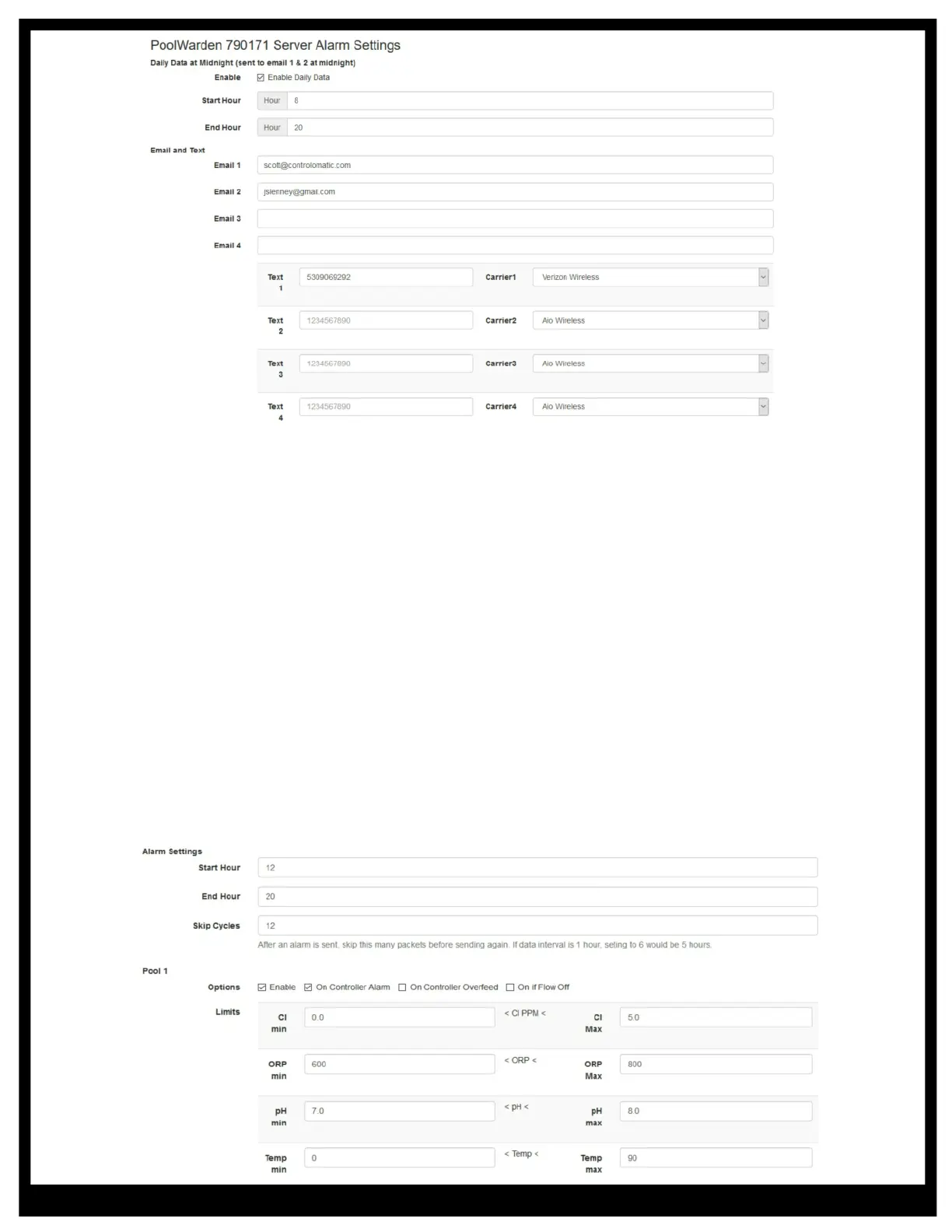
t Alarm Settings Hours: Enter a start and end hour to limit the time for sending emails and texts. If the
pool is off at night there may not be a need to get alarms during that time.
t IMPORTANT: Skip Cycles: - when an alarm condition is met and emails and texts have been sent
enter the number of future measurements to not send emails or texts on. If the data interval is 1 hour,
entering 6 would skip the next 5 data packets. You may not want to get alarm messages with every data
packet, especially if you have many controllers. If the skip cycles is currently active and a data packet is
received with no alarm conditions met then the skip cycle will reset and the next data packet with alarm
conditions met will sent emails and texts.
t Pool Conditions Enable: Check enable to include this pool in the alarm conditions.
t Pool Conditions On Controller Alarm: Check to include if the controller alarm for the pool is on. If this
is checked the limits in the data server are still checked unless the value is 0.
t Pool Conditions On Controller Overfeed: Send emails and texts if the pool is in overfeed.
t Pool Conditions On if Flow Off: Send emails and texts if the pool circulation pump is off.
t Pool Conditions Limits: Enter alarm limits for the sensors that can be different than the alarm values
in the controller. A common practice is to have wider alarms in the controller than in the data server so
that a service company will get a text notification and perhaps fix the problem before the alarm light
turns on in the controller.



 To Next Page