MiniWarden/PoolWarden + (PLUS) Operation Manual • www.poolwardentraining.com • 34
Connecting To The Local Data Server
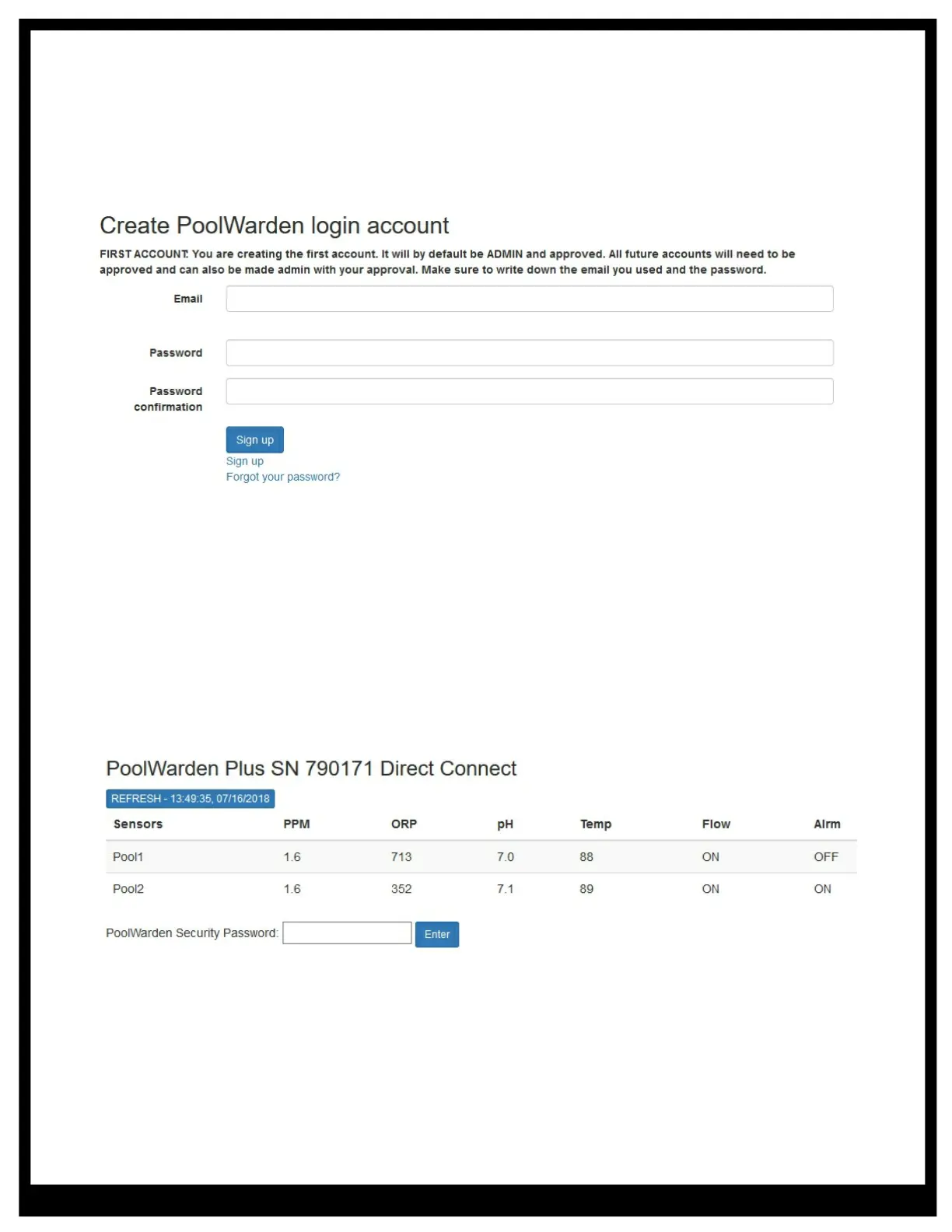
Connect using any web browser from a computer, smart phone, notepad, … When connecting for the first
time you will be prompted to create the master account. Enter an email and password to create the account
After login, a screen that shows the current measurements along with a field to enter a password. To
advance past this screen the password must be entered which is any of the 4 security passwords as setup
in the units main menu, security menu. If the security feature was not setup and all of the passwords are 0
then no further screens are available. To advance the security feature must be enabled.
When communicating directly with the controller, the controller buttons and screen will be locked out for 2
minutes since the last web access. This prevents changes being made locally and remotely at the same
time. IMPORTANT: When making changes to the controller using the buttons, the changes are saved when
the backlight turns off which is 2 minutes since the last button press. If web access occurs during this time
the changes will be lost as the web interface loads from the database. After making changes, press the 5
button from the readings screen to immediately save the changes if that is a concern.
Add Login Account
To create a new account first logout. From the Log in screen select “Sign up” and enter the new account
email and password information. Then log back in with the main account, enter the controllers password,
select “Admin” and then select the new email that was just added. Enter any desired information and make
sure to check the “Can Login” checkbox.
LDS (Local Data Server) Main Screen
Once signed in with the correct password a screen that shows all the measurements, relay information and
a menu will be displayed. The screen doesn’t automatically update, to see updated information press the
“REFRESH” button. After pressing “Manual” to put a relay into manual mode, press “REFRESH” a few
seconds later to see the updated status.



 To Next Page