Layout of the touchscreen pages
minis easyTOUCH user manual 35
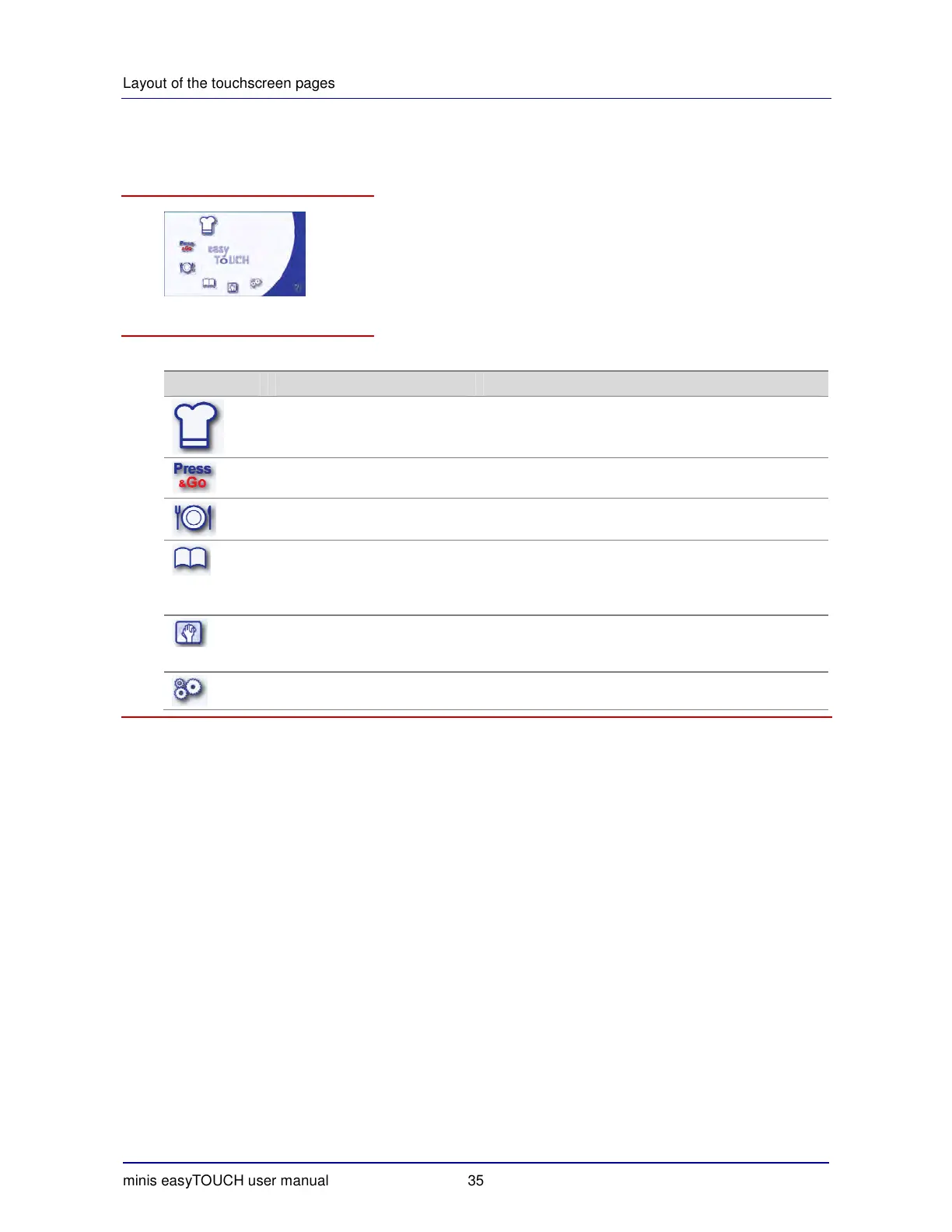
► The Start page
Appearance
The buttons and what they do
The buttons in the Start page have the following meanings and functions:
Button Meaning Function
Boiling
Opens the 'Cook' page:
Page for entering data for cooking programs using
steam, superheated steam or convection
Press
&
Go
Opens the 'Press
&
Go' page
Direct access to preset recipes
Regenerate Opens the 'Regenerate' page
Page for entering data for regenerate programs
Cookbook
Opens the cookbook:
Editing recipes
Managing recipes
Starting recipes
Clean
Opens the 'Clean' page:
Semi-automatic cleaning
Fully automatic cleaning (option)
Settings Opens the 'Settings' page.


 To Next Page