Layout of the touchscreen pages
minis easyTOUCH user manual 38
The 'Extra cooking functions' page
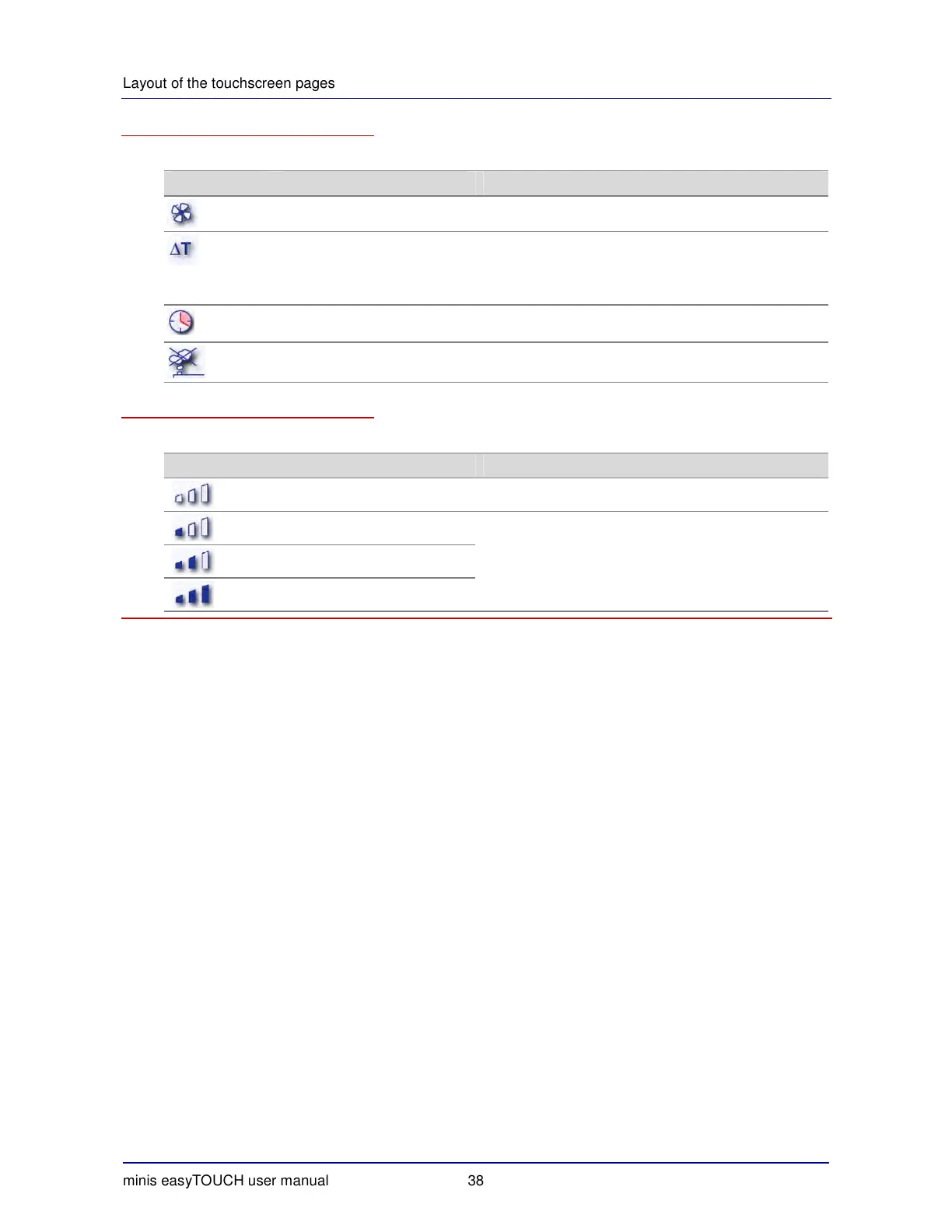
The buttons on the 'Extra cooking functions' page have the following meanings and functions:
Button Meaning Function
Lower fan speed Reduces the air-flow speed inside the oven.
∆T cooking
Cooking program in which the oven temperature in-
creases according to the core temperature.
Not possible in conjunction with the superheated steam
cooking program.
Start-time preset Delays the start of the cooking program to a defined start
time or to a defined end-of-cooking time.
Vapor reducer Reduces the amount of vapor released through the air
vent. Increases the water consumption.
The 'Crisp&Tasty' page
The buttons on the page for setting the Crisp
&
Tasty level have the following meanings and functions:
Button Meaning Function
No moisture removal
Low moisture removal Crisp
&
Tasty level; specifying the amount of excess mois-
ture removed from the oven.
Not possible in conjunction with the Steam cooking
program.
Medium moisture removal
Strong moisture removal


 To Next Page