Layout of the touchscreen pages
minis easyTOUCH user manual 36
► The Cook page
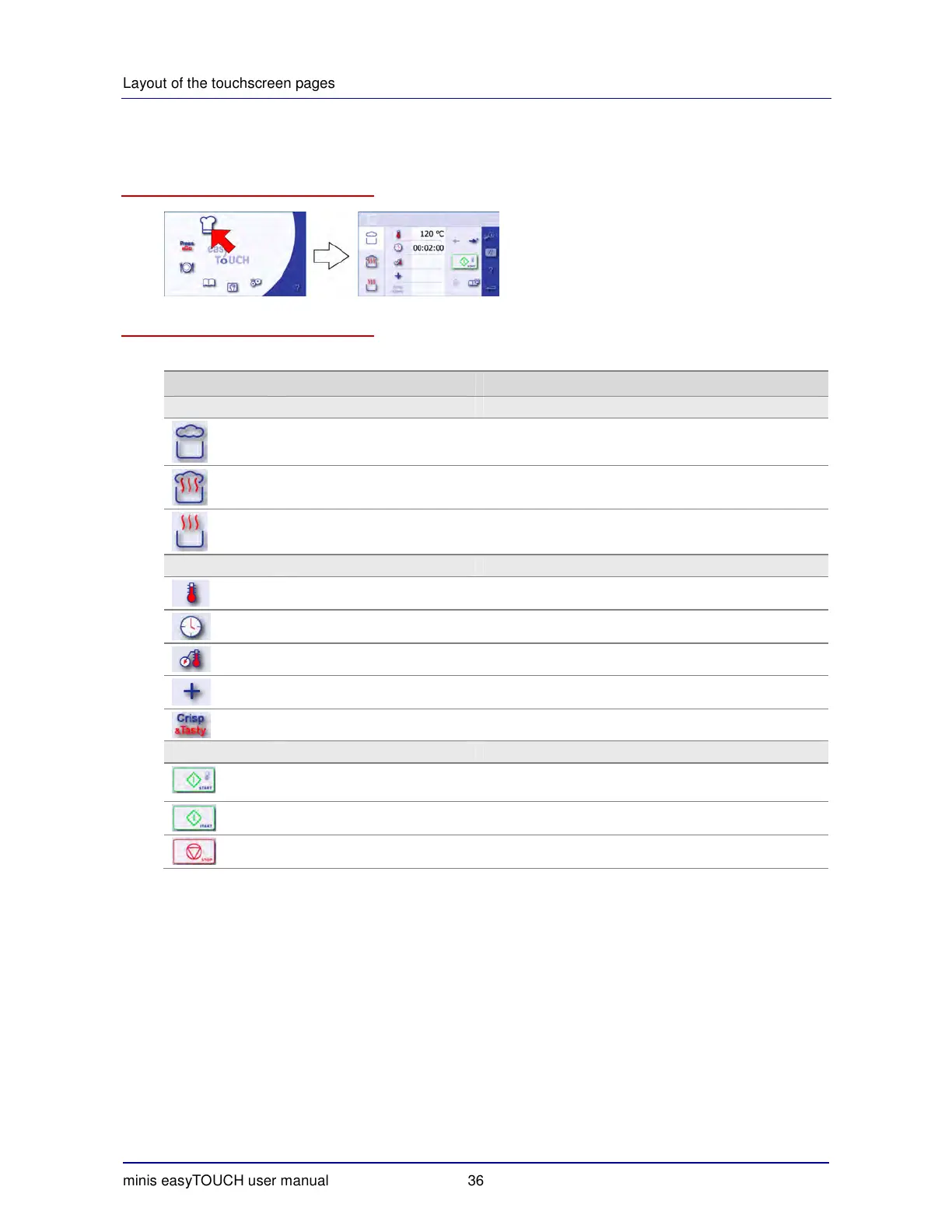
How to access the 'Cook' page
The buttons and what they do
The buttons on the 'Cook' page have the following meanings and functions:
Button Meaning Function
Main selection
Steam Selects the Steam cooking program.
Superheated steam Selects the Superheated steam cooking program.
Convection Selects the Convection cooking program.
Data input
Cooking temperature Displays the keypad for entering the cooking temperature.
Cooking time Displays the keypad for entering the cooking time.
Core temperature Displays the keypad for entering the core temperature.
Extra functions Opens the 'Extra cooking functions' page.
Crisp
&
Tasty Opens the 'Crisp
&
Tasty' page.
Program
Start with intelligent preheating Starts the cooking program with preheating.
Start Starts the cooking program.
Stop Stops the cooking program.


 To Next Page