Layout of the touchscreen pages
minis easyTOUCH user manual 57
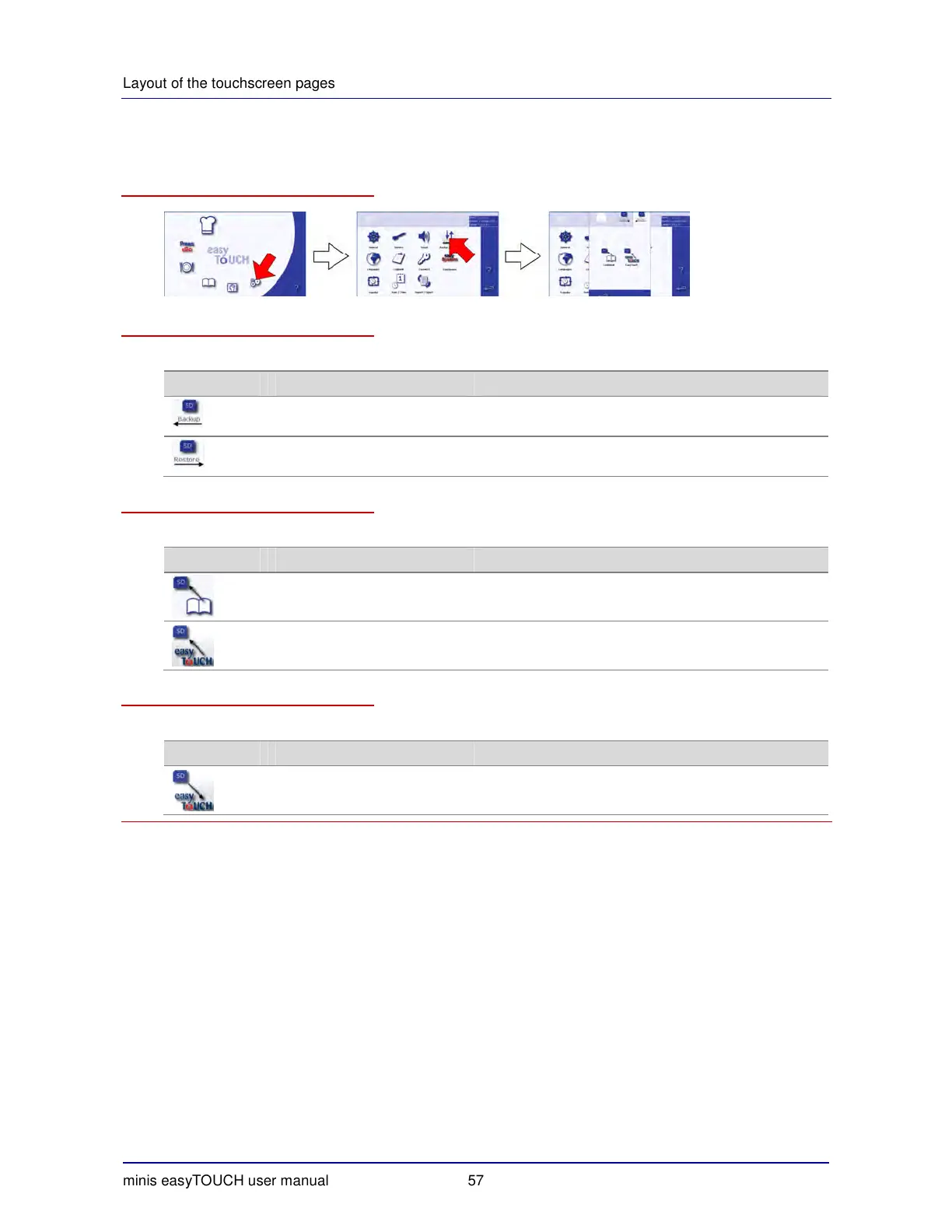
► The Backup/Restore page
How to access the 'Backup/Restore' page
The buttons and what they do
The buttons on the 'Import/Export' page have the following meanings and functions:
Button Meaning Function
Backup Selects the 'Backup' tab:
Data transfer from the appliance to the SD card
Restore Selects the 'Restore' tab:
Data transfer from the SD card to the appliance
The Backup tab
The 'Backup' tab contains the following functions:
Button Meaning Function
Cookbook Saves the cookbook.
easyTOUCH Saves the easyTOUCH data (system backup).
The Restore tab
The 'Restore' tab contains the following functions:
Button Meaning Function
easyTOUCH Restores the easyTOUCH data.


 To Next Page