21COOLIUS A10
4.7 Error messages
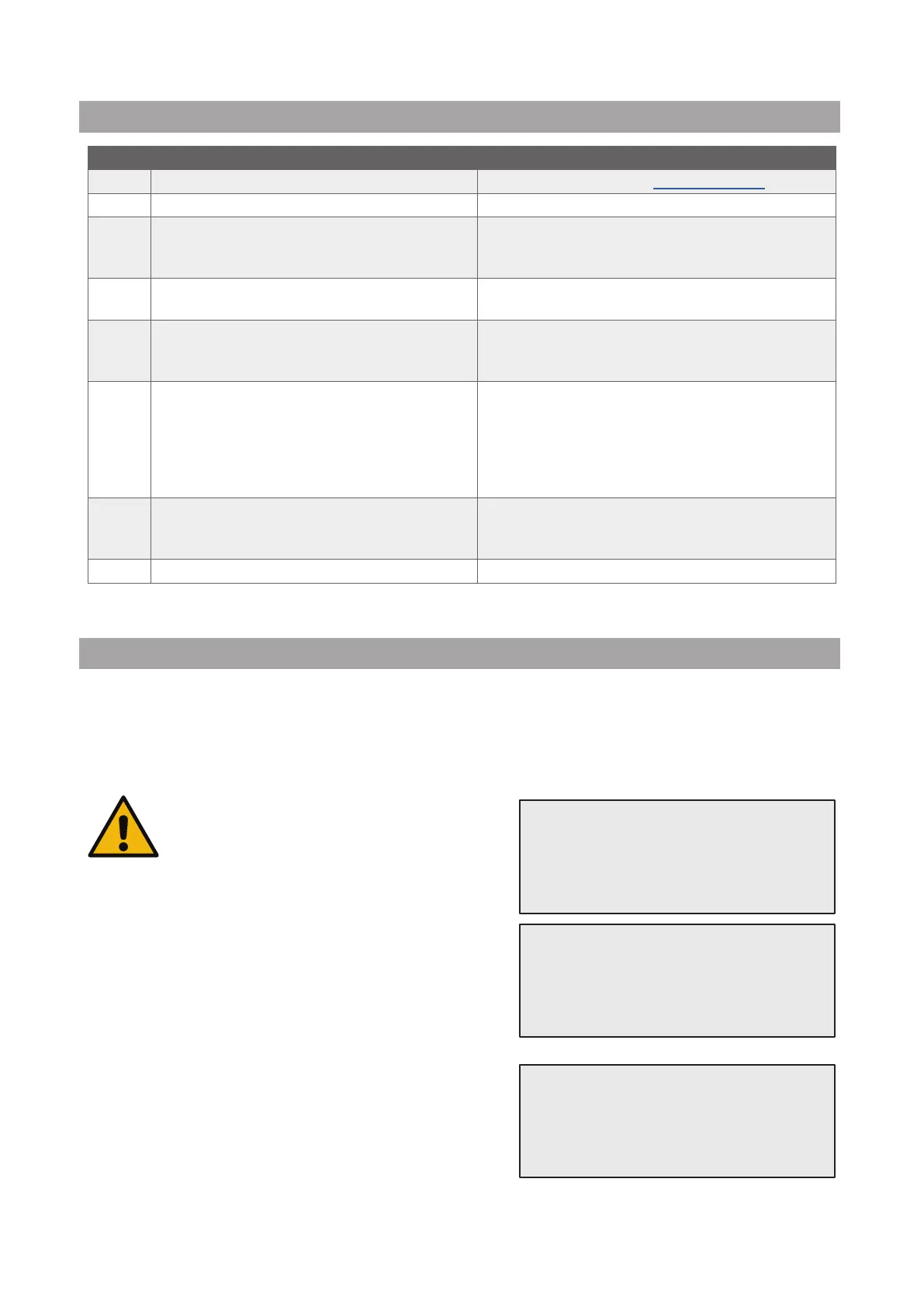
No Error message Description
A1 ERROR! Refrigerant Scale blocked or faulty!
Scale blocked or faulty (see 6.7 on p. 38)
C1 ERROR! Recovery Recovery process anomaly or compressor faulty
ERROR! Overpressure in recovery process!
High pressure switch activated. Wait 20/30 min.
If the message appears again, please contact
SERVICE CENTER.
Vessel full! Please wait!
Maximum refrigerant quantity allowed! Reduce
the refrigerant quantity in the internal vessel.
Leakage! Go on? mb. ///
If after a few minutes the minimum value is not
reached.
Possible causes: defective A/C system, etc….
Insucient vacuum for oil/UV charge!
START to by-pass
The vacuum value is not enough to guarantee the
process.
Possible causes: defective A/C system, air in the
bottles, etc…
Press START to by-pass the process and go to
charge process.
Insucient refrigerant.
Charge the vessel.
The refrigerant quantity is below the minimum
quantity required.
Perform “Internal vessel charge”.
4.8 Vessel charge
The equipment may not contain enough refrigerant to run. The available quantity could be negative
(Es: -500 g.) It will be necessary to add new refrigerant into the internal vessel before the use (at least 3 or 4
Kg).
1. Turn COOLIUS SELECT to select
VESSEL CHARGE. Press ENTER to conrm.
NOTE: The message is shown before processes.
2. Connect the LP (BLUE) or the HP (RED) hose to a new
tank of refrigerant. If available, open the liquid tank valve
(RED).
Otherwise turn the tank up-side-down.
3. Turn COOLIUS SELECT to set the value.
• Minimum: 800 g.
• Maximum: the value shown by the display.
4. Press ENTER to conrm..
WARNING!
Verify Oil/UV
quantity in the
bottles.
Connect LP or HP
Hose to ext. tank.
Open the valve
liquid side.
Set the quantity.
g./////



 To Next Page