2C9
1-6-18
(2) Detaching and refitting the scanner wires
Take the following procedure when the scanner wires are broken or to be replaced.
(2-1) Detaching the scanner wires
Procedure
1. Remove the exposure lamp (see page 1-6-
17).
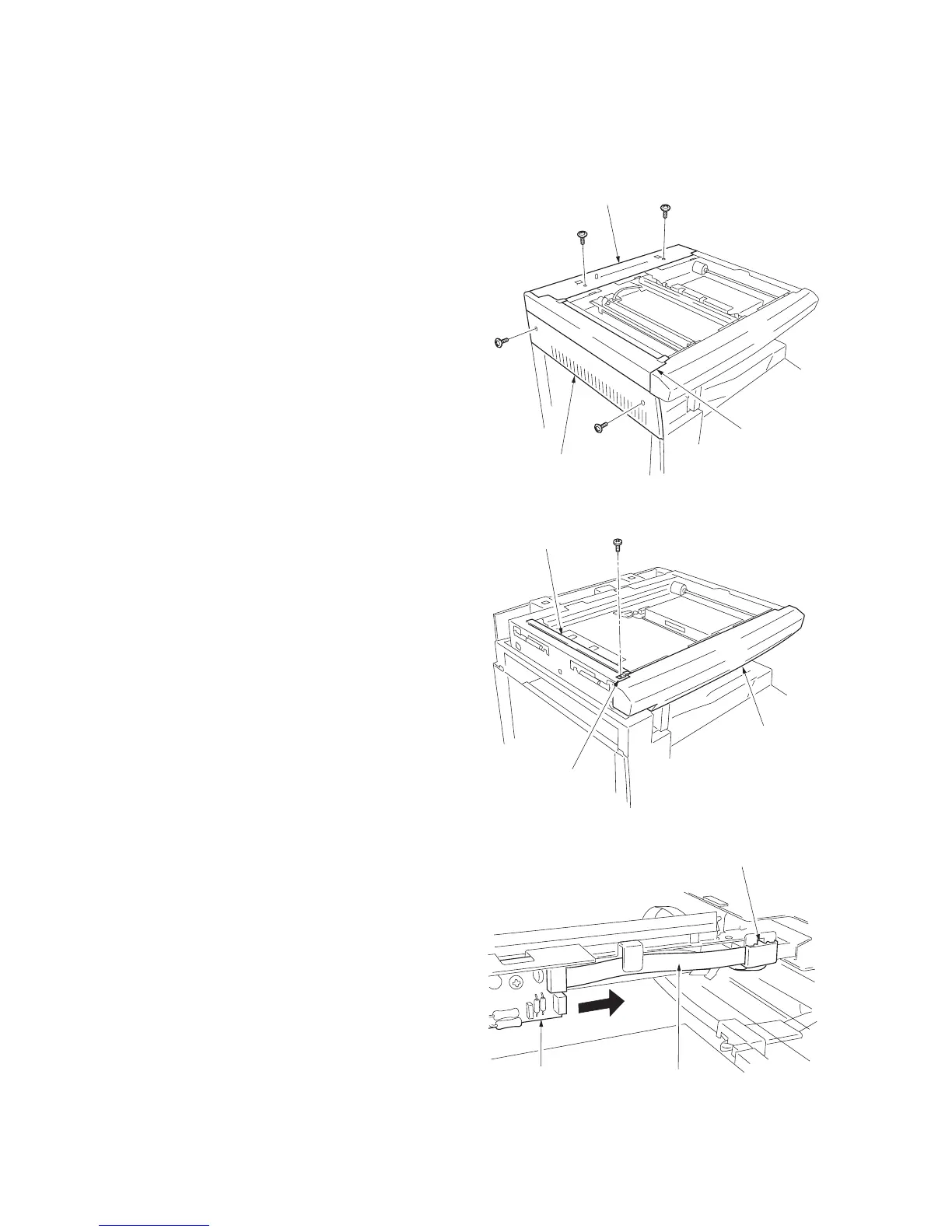
2. Remove the two screws holding the upper
rear cover and then the cover. Remove the
two screws holding the middle left cover and
upper left cover and then the covers.
Figure 1-6-32
3. Remove the screw and then the slit retainer
and slit glass. Detach the fitting portions and
then remove the front scanner cover.
Figure 1-6-33
4. Remove the inverter wire guide and then
detach the inverter wire from the inverter
PCB.
Figure 1-6-34
Middle left cover
Upper left cover
Uppeer rear cover
Front scanner cove



 To Next Page