2C9-4
1-6-31
Yes
No
Start
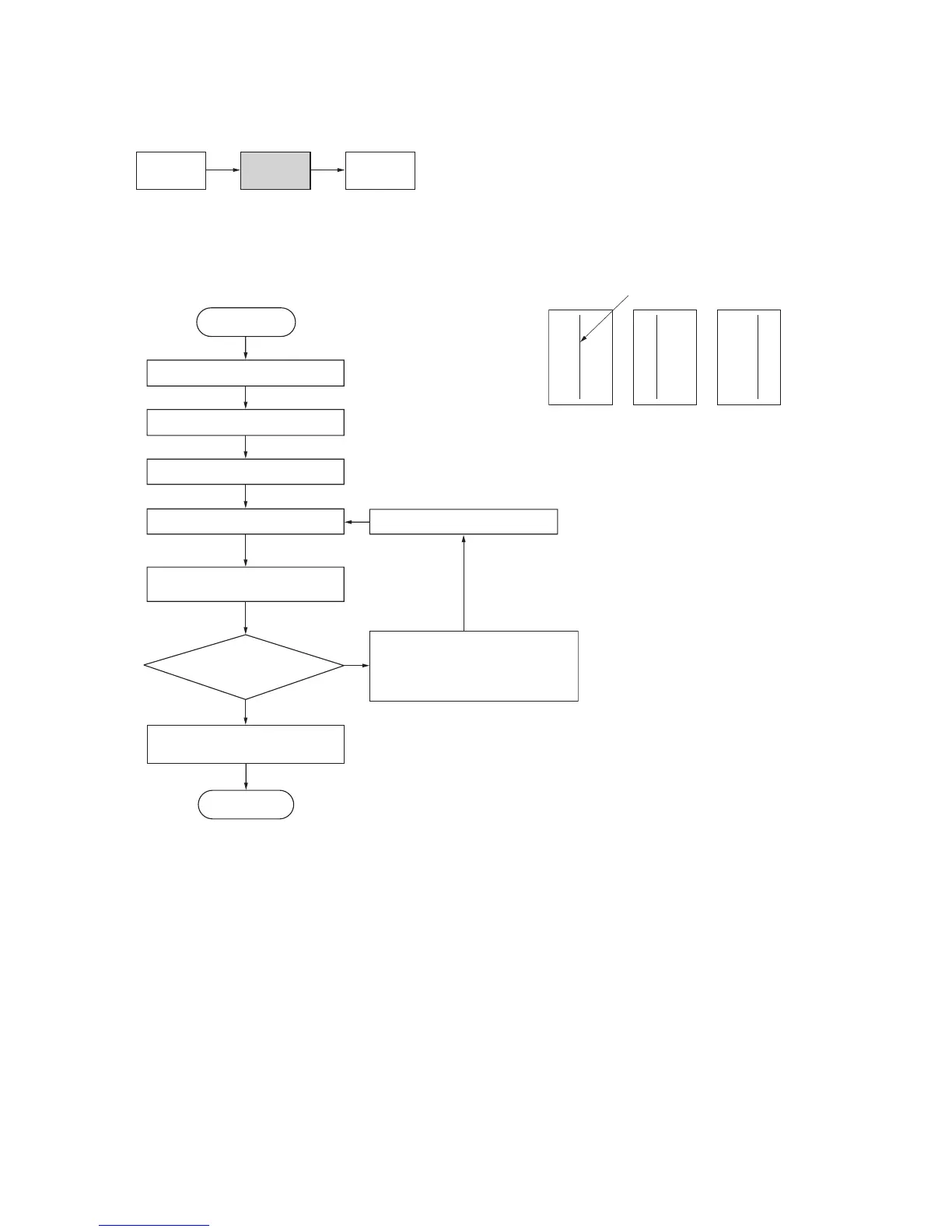
Enter maintenance mode.
Enter “067” using the numeric keys.
Press the start key.
Press the interrupt key.
Place an original and press
the start key to make a test copy.
Is the scanner
center line correct?
Press the start key.
The new setting
is stored.
Setting range: –66 – +66
Initial setting: 0
Changing the value by 1 moves
the center line by 0.17 mm.
For copy example 1, increase
the value using the zoom (+) key.
For copy example 2, decrease
the value using the zoom (–) key.
Press the stop/clear key to
exit maintenance mode.
End
(9) Adjusting the scanner center line
Perform the following adjustment if there is a regular error between the center lines of the copy image and original.
Caution:
Before making the following adjustment, ensure that the above adjustments have been made in maintenance mode.
Procedure
Figure 1-6-59
U034
(P. 1-6-14)
U072
(P. 1-4-15)
U067
Original Copy
example 1
Copy
example 2
Scanner center line


 To Next Page