2C9
1-3-8
1-3-4 Installing the DP (option)
<Procedure>
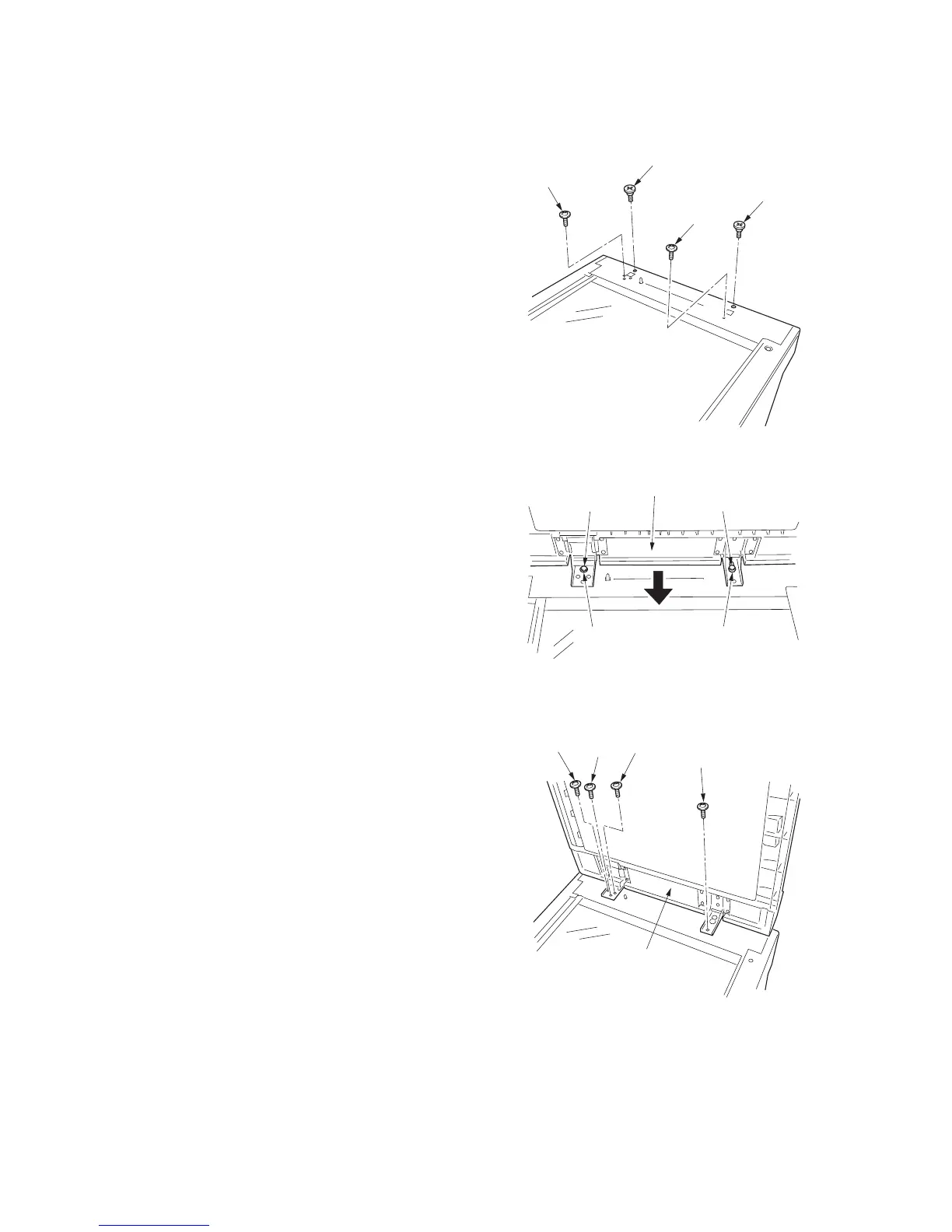
1. Remove the original holder and remove the
two screws from the rear top cover.
2. Pass the two pins through the screw holes
of the rear top cover and attach them to the
lower frame.
Figure 1-3-10
3. Place the DP on the copier by fitting the pins
into the holes at the hinge sections of the
DP and sliding them toward the front side.
Figure 1-3-11
4. Secure the DP with the two chrome TP
screws M4 x 10 and the two screws that
have been removed in step 1.
Figure 1-3-12
Screw
Screw
Pin
Pin
Pin
Hole Hole
Pin
DP
Screw
Chrome
TP screw
M4 x 10
Chrome
TP screw
M4 x 10
Screw
DP



 To Next Page