2C9
1-3-7
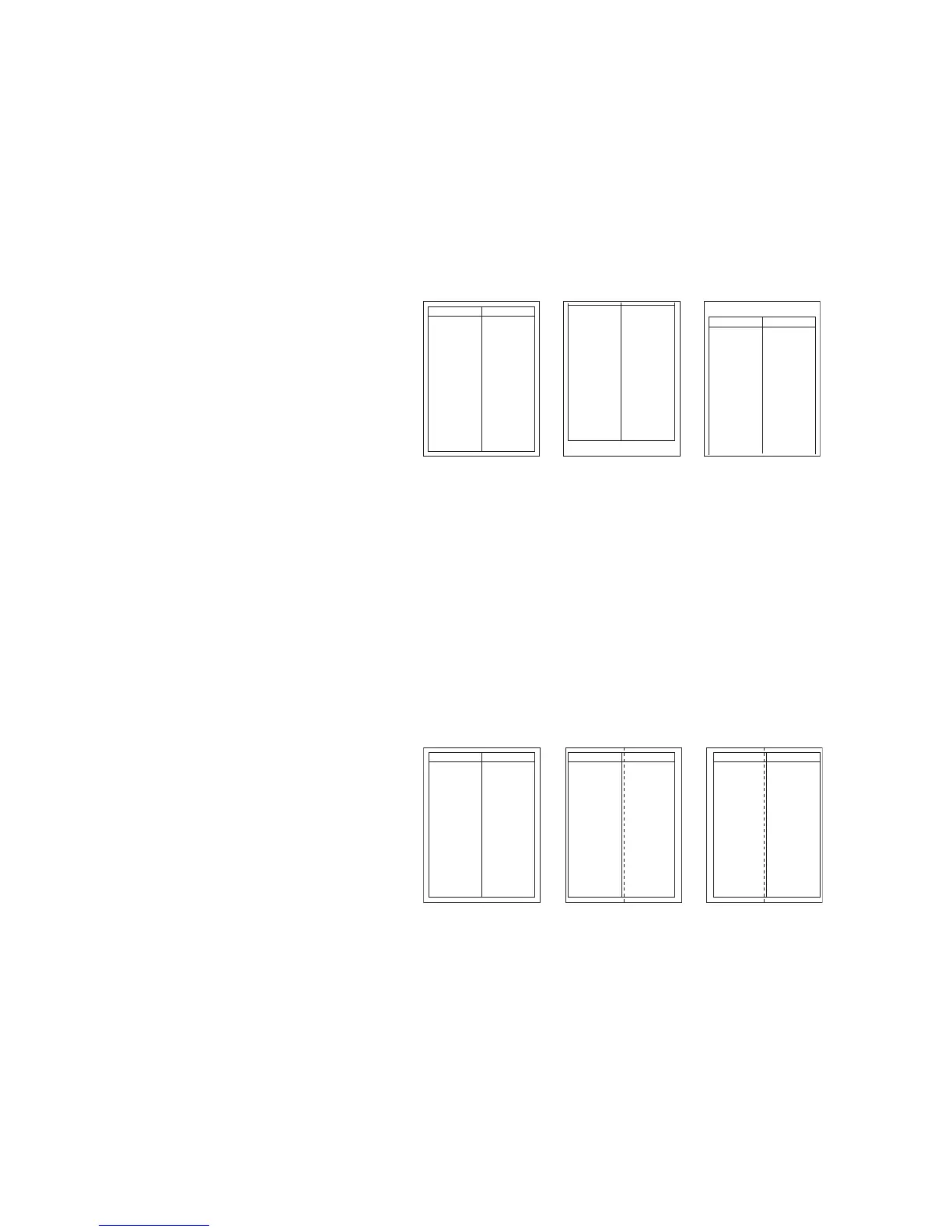
Adjusting the leading edge timing
1. Run maintenance mode 034.
Press the image quality mode key until "Text" is lit. (group 1)
First paper feeder: Press the exposure key until "exp3" is lit. (mode 3)
Second paper feeder: Press the exposure key until "exp4" is lit. (mode 4)
Third paper feeder: Press the exposure key until "exp5" is lit. (mode 5)
Make a test copy to check the image. If an adequate image cannot be obtained, carry out the following adjustment.
2. If a copy example a is obtained, increase the adjustment value.
If a copy example b is obtained, decrease the adjustment value.
Setting range: -5.0 - 10.0
3. Make a test copy again.
4. Repeat steps 2 and 3 until an adequate image is obtained.
Figure 1-3-8
Adjusting the center line
1. Run maintenance mode 034.
Press the image quality mode key until "Text" and "Photo" are lit. (group 2)
First paper feeder: Press the exposure key until "exp3" is lit. (mode 3)
Second paper feeder: Press the exposure key until "exp4" is lit. (mode 4)
Third paper feeder: Press the exposure key until "exp5" is lit. (mode 5)
Make a test copy to check the image. If an adequate image cannot be obtained, carry out the following adjustment.
2. If a copy example a is obtained, increase the adjustment value.
If a copy example b is obtained, decrease the adjustment value.
Setting range: -8.0 - 10.0
3. Make a test copy again.
4. Repeat steps 2 and 3 until an adequate image is obtained.
Figure 1-3-9
Adequate image Copy example a Copy example b
Adequate image Copy example a Copy example b



 To Next Page