2C9
2-4-5
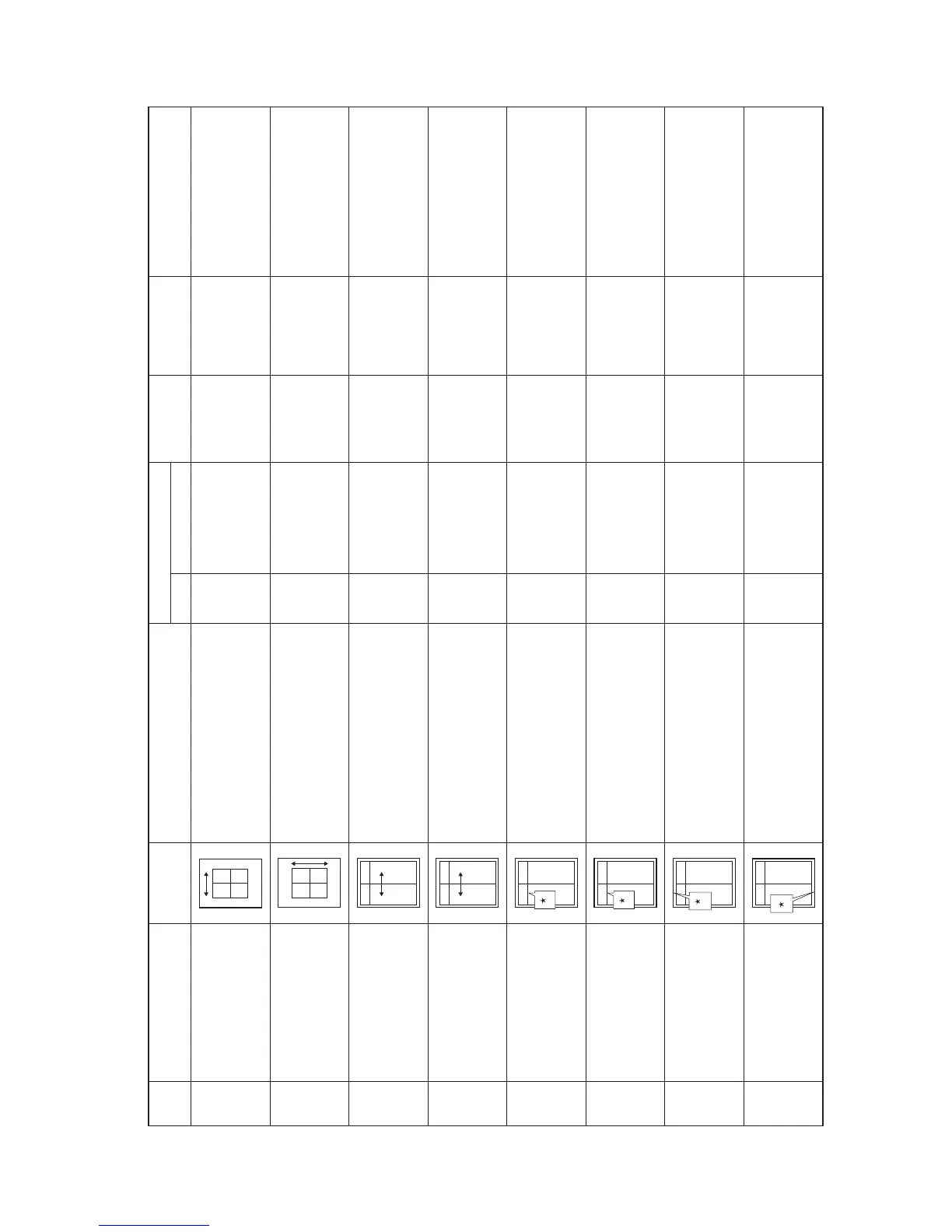
Chart of image adjustment procedures
Item Image Description
Item No. Exposure indicator
Original Page Remarks
Maintenance mode
Adjust-
ing
order
1
2
4
5
6
7
8
3
Drive motor speed adjustmentAdjusting the magnification
in the auxiliary scanning di -
rection (printing adjustment)
Exp.1 (light) 1-4-10U053 U053 test
pattern
LSU illumination start timingAdjusting the leading edge
margin (printing adjustment)
Exp.1 (light) 1-6-15U402 U402 test
pattern
LSU illumination end timingAdjusting the trailing edge
margin (printing adjustment)
Exp.3 (light) 1-6-15U402 U402 test
pattern
Polygon motor speed adjustmentAdjusting the magnification
in the main scanning di -
rection (printing adjustment)
Exp.2 (light) 1-4-10U053 U053 test
pattern
Adjusting the LSU print start timingAdjusting the center line of
the bypass tray (printing
adjustment)
Exp.2 (light) 1-6-14U034 U034 test
pattern
Registration motor turning on timing
(sec on dary paper feed start timing)
Adjusting the leading edge
registration of the drawer
(printing adjust ment)
Exp.1 (light) To make an adjustment for
duplex copying, select “exp.1
(flashing)”.
1-6-12U034 U034 test
pattern
Adjusting the center line of
the drawers (printing adjust -
ment)
Exp.1 (light) 1-6-14U034 U034 test
pattern
Adjusting the LSU print start timing
To make an adjustment for
duplex copying, select “exp.1
(flashing)”.
Registration motor turning on timing
(sec on dary paper feed start timing)
Adjusting the leading edge
registration of the bypass
tray (printing adjust ment)
Exp.2 (light) 1-6-12U034 U034 test
pattern


 To Next Page