2C9-1
1-3-19
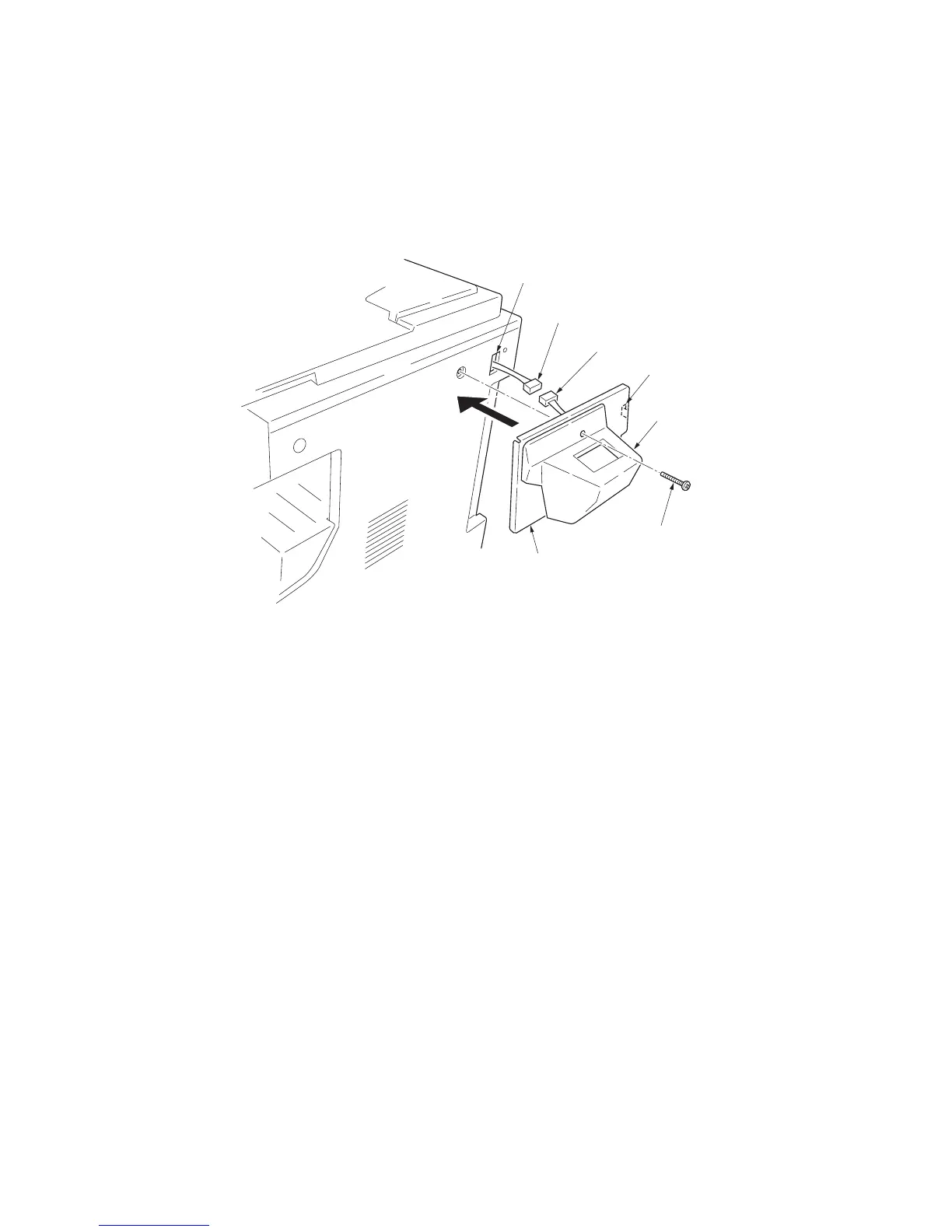
8. Connect the 4-pin connector of the key
counter to the key counter wire.
9. Engage the projection of the key counter
mounting plate with the aperture of the right
cover.
10. Secure the key counter cover and the key
counter mounting plate together with the
copier using a M4 x 35 screw.
11. Refit the rear cover.
Figure 1-3-34
12. Insert the key counter into the key counter
socket assembly.
13. Turn the main switch on and enter the main-
tenance mode.
14. Run maintenance item U204 and select
“KEYCOUNTER.”
15. Exit the maintenance mode.
16. Check that if the key counter is removed,
“U1” is displayed in the copy quantity dis-
play.
17. Check that the counter counts up as copies
are made.
Key counter wire
4-pin connector
Aperture
Key counter
cover
Key counter mounting
plate (2C960100)
M4 x 35 screw
(B0004350)
Projection



 To Next Page