Cosman G4 Radiofrequency Generator Service Manual (SPI 11291 Rev A)
3. Getting Started
3.1 Description
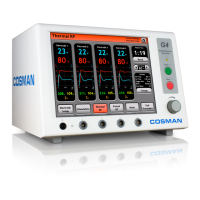
The G4 is a lesion generator capable of supplying up to 50 watts of radiofrequency power while
continuously monitoring both the tissue impedance and the temperature at the tip of the one, two, three, or
four electrodes. All of these functions are described in more detail in subsequent chapters.
3.2 Indications for Use
The Cosman G4 Radiofrequency Generator is indicated for use in procedures to create radiofrequency
lesions for the treatment of pain, or for lesioning nerve tissue for functional neurosurgical procedures. The
Cosman G4 Radiofrequency Generator is used with separately approved Cosman Radiofrequency Probes.
3.3 Unpacking the G4 System
G4 Box Contains:
G4 RF Lesion Generator
C119 Power Cord, Domestic (120 V) or
C118 Power Cord, International (220 V)
CB112-TC Connecting Cable for Electrodes
RFG-TP Test Plug
Operator’s Manual
NOTICE: Place the Operator’s Manual in a safe place for later reference.
NOTICE: Save packaging materials for use in the event that the Generator is
shipped back to Cosman Medical, Inc.
4. Turning on the G4 & Main Menu
1. After unpacking the G4 from the shipping box, plug the power cord into the rear of the unit.
CAUTION: Make sure that the wall outlet voltage matches the voltage displayed on
the Voltage Selector located on the rear of unit (100, 120, 220, or 240). If not, open
the Fuse drawer, remove the Voltage Selector and rotate it to the proper voltage
setting.
2. Plug the power cord into the proper AC receptacle. Rotate the G4’s adjustable feet (Section 2.1)
downward change the viewing angle of the front panel.
CAUTION: Disconnect all electrodes, ground pad, and associated cables from the
G4 before turnin
the mains
ower on or off.
3. Press the Main Power On Switch on the back panel of the generator (Section 2.2). The startup
screen appears in approximately 2 seconds, and it is displayed for approximately 15 seconds.
Section 3


 To Next Page