38
• [Setup] Here is for you to set cover area. You can drag you mouse to set proper section size. In
one channel video, system max supports 4 zones in one channel.
• [Zone] To select No. of zone for overlay on channel video.
Note – By default overlay will effect on both preview and monitor state, means after setup the
channel overlay it will effected on live preview as well as in playback of same channel.
4.1.1.7. IPC Parameter
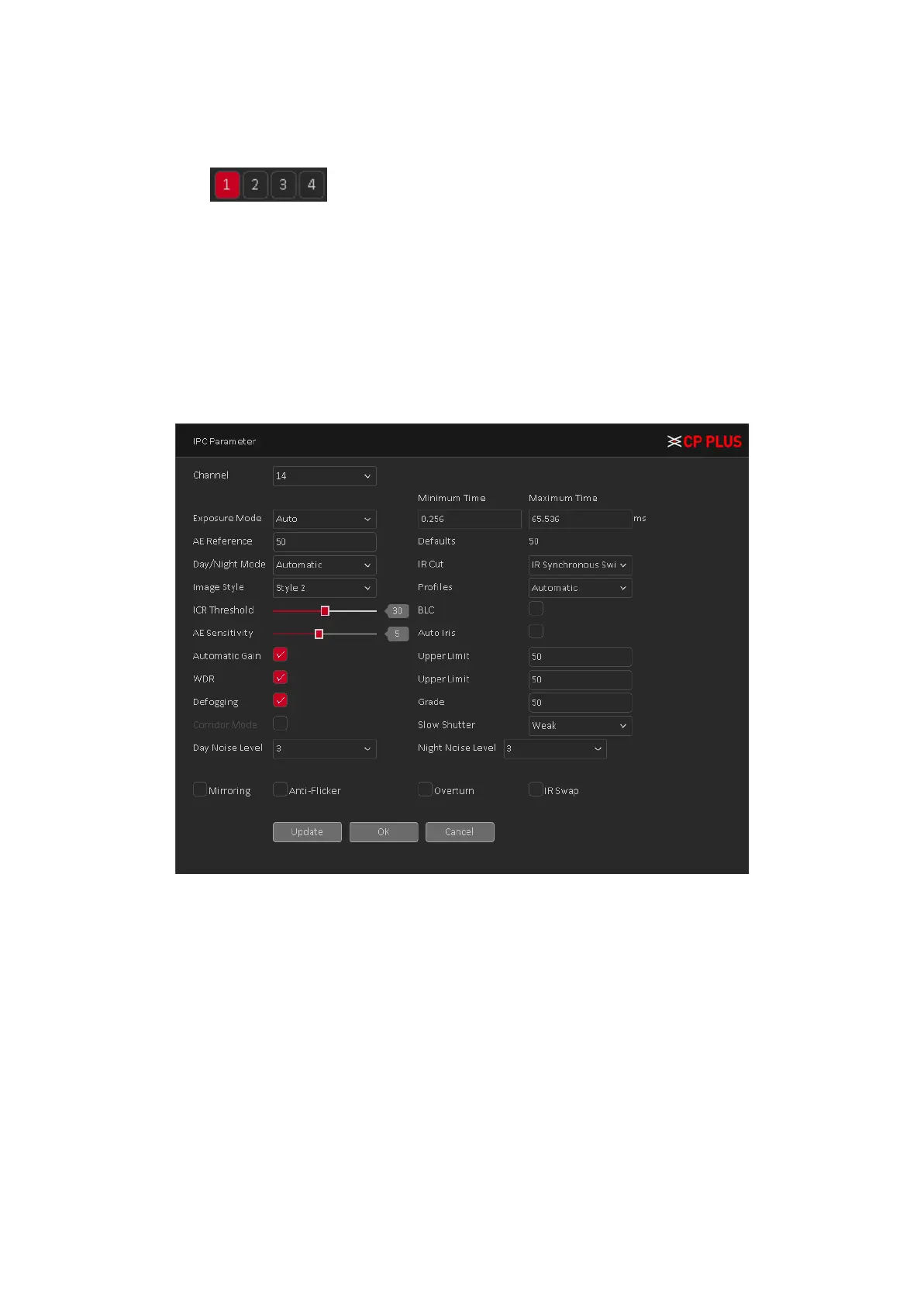
IPC Parameter interface as shown in Figure 4.12.
Note – IPC parameter will work with only for those IPC which is connected with Private protocol.
Figure 4.12
• [Channel] Select a channel from the dropdown list. (Only those channels will show in dropdown
list which was added through private protocol).
• [Exposure Mode] To choose camera exposure as auto (0.1 millisecond – 80 millisecond) or
manual (1/50, 1/120, 1/250, 1/500, 1/1000, 1/2000, 1/4000, 1/10000) default is auto.
• [AE Reference] To choose auto exposure integer data between 0 ~ 100, default value is 50.
• [Day/Night Mode] To choose Automatic, Color or Black and White mode.
• [IR Cut] To choose automatically switch or IR synchronous switch, default is automatically.
• [Image Style] To set image style as per profile.
• [Profiles] To choose camera profile as per camera location, you can choose auto, indoor or
outdoor. By default is auto.
• [ICR Threshold] To set IR-Cut filter threshold level, value range 10 to 50. By default value is 30.
• [BLC] To enable or disable auto exposures according to the environments situation so that the
darkest area of the video is cleared.



 To Next Page