79
Important
⚫ For multiple-channel monitor mode, system adopts extra stream to monitor by default. You cannot
modify manually. All channels are trying to synchronize. Please note the synchronization effect still
depends on your network environments.
For bandwidth consideration, system cannot support monitor and playback at the same time. System auto
closes monitor or playback interface when you are searching setup in the configuration interface. It is to
enhance search speed.
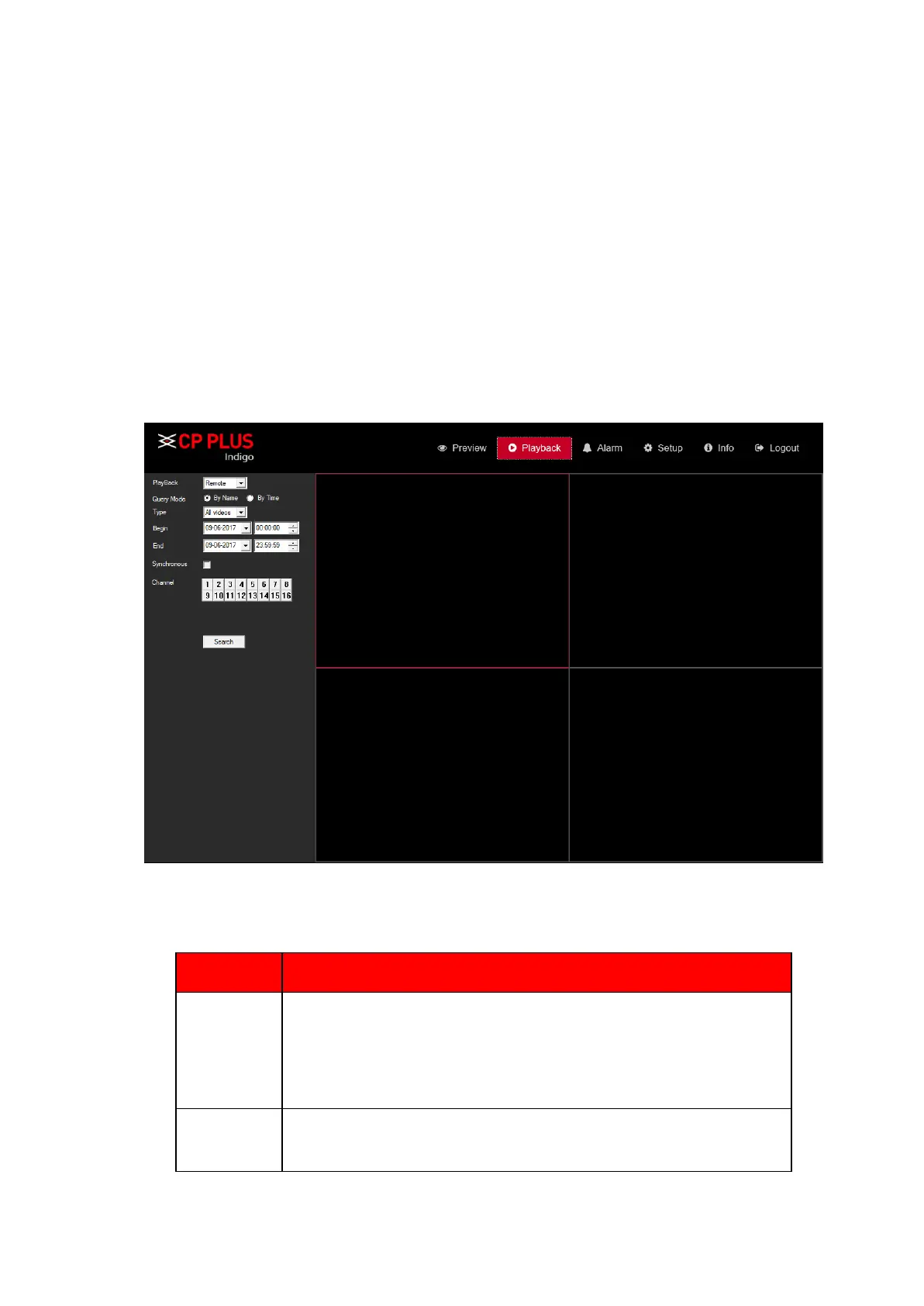
5.7. Playback
Click Playback button, you can see an interface is shown as in Figure 5.7.
Figure 5.7
Please refer to the following sheet for Playback Page information.
To Select Playback Mode, its include Remote and local.
Remote – To get record from device end connect HDD.
Local – To get record from local PC through manual Recording



 To Next Page