69
➢ [Alarm Status] Means the selective state. Display the system alarm status in the live
window.
➢ [Transparency] Choose the background image transparency. The range is 10~100.
➢ [Resolution] Set display resolution. It includes: 1024x768, 1280x720, 1280x1024, 1440x900,
and 1920x1080. User can also set output mode with HDMI priority or VGA priority.
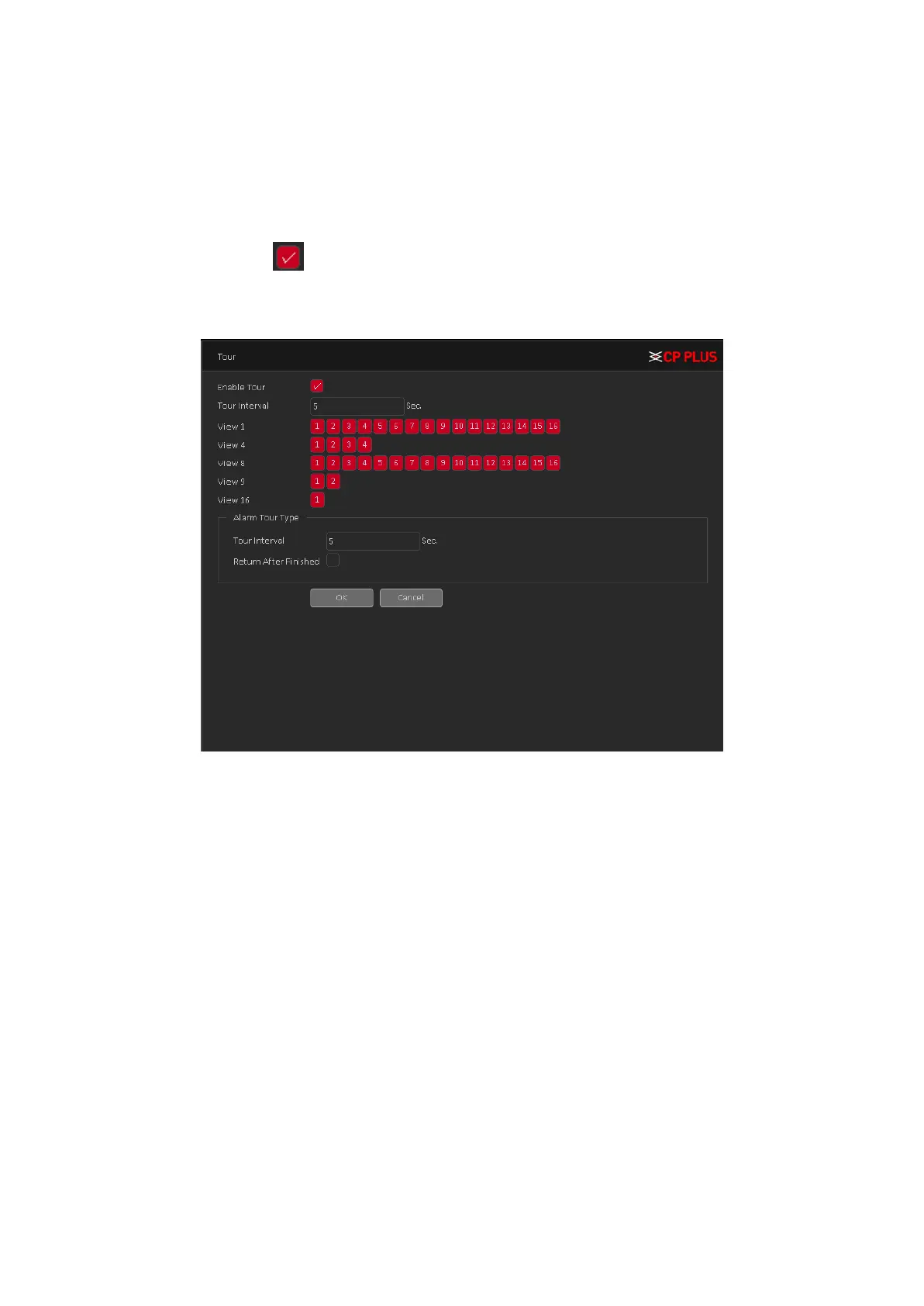
➢ [Tour] Set the patrol display. Click the tour button in new window, click to enable display
tour option. Mean that the tour mode is enabled. You can choose the single-view, four-
view, eight-view of single mode tour or hybrid mode tour. Tour interface is shown as in
Figure 4.56.
Figure 4.56
➢ [Time Display and Channel Title] Select the channel No. and click on setup button and drag
the Channel title or date/Time title to the corresponding position in the screen.
4.3.4. Account
Manage the user preview. Account interface is shown as in Figure 4.57
Note:
• The character length is 8 bytes at most for the following user and user team name. The
blank ahead or behind the character string is invalid. The middle blank in the character
string is valid. Legal characters include: letter, number, underline, subtraction sign, and dot.
• There is no limit in the user and user group. You can add or delete the user group according
to user definition. The factory setup include: user\admin. You can set the team as you wish.
The user can appoint the purview in the group.
• The user management include: group/ user. The group and user name cannot be the same.
Each user only belongs to one group.



 To Next Page