58
➢ [Channel] Select the channel on which PTZ connected.
➢ [Control Method] You can select control method from the dropdown list. There are three
options: Coaxial, RS485 and All. For CVI series product, please select Coaxial. The control
signal is sent to the PTZ via the coaxial cable. For the RS485 mode, the control signal is sent
to the PTZ via the RS485 port.
➢ [Protocol] To select the protocols (e.g.: CPPlus, PelcoD).
➢ [Address] Input corresponding PTZ address.
➢ [Baud rate] Select baud rate.
➢ [Data bit] Select data bit.
➢ [Stop bit] Select stop bit.
➢ [Parity] There are five choices: none/odd/even/mark/space.
4.1.5.3. Auto Maintenance
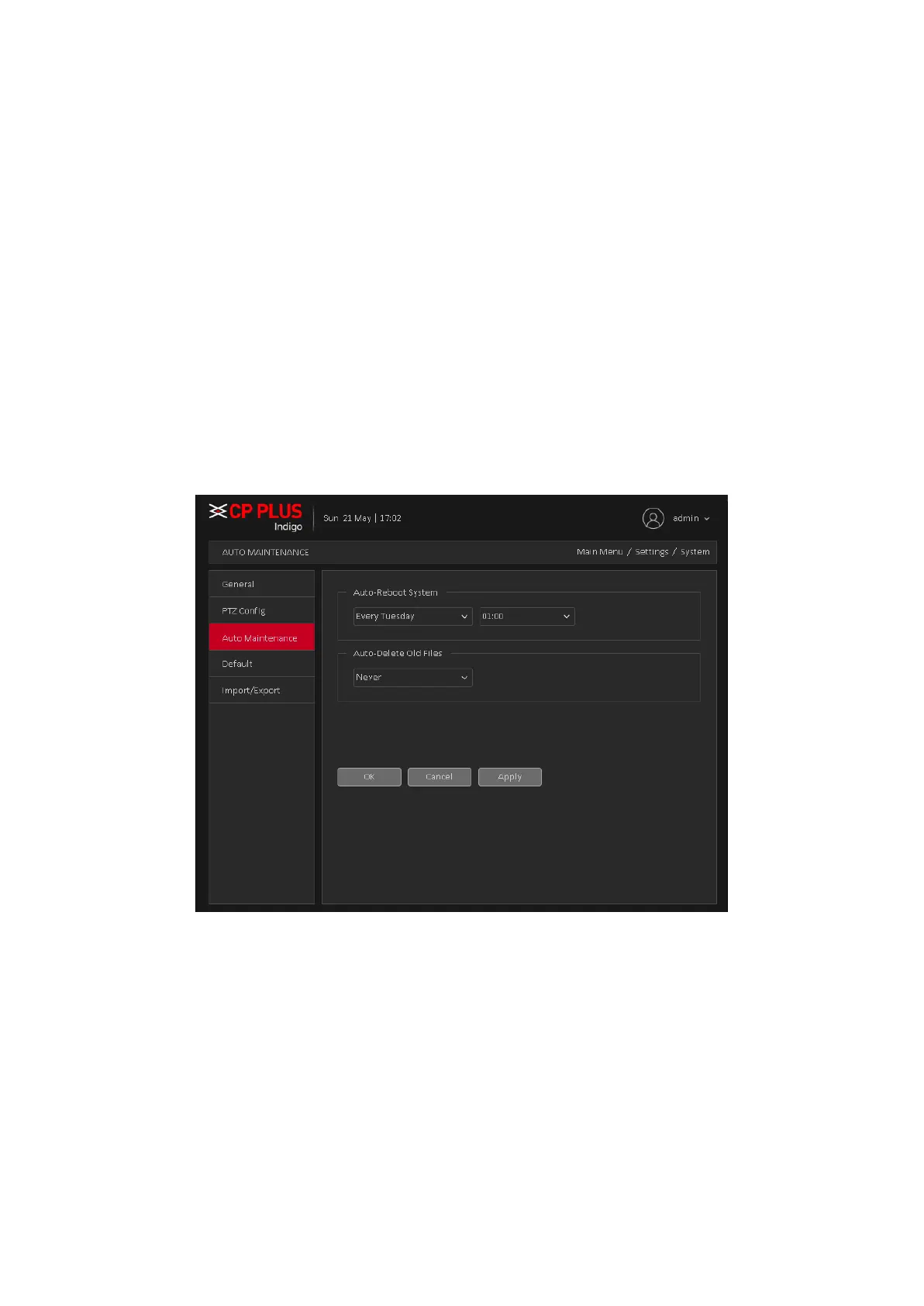
The user can set the time to auto reboot and auto delete file. Auto Maintenance interface is shown
as in Figure 4.40
Figure 4.40
4.1.5.4. Default
To Default Device settings, Default interface is shown as Figure 4.41
• General
• Encode
• Schedule
• Alarm Set
• Network
• Advance Settings
• Display
• Account



 To Next Page