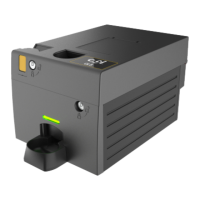
Gryphon™ Coin Changer User Guide
© 2021 Crane Payment Innovations.
All rights reserved.
• Coin Counts: Some machines coin count and only use the changer counts if they
differ by more than 2 coins. The 0 to 4 transition in TRC mode can resynchroniz
e
thes
e machines to the same counts as the changer.
o TRC 0004: Zeroes coin counts below a level of 4
.
o C
F1234: Reports the exact number of coins.
• Float Coins: Turn Float on or off.
• Coin Scaling: Should be set to 5 for US and Canada. This setting should not be
c
hanged under normal operati
on.
• D
ecimal Point 1: This setting should not be changed under normal operation.
• Decimal Point 2 This setting should not be changed under normal operation.
• Country: Update the country by using the MDB country code specification. It does not
i
ndicate what coin set is in the product. It is typically only used for audit purposes
to
tr
ack which country a changer is in, and it should not be changed under normal
operati
on.
C
oin Config
• Coin Setup: Set the acceptance rate for each coin in the coin set.
• Channel Setup: Acceptance parameters for an individual channel can be set. For
example, you can change the 0.10 USD coin from high acceptance to high security
.
• Exchange Rate 2 to 1: Set the exchange rate between 2 countries. The operator
must set and maintain the exchange rates as they fluc
tuate.
A
udit Config
The selections in this section allow you to log information about the vending machine where
the coin changer is installed. This information will be captured in the audit files received from
the coin changer.
• Machine ID: Set Machine ID, if you would like to change it from the serial number
.
This ID will appear in DEX readings.
• Asset Number: Set the asset number.
• Date & Time: Set the current date and time; note that the coin changer will reset the
date and time whenever power is remov
ed.
• Reset Audit: Reset all the information in this section or reset the interims.
G
eneral
• Calibrate Tubes: Ensure the cassette is empty, then press
START to calibrate the
tubes.
• C
urrency Accepted: Select Only One currency to accept the standard currency i
n
your country or select All to accept all forms of currency.
• C
lean-Me Level: The coin changer displays a Clean Me message once t
he
ac
ceptance rate drops below 50%. This section allows you to customize t
hat
acceptance rate.
• S
tart Menu Options: Customize the menu options listed on the home screen. Selec
t
an opti
on to disable, and then enable a new option in that spo
t.


 To Next Page