22
B. On-Screen Method:
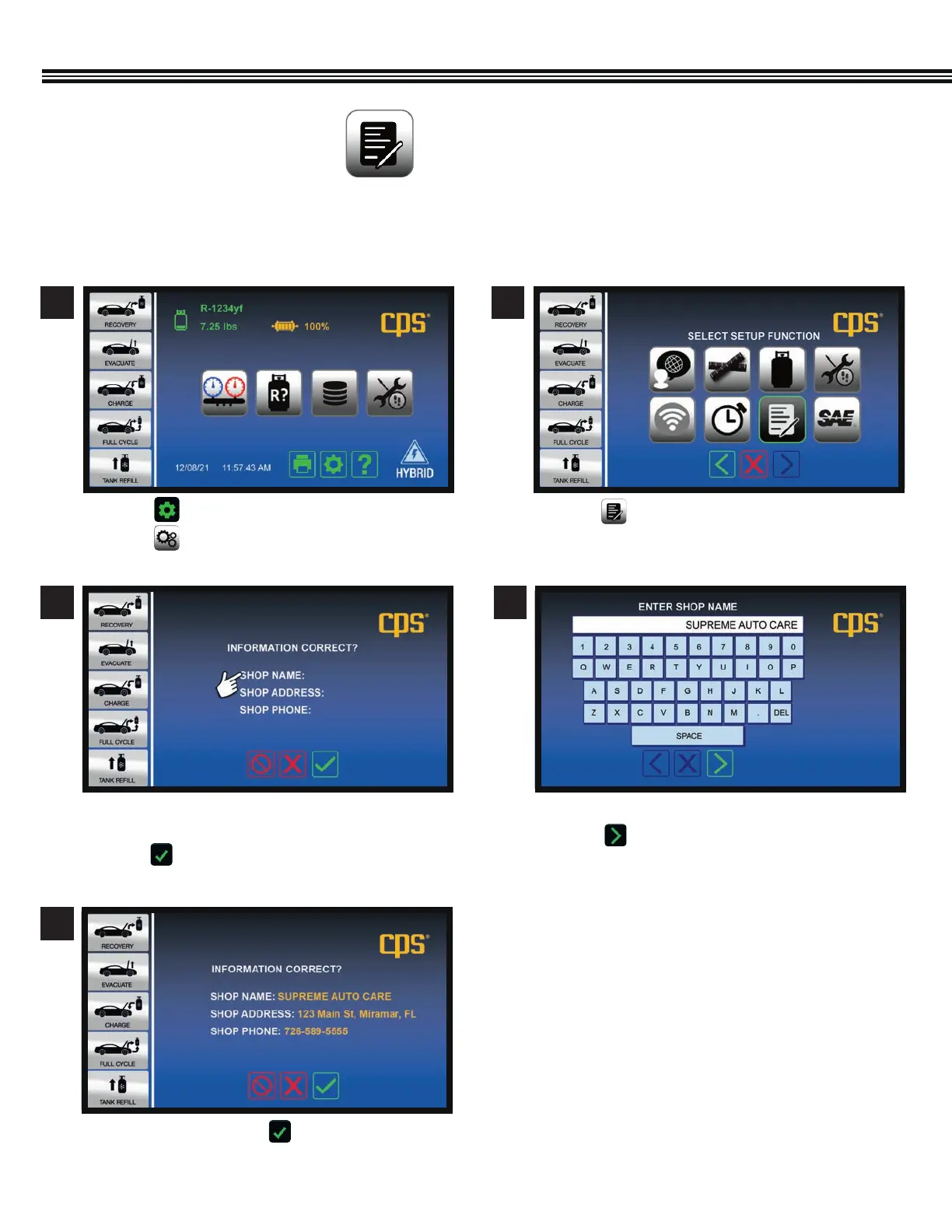
Users may register an MX series machine via the following “Onscreen” method:
a. Touch one of the the three lines where you want to
enter data.
b. Touch to reveal keypad.
a. If entries are OK, touch to move to next
screen.
a. Touch . ,
b. Touch .
a. Touch and enter information by following the
prompts.
a. Use the keypad to enter data (example shown).
b. Touch to enter data and move to next screen.
3 4
5
Shop Information
Shop Information
Enter Business Name
1 2
Setup Function ScreenHome Screen
SHOP INFORMATION
(Not All Screens Are Shown)
SETUP (Cont’d)



 To Next Page