39
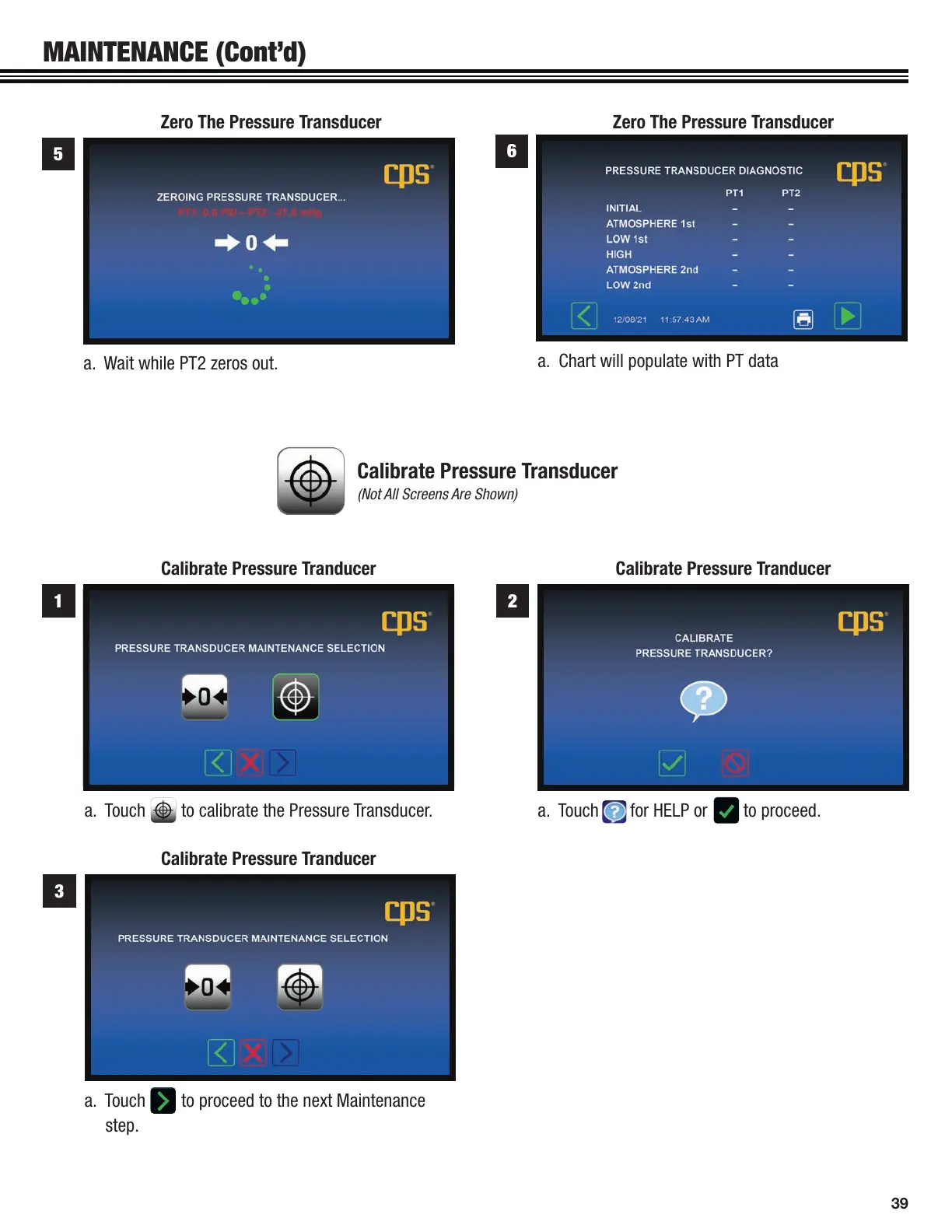
a. Touch for HELP or to proceed.
a. Touch to proceed to the next Maintenance
step.
a. Touch to calibrate the Pressure Transducer.
2
3
1
Calibrate Pressure Tranducer
Calibrate Pressure Tranducer
Calibrate Pressure Tranducer
Calibrate Pressure Transducer
(Not All Screens Are Shown)
Zero The Pressure Transducer Zero The Pressure Transducer
a. Wait while PT2 zeros out.
a. Chart will populate with PT data
5
6
MAINTENANCE (Cont’d)


 To Next Page