27
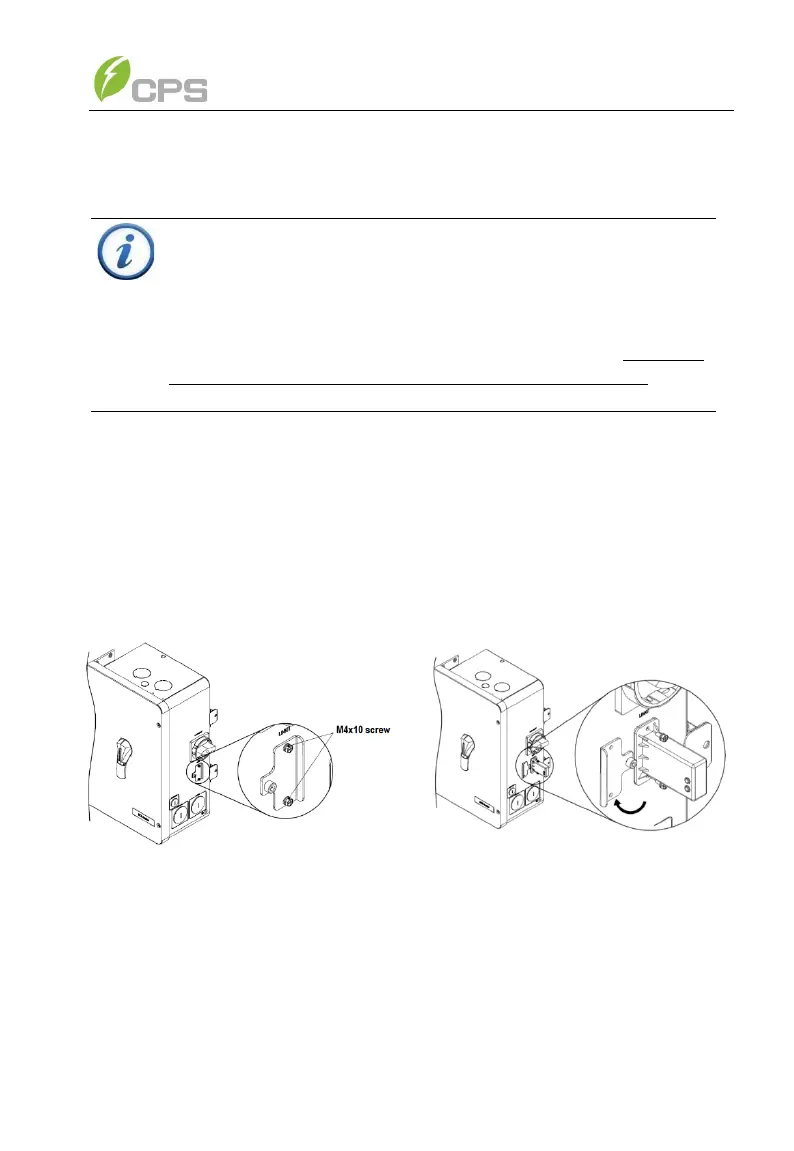
(6) Install the WiFi Module. Tools required: No.2 Phillips head
screwdriver.
As shown in Figure 3-16, remove the two M4x10 fixing screws on
the DB9 connector cover, rotate the DB9 connector cover to expose
the connector, and install the WiFi module by plugging into the
connector and inserting the two screws just removed. Pay attention
to the control torque (torque 1.6Nm (14 in-lbs)), to ensure that the
seal remains waterproof.
Figure 3-16 Installation of the WiFi Module
INSTRUCTION:
The WiFi module is required for the commissioning of the inverter.
This step does not need to be completed until commissioning. If
multiple inverters are connected to the same data network only
ONE WiFi module is required. Install the WiFi module in the first
inverter in the network which contains the Flex Gateway. The WiFi
module should be removed after commissioning is complete. See
Section 3.3.5 and Chapter 4 for more information.



 To Next Page