©2016 Cradlepoint. All Rights Reserved. | +1.855.813.3385 | cradlepoint.com
100
User Manual / AER2100
4/19/16
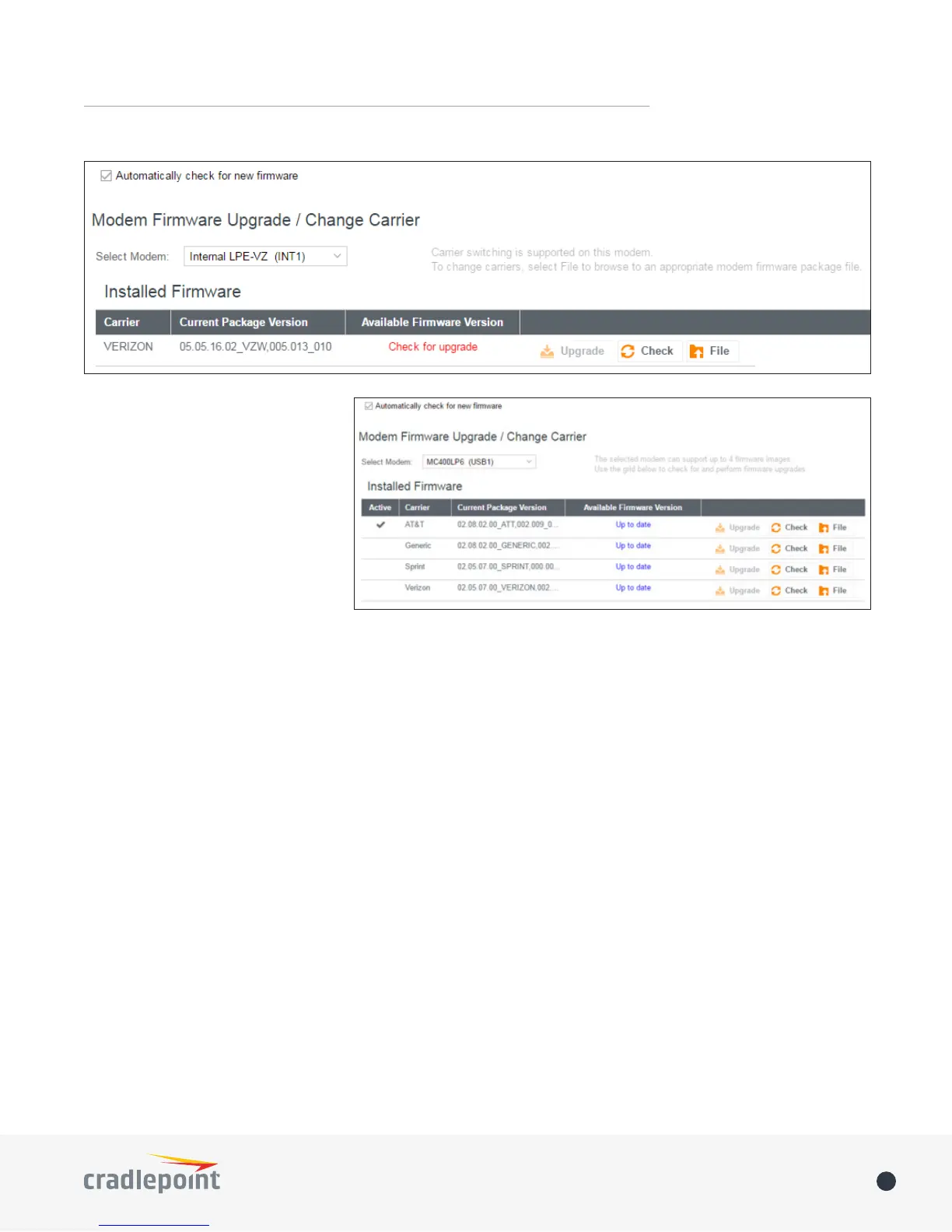
For modems supporting manual
carrier switching (such as LPE), select
File to browse to an appropriate,
Firmware updates can be performed
the Check/Upgrade or File (manual)
process.
The following actions are available to
• Automatically check for new firmware:
This global setting applies to all modems connected to the router.
• Select Modem:
are listed as a single modem.
• Active (Multi-firmware modems only):
Note: You cannot select the active image. On multi-firmware modems, the carrier firmware is selected
automatically.
• Carrier:
• Current Package Version:
• Available Firmware Version:
• Upgrade:
upgrade. If a connection error occurs, it is possible that HTTPS is blocked for the upgrade check. Enable Allow
HTTP Firmware Check in SYSTEM > System Control >System Firmware to address this issue.
• Check: Click this button to refresh or update the Available Firmware Version status column.
• File:
Note: For modems which
support manual carrier switching, find the appropriate modem firmware package file via ECM or the Cradlepoint
portal.














 To Next Page