©2016 Cradlepoint. All Rights Reserved. | +1.855.813.3385 | cradlepoint.com
95
User Manual / AER2100
4/19/16
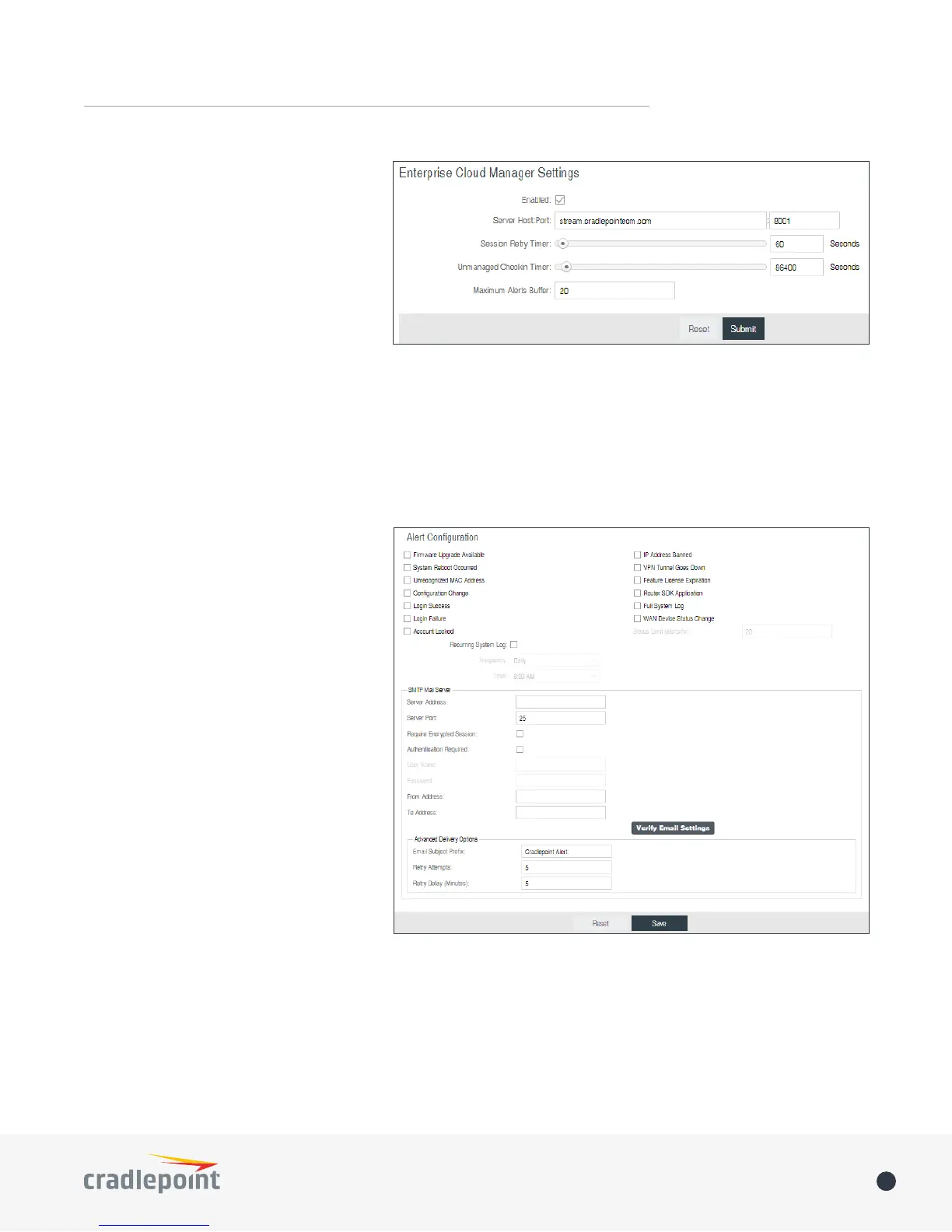
• Unmanaged Checkin Timer: How often,
in seconds, the router checks with
activated. Note that this value is a
timer that reduces network usage over
time.
• Maximum Alerts Buffer: The maximum
DEVICE ALERTS
YOU MUST
ENABLE AN SMTP EMAIL SERVER TO RECEIVE ALERTS.
Alerts can be included for the following:
• Firmware Upgrade Available: A
device.
• System Reboot Occurred: This router
has rebooted. This depends on NTP
being enabled and available to report
the correct time.
• Unrecognized MAC Address: Used with
the MAC monitoring lists. An alert is
sent when a new unrecognized MAC
address is connected to the router.
• WAN Device Status Change: An
attached WAN device has changed
status. The possible statuses are
plugged, unplugged, connected, and
disconnected.
• Conguration Change: A change to the
• Login Success: A successful login
attempt has been detected.
• Login Failure: A failed login attempt
has been detected.
• Account Locked: Account has been
locked due to excessive failed login attempts.
• IP Address Banned: An IP address has been banned.
• VPN Tunnel Goes Down: Sends an alert when a VPN tunnel goes down.
• Feature License Expiration: Sends an alert when a feature license is about to expire.
• Router SDK Application
• Full System Log















 To Next Page