©2016 Cradlepoint. All Rights Reserved. | +1.855.813.3385 | cradlepoint.com
96
User Manual / AER2100
4/19/16
• Recurring System Log
Frequency). You also
choose the Time
SMTP Mail Server
possible through most email services (Gmail, Yahoo, etc.)
following is an example using Gmail:
• Server Address: smtp.gmail.com
• Server Port
• Authentication Required: For Gmail, mark this checkbox.
• User Name: Your full email address
• Password: Your Gmail password
• From Address: Your email address
• To Address: Your email address
Delivery Options (Advanced)
Email Subject Prefix
Retry Attempts: The number of attempts made to send an alert to the mail server. After the attempts are
exhausted, the alert is discarded.
Retry Delay
SERIAL REDIRECTOR
A single USB Serial device can be used to establish a serial link to a host port on the router. The USB Serial
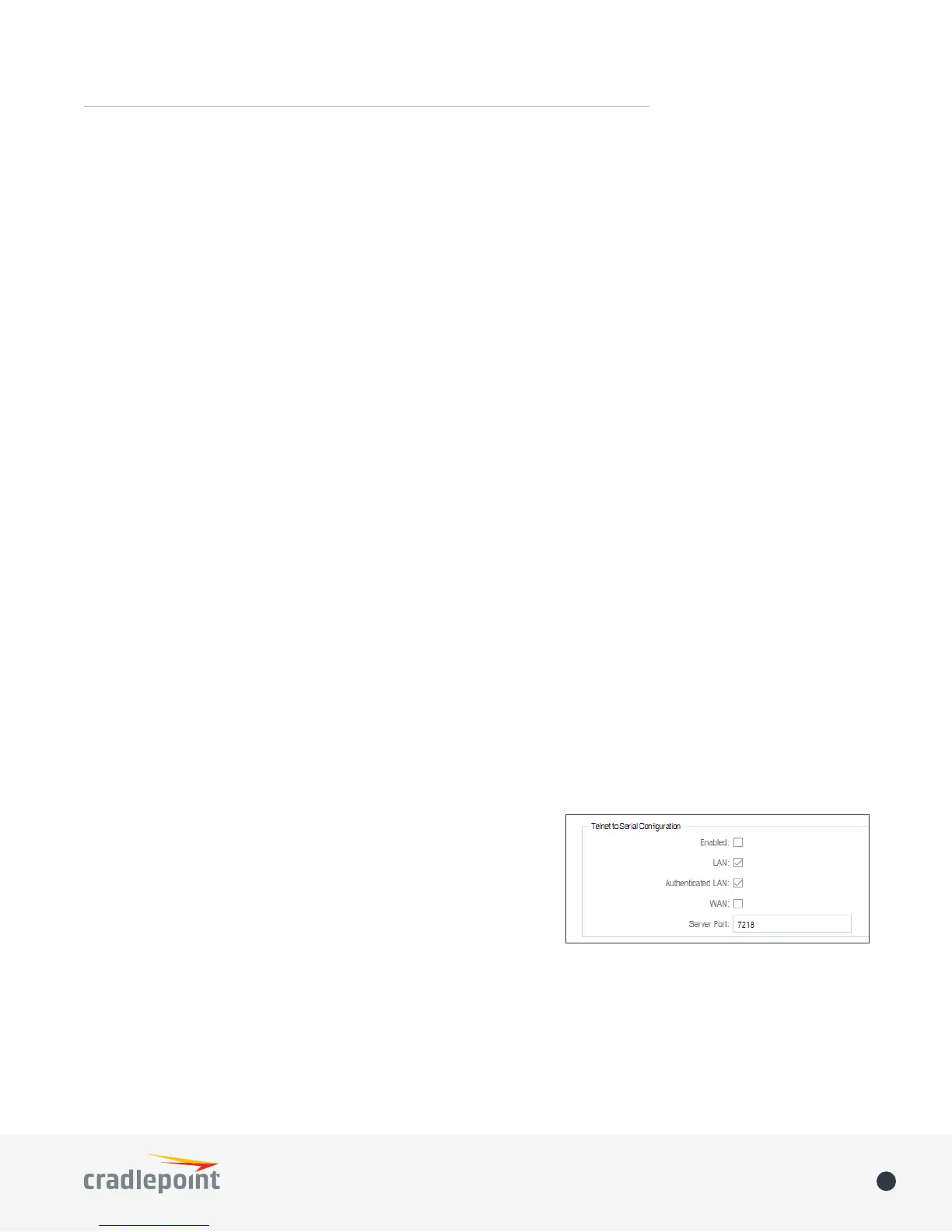
Telnet to Serial Conguration
• Enabled: Enabling Telnet to Serial will start a Telnet server that
passes its connection to the serial adapter. Enabling this service
• LAN: Enable serial redirector for LAN connections.
• Authenticated LAN: Enable serial redirector for Authenticated
LAN connections. You must be logged into the router to use the
redirector.
• WAN: Enable serial redirector for WAN connections.
• Server Port: Enter a port number for the redirector to use. (Default: 7218)














 To Next Page