EasyManua.ls Logo

Cradlepoint AER2100 - Page 40

Cradlepoint AER2100
108 pages
Print Icon
To Next Page IconTo Next Page
To Previous Page IconTo Previous Page
Loading...
©2016 Cradlepoint. All Rights Reserved. | +1.855.813.3385 | cradlepoint.com
40
User Manual / AER2100
4/19/16



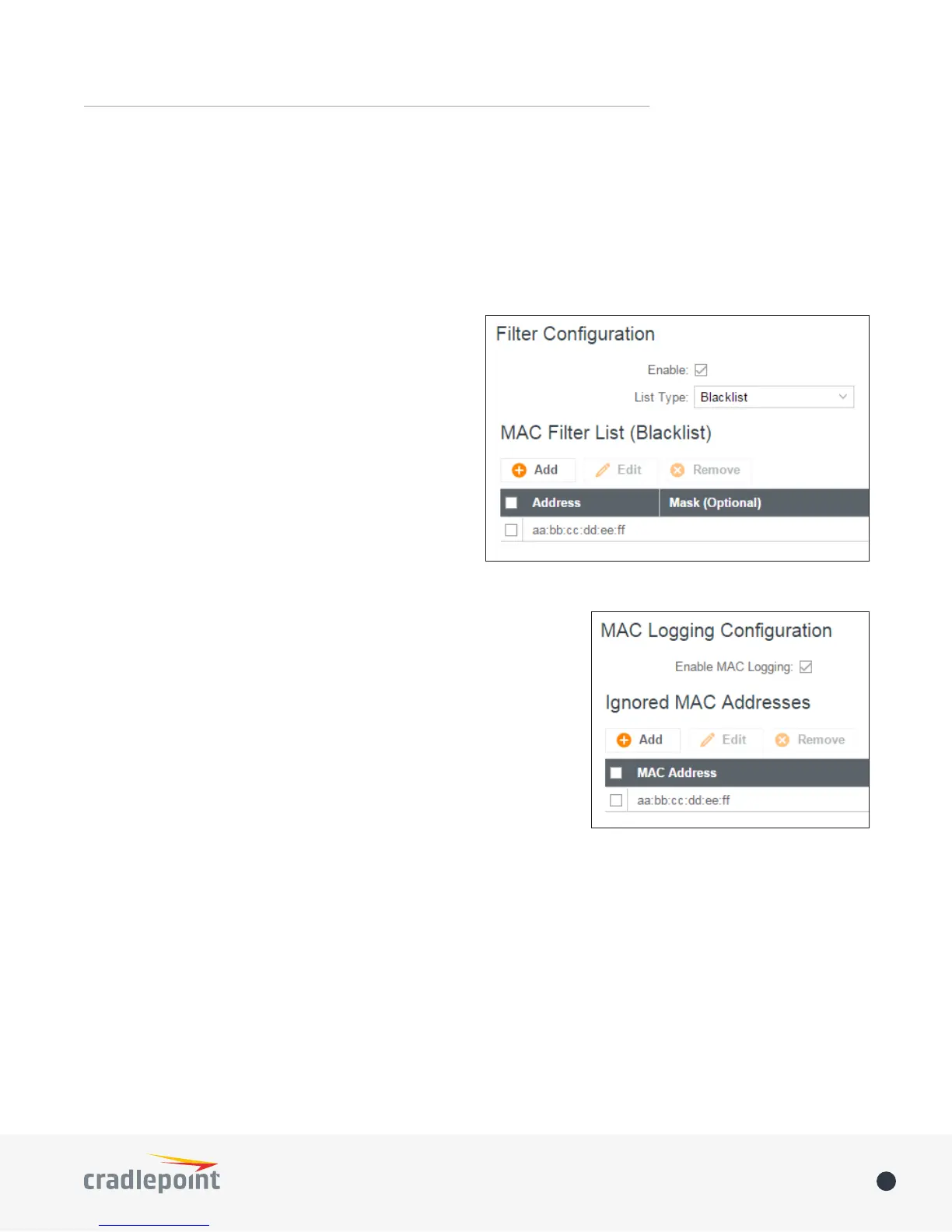
Filter Conguration


Enabled: Click to allow MAC Filter options.
Whitelist: Select either “Whitelist” or “Blacklist” from
a dropdown menu. In “Whitelist” mode, the router
will restrict LAN access to all computers except those
contained in the “MAC Filter List” panel. In “Blacklist”

network access.
MAC Filter List (Whitelist or Blacklist)


NOTE: Use caution when using the MAC Filter to avoid

router.
MAC Logging Conguration
Enable MAC Logging: Enabling MAC Logging will cause the router to
log MAC addresses that are connected to the router. MAC addresses

connected) should be added to the “Ignored MAC Addresses” list.

has a MAC address that the router doesn’t recognize. Go to SYSTEM >
Device Alerts to set up these email alerts.
Ignored MAC Addresses
This is the list of MAC addresses that will not produce an alert or a log




MAC Address Log
This shows the last 64 MAC addresses that have connected to the router, as well as which interface was used

to show the most recent log entries.
Double-clicking on entries from this list will add them to the Ignored MAC Addresses list.
MAC FILTER & LOGGING

Other manuals for Cradlepoint AER2100

Related product manuals