©2016 Cradlepoint. All Rights Reserved. | +1.855.813.3385 | cradlepoint.com
53
User Manual / AER2100
4/19/16
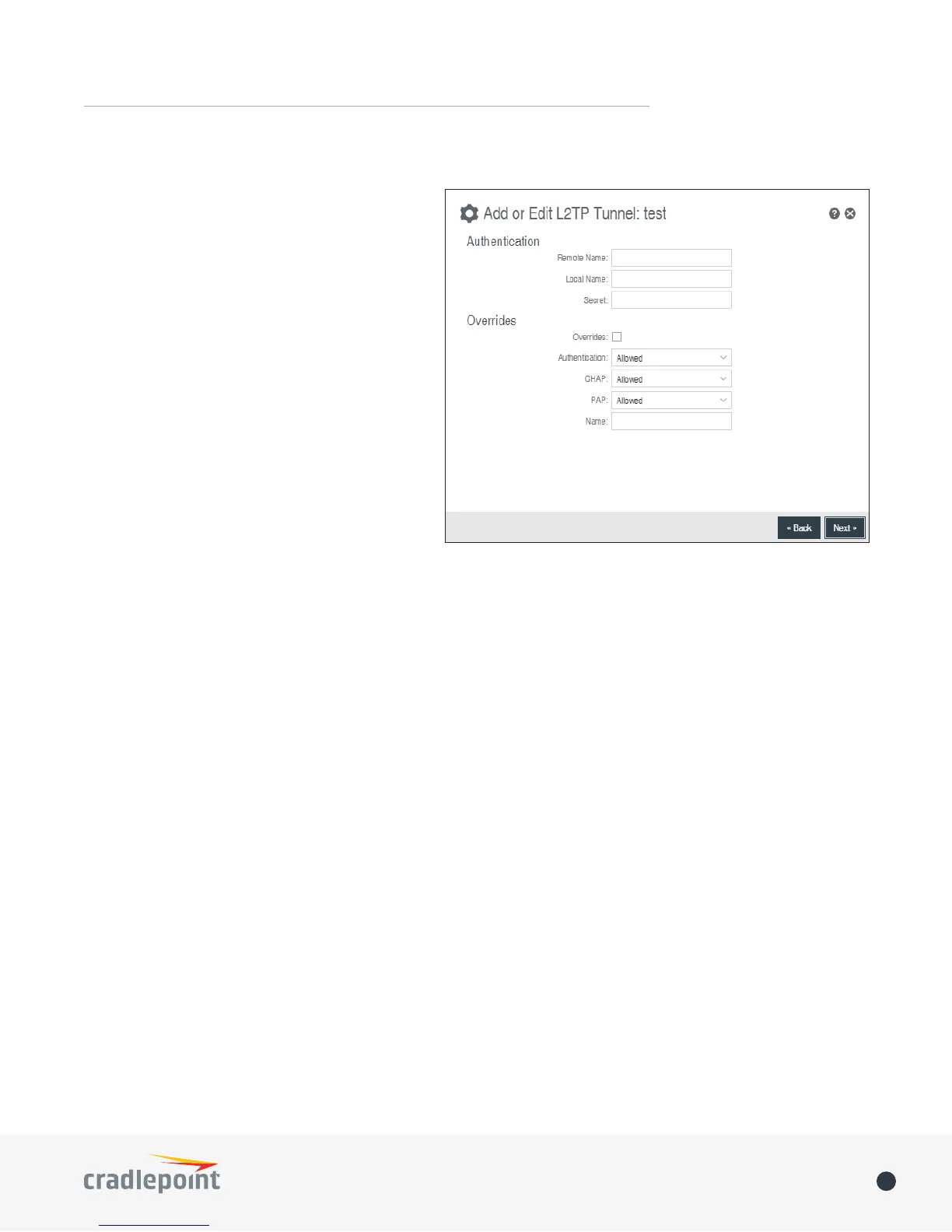
Add/Edit Tunnel – Authentication
• Remote Name
sometimes a username or hostname. Leave
• Local Name
• Secret – Shared secret (or password) used to
authenticate the associated Local and Remote
names.
Overrides
Override Authentication methods/parameters.
With methods set to Allow the two ends of
the tunnel can negotiate a common scheme.
Sometimes this negotiation fails, or the
implementation on one end is incompatible with
the other. To solve those authentication issues,
enable the overrides as needed.
• Authentication
• CHAP – Choose from Allowed, Refused, or Required.
• PAP – Choose from Allowed, Refused, or Required.
• Name
Add/Edit Tunnel – Routes
remove routes to be used to funnel packets through the tunnel.
• Network Address – This is the network address that is the destination of the route. This should be set to
the network address at the remote side of the tunnel.
• Netmask














 To Next Page