EasyManua.ls Logo

Cradlepoint AER2100 - Page 68

Cradlepoint AER2100
108 pages
Print Icon
To Next Page IconTo Next Page
To Previous Page IconTo Previous Page
Loading...
©2016 Cradlepoint. All Rights Reserved. | +1.855.813.3385 | cradlepoint.com
68
User Manual / AER2100
4/19/16
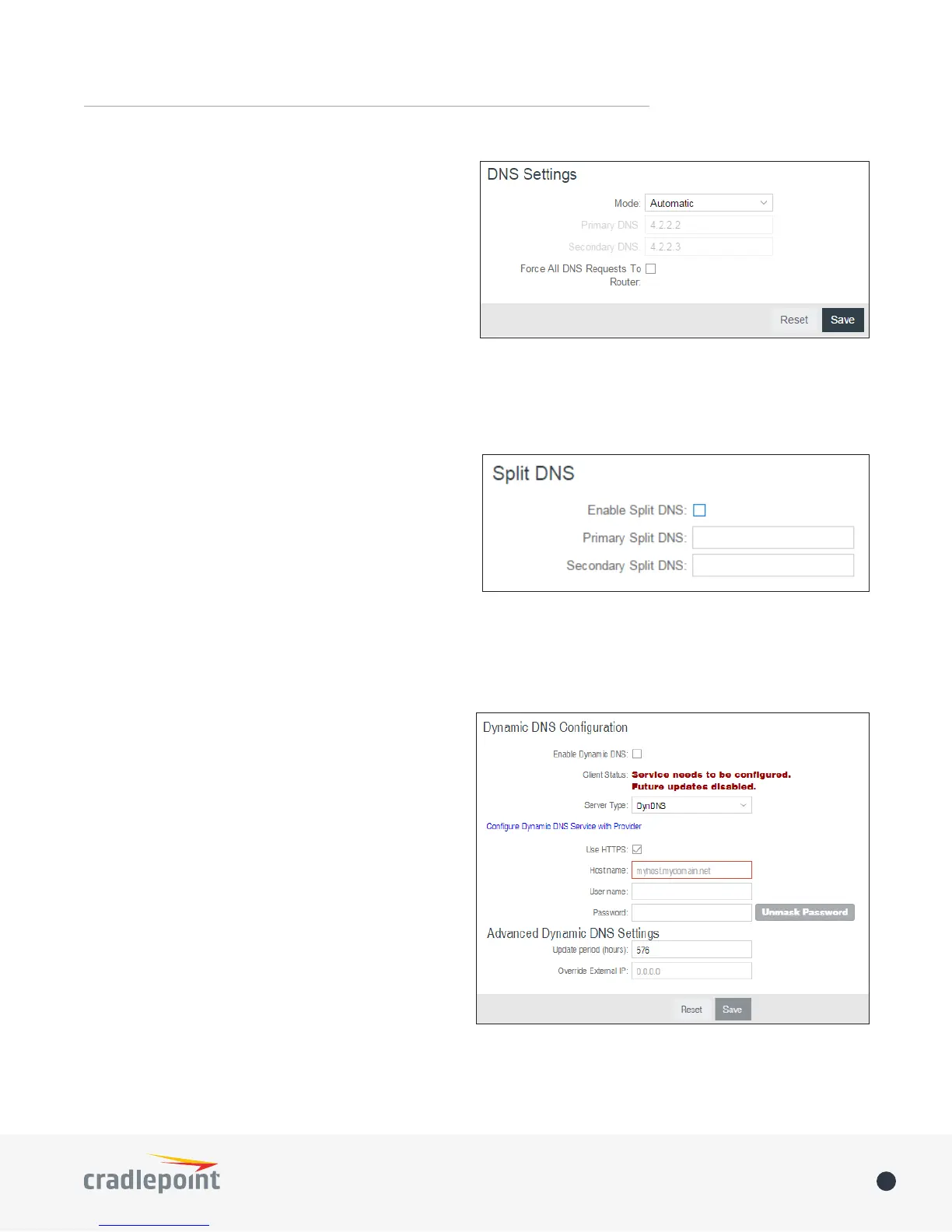
Primary DNS and Secondary DNS



server settings will be pre-populated with public DNS
server IP addresses. You can override the IP address

For example, Google Public DNS servers have the IP
addresses 8.8.8.8 and 8.8.4.4 while 4.2.2.2 and 4.2.2.3
are servers from Level 3 Communications.
Force All DNS Requests To Router: Enabling this will redirect all DNS requests from LAN clients to the router’s
DNS server. This will allow the router even more control over IP addresses even when clients have their own

Split DNS



internal hosts to an internal domain name server for
name resolution and external hosts are directed to an
external domain name server for name resolution.
Primary Split DNS and Secondary Split DNS


DNS is optional.
Domain: Click Add to add desired domain for Split DNS.
Dynamic DNS Conguration

server (Web, FTP, etc.) using a domain name that






Enable Dynamic DNS


Server Type
provider from the dropdown list:
DynDNS
DNS-O-Matic
ChangeIP
NO-IP
Custom Server (DynDNS clone)
Custom Server Address


Other manuals for Cradlepoint AER2100

Related product manuals