©2016 Cradlepoint. All Rights Reserved. | +1.855.813.3385 | cradlepoint.com
91
User Manual / AER2100
4/19/16
browser timeout. In the normal case when the router is
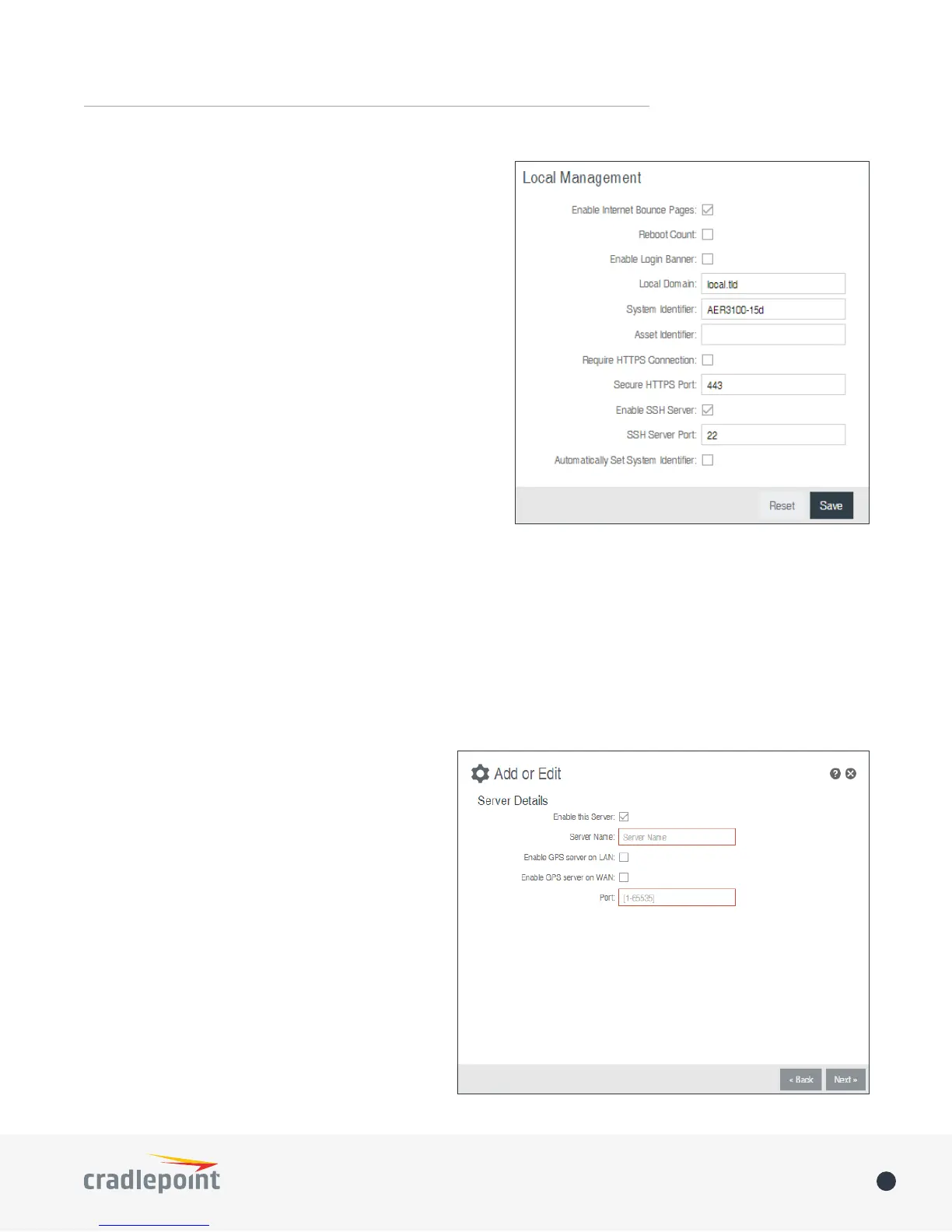
• Reboot Count – Track number of router reboots.
• Enable Login Banner – Add the CLI banner to the router’s
login page.
• Local Domain
DNS entries of local hosts. This is tied to the hostnames
of DHCP clients as DHCP_HOSTNAME.LOCAL_DOMAIN.
• System Identier
will be used in router reporting and alerting. The default
value is the product name and the last three characters
of the MAC address of the router.
• Asset Identier – This is a customizable string that will
be used in router reporting and alerting.
• Require HTTPS Connection
• Secure HTTPS Port
use. The default is 443.
• Enable SSH Server – When the router’s SSH server is
password to log in.
• SSH Server Port – Default: 22.
• Automatically Set System Identier
client that gets a DHCP lease. This feature cannot be used with email alerts but alerts can be sent to ECM.
GPS
which appears in STATUS > GPS. SIM-based models with GPS support require that the SIM be inserted. Some
carriers disable GPS support in otherwise supported
supported.
Enable GPS
information from capable modems.
Send to Client(s)
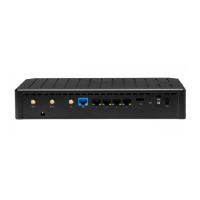
• Enable this Server - Enables a local server to
which clients can connect and recieve GPS
sentences.
• Server Name - Your server’s name should
• Enable GPS server on LAN - Enables a server
connected clients.







 To Next Page