Page 10April, 1999
SNACK/REFRESHMENT CENTER PROGRAMMING GUIDE
1670002
SELECT COIN MECHANISM AND OPTIONS
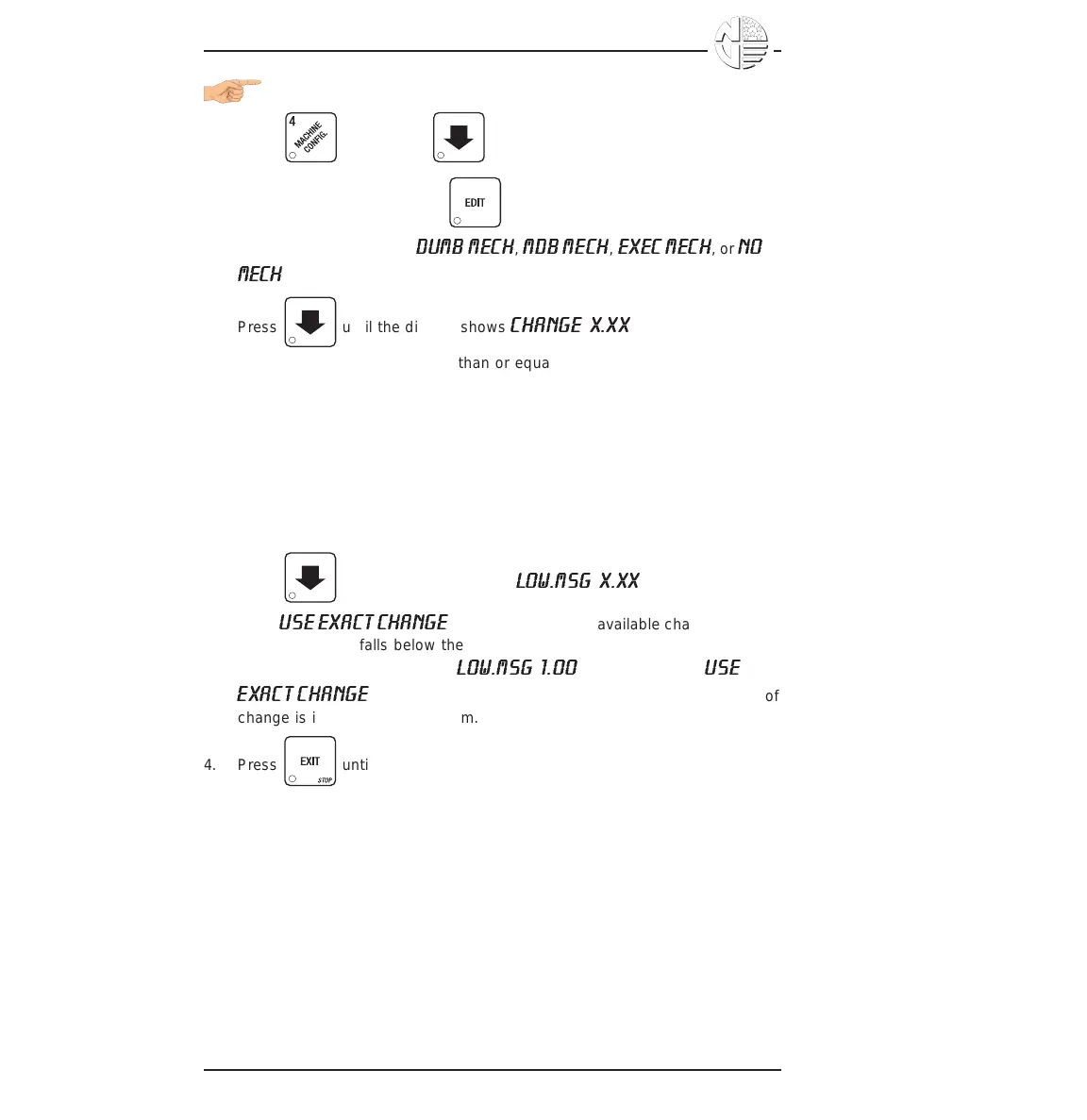
1. Press , then press until the current COIN MECHANISM is
shown in the display. Press to choose the desired coin mecha-
nism. Your choices are:
DUMB MECH
,
MDB MECH
,
EXEC MECH
, or
NO
MECH
2. Press until the display shows
CHANGE X.XX
.
Coins and bills which are less than or equal to this value will be returned
without a purchase being made.
Examples:
CHANGE 0.00 - Forced vend; NO change returned without a purchase.
CHANGE .25 - Nickels, dimes, and quarters returned without
purchase.
CHANGE 1.00 - $1 bills and SBAs will be returned as change without
purchase. Nickels, dimes, and quarters are also
returned.
3. Press until the display shows:
LOW.MSG X.XX
. The display will
show
USE EXACT CHANGE
when the amount of available change in the
coin mechanism falls below the value of "X.XX". Enter a value with the
number keys. For example, if
LOW.MSG 1.00
is displayed, the
USE
EXACT CHANGE
message is displayed when less than a dollar's worth of
change is in the coin mechanism.
4. Press until you have left the function.





 To Next Page