Page 34April, 1999
SNACK/REFRESHMENT CENTER PROGRAMMING GUIDE
1670002
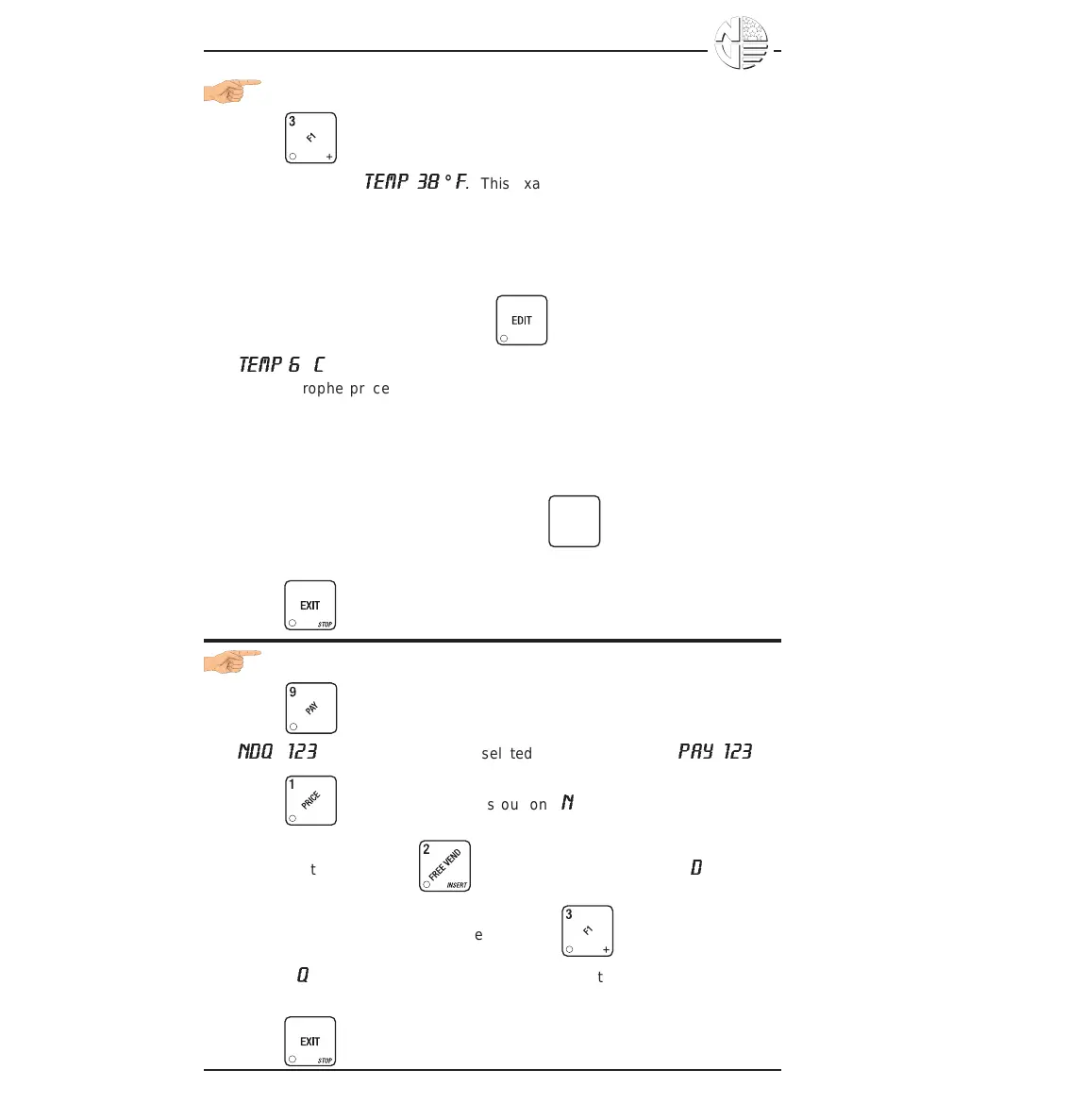
VIEW CAN OR FOOD UNIT TEMPERATURE
1. Press . Depending on how your machine is configured, the
display will show
TEMP 38
°
F
. This example shows that the temperature
is 38 degrees Farenheit.
NOTE
If the food module door has been opened recently, the above
display will include a numerical value indicating how many
minutes remain in the health control grace period.
2. To change the display units, press . The display now shows
TEMP 6
°
C
.
• An apostrophe preceding the F or C means a sensor error exists and the
displayed temperature is invalid. A decimal point following the F or C
means the compressor is running.
NOTE
When the machine door is closed, you can view the
temperature of a food unit by pressing
#
on the
selection panel.
3. Press until you have left the function.
PAYOUT COINS
1. Press . If a dumb mech was selected, the display shows
NDQ
=
123
; if an MDB mech was selcted the display shows
PAY
123
.
2. Press . A dumb mech pays out one
N
ickel; an MDB mech pays a
coin from tube 1. Press . A dumb mech pays out one
D
ime; an
MDB mech pays a coin from tube 2. Press . A dumb mech pays
out one
Q
uarter; an MDB mech pays a coin from tube 3.
3. To continuously pay out coins, hold down the appropriate key.
4. Press until you have left the function.





 To Next Page