Page 44April, 1999
SNACK/REFRESHMENT CENTER PROGRAMMING GUIDE
1670002
TEST THE MOTORS
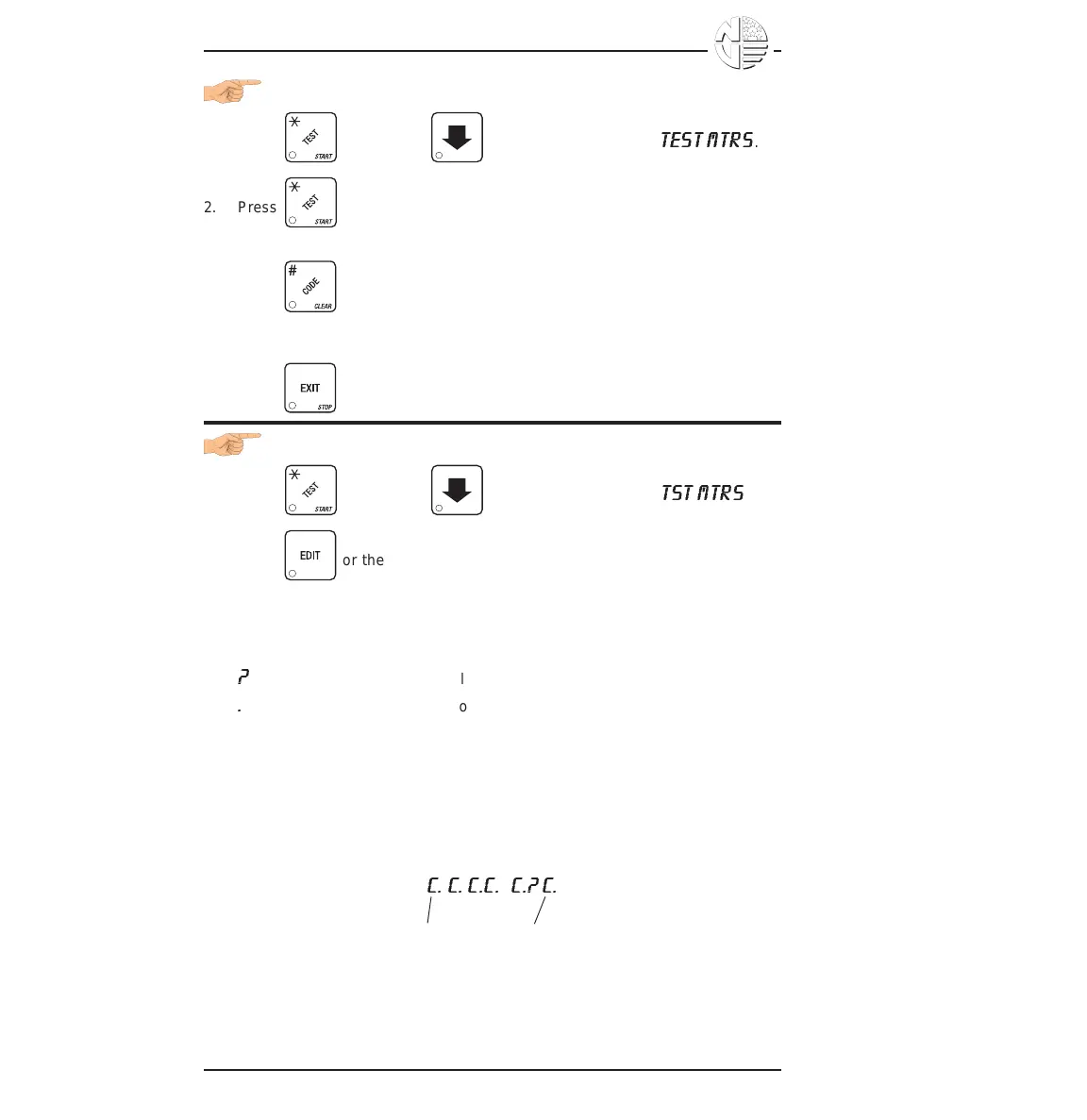
1. Press , then press until the display shows
TEST MTRS
.
2. Press to run all snack motors one time.
- OR -
Press to run only those motors not home or jammed. After motor
is run, an error message will show if any motors are still jammed or not
home.
3. Press until you have left the function.
VIEW MOTOR STATUS BY TRAY
1. Press , then press until the display shows
TST MTRS
.
2. Press or the letter of the tray you want to view.
3. The display will show the status of all motors on the tray:
(Tray letter) (If motor is present)
+ (If motor is present and coupled to the next odd motor)
(blank) (If motor is not present and not coupled)
?
(If motor is coupled but not present)
.
(If the motor is home)
' (If there is a motor error such as jammed, tray not detected
or
missing)
The following example is for tray C with 7 motors present and home with
none jammed. Motors 1 and 3 are not present, 6 and 7 are coupled, and
8 is coupled to 9 but is not present nor home:
C. C. C.C.
+
C.? C.
Motor 0
Motor 9





 To Next Page