Page 40April, 1999
SNACK/REFRESHMENT CENTER PROGRAMMING GUIDE
1670002
VIEW WINNERS (NOT SHOWN IF ZERO)
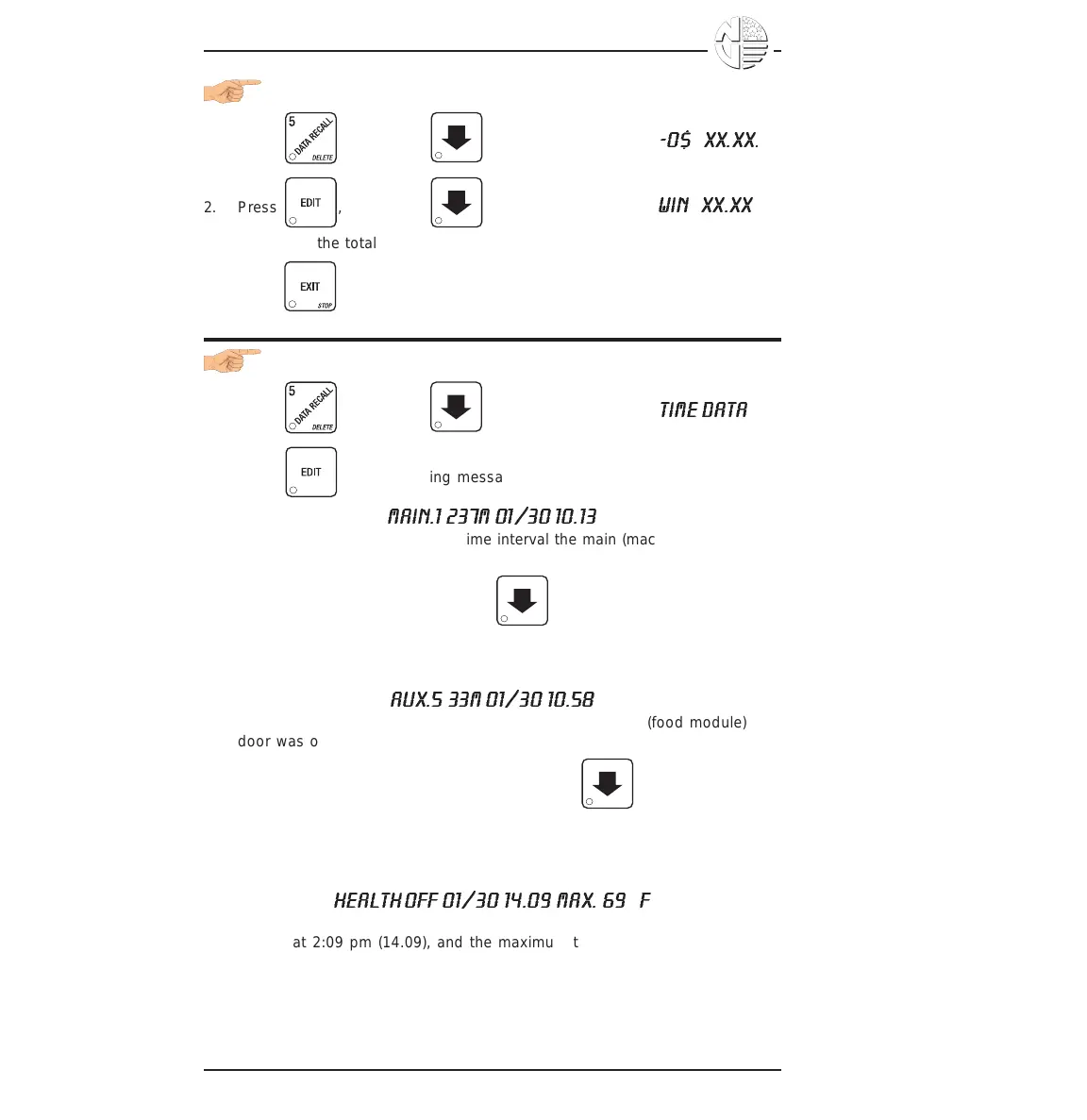
1. Press , then press until the display shows
-0$ XX.XX
.
2. Press , then press until the display shows
WIN XX.XX
.
"XX.XX" is the total machine-wide winners, shown even if zero.
3. Press until you have left the function.
VIEW TIME DATA
1. Press , then press until the display shows
TIME DATA
.
2. Press . The following message scrolls across the display:
MAIN.1 237M 01/30 10.13
This example shows the latest time interval the main (machine) door was
open (1). It was open for 237 minutes, and was opened on January 30
(01/30) at 10:13 am (10.13). Press . If applicable, similar displays
will appear for intervals 2, 3, and 4. Otherwise, go to the next step.
3. The following message scrolls across the display:
AUX.5 33M 01/30 10.58
This example shows the latest time interval the auxiliary (food module)
door was open (5). It was open for 33 minutes, and was opened on
January 30 (01/30) at 10:58 am (10.58). Press . If applicable,
similar displays will appear for intervals 6, 7, and 8. Otherwise, go to the
next step.
4. The following message scrolls across the display:
HEALTH OFF 01/30 14.09 MAX. 69
°
F
This example shows that the health control timer turned off on January 30
(01/30) at 2:09 pm (14.09), and the maximum temperature reached was
69°F.
NOTE
The temperature display units will be in °C if you selected
Celsius during the temperature display function.





 To Next Page