15
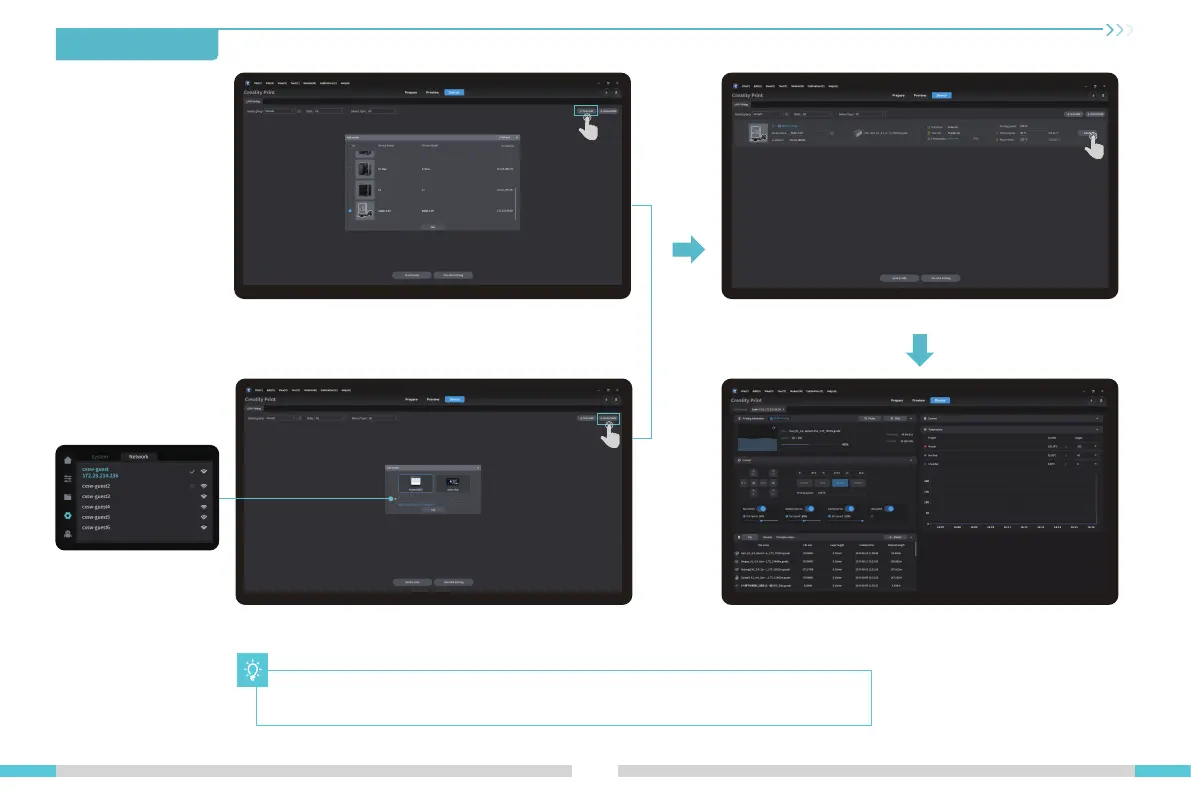
⑨ Device List⑧ Add a device: a. Add by scanning → Select a device
⑩ Equipment printing information details
⑧ Add a device: b. Add a device by manually entering the IP address
Click “Settings" →
“Network" to view
the IP address
5.First Printing
The current interface is for reference only. Due to the continuous upgrading of functions,
it shall be subject to the latest software/-firmware UI published on the official website.





 To Next Page