- 10 -
- 11 -
Printer Operation
LCD Menu Leveling Platform
Printer Operation
Display while printing
Move axis
Preheat
Preheat ABS
Preheat PLA
Cooldown
Preheat nozzle 2
Preheat nozzle 1
Preheat nozzle 3
Preheat hotbed
Preheat All
Auto home
10 mm
1 mm
0.1 mm
X axis
Y axis
Z axis
Filament
Extruder 2
Extruder 1
Unload 1
Unload 2
SD card
Setting
Leveling bed
Temperature
Motion
Save setting
Factory setting
Firmware Ver.
Time used
Xsteps/mm
Ysteps/mm
Zsteps/mm
Esteps/mm
Reg. Number
Tune
Change filam.
Pause print
Cancel print
Status
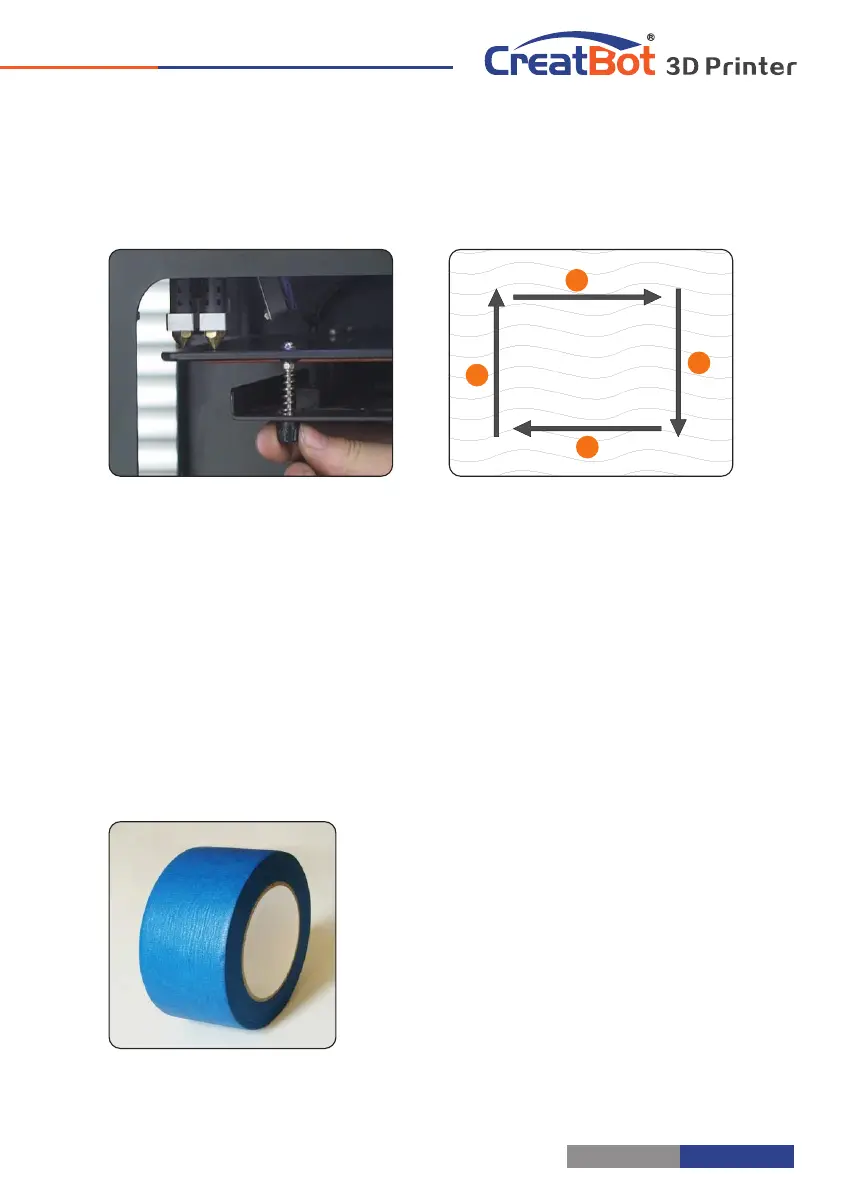
1. Enter setting menu->leveling bed, waiting for the platform back to home.
2. Adjust first leveling nut, make nozzle close to the platform.
3. Press Up/Down button or rotating knob, adjust other three leveling nut.
4. To adjust repeatedly, eventually distance (0.2mm) to insert a name card is
advisable.
5. All the leveling nut should uniform, nozzle can't too close to the platform.
6. All will be subject to the actual effect of print, please make more little adjust at
the beginning of printing.
1
2
3
4
Platform need paste masking paper or
Kapton to achieve best viscosity, and the
model will be firmly fixed on the platform.
Kapton is double-sided tape, please tear
film on both sides.
Paving Masking Paper



 To Next Page