- 24 -
- 25 -
Software Operation
Skirt · Brim · Raft Start / End GCode
Software Operation
Adhesion type:
None
Adhesion type:
Brim
Adhesion type:
Raft
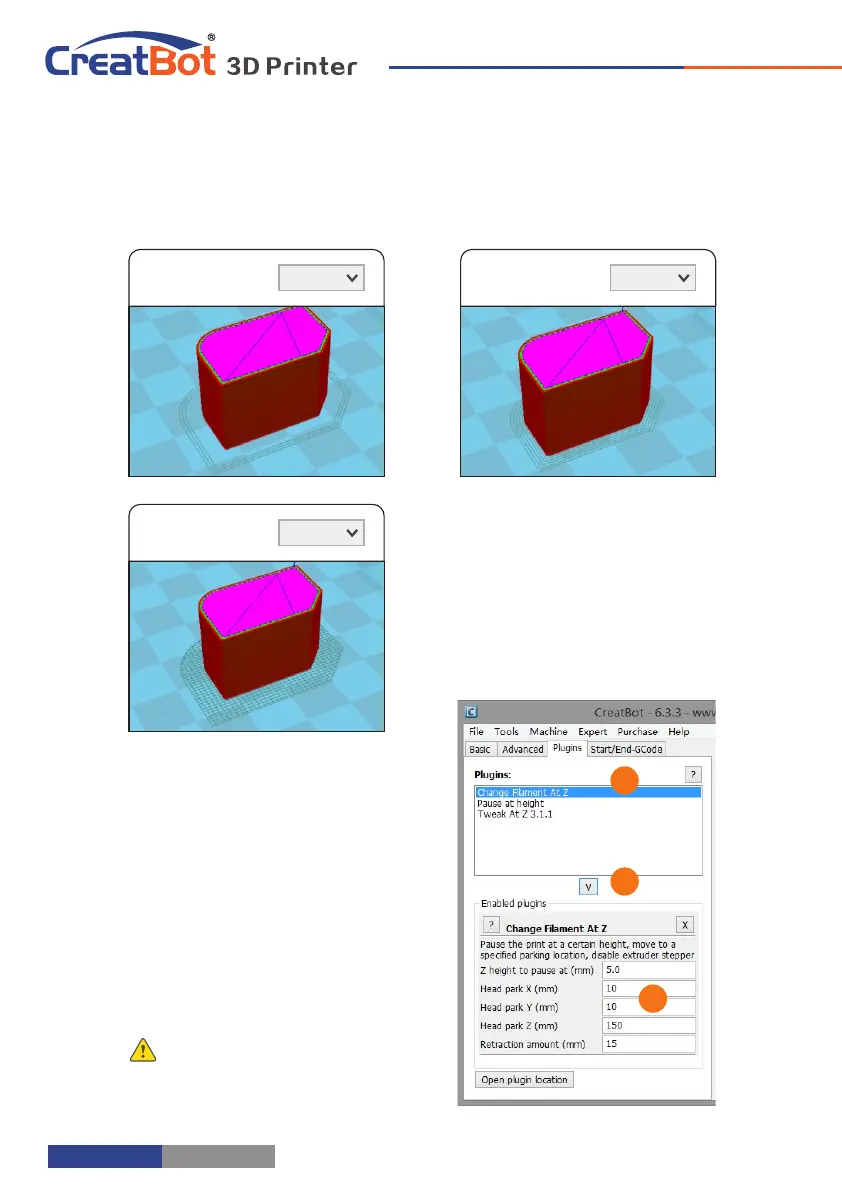
Plugins
Plugin enable you to easily include
your own features, without having to
modify the source code or Gcode. In
the screen shot above, these can be
enabled by clicking on the arrow down
button, then you can configure the
plugin.
Notice: Please remove the plugin
before you close the software.
1
2
3
A B C
Step 1: oad 2 models L
you want as
shown in figure [A]
and . [B]
Step 2: , Fist click [A]
then right click on
[B], you will get
the option dual :
extrusion merge ,
this will merge
both models into
one model . [C]
Step 3: Set parameters like ordinary single color model and save the GCode.
Tip: The model select first will print by main extruder,
the right clicked one by second extruder.
Dual Head Printing
The start and end gcode are the startup
and end procedure of the print, editing this
requires knowledge of GCode.
If you want to set the automatic heating
station after printing, you can remove the ";"
in the code ";M190 S50".
start.gcode is the start code of single
extruder, start2.gcode is the start code of
double extruder, and so on.



 To Next Page