- 12 -
- 13 -
Printer Operation
Load Filament Unload/Change Filament
Printer Operation
Preheat head
Straightened filament
Tighten the nut
Preheat bed PLA
Preheat 2 PLA
Preheat all PLA
Back
Preheat 1 PLA
Unload filament 2
Extruder 2
Extruder 1
Back
Unload filament 1
Load filament
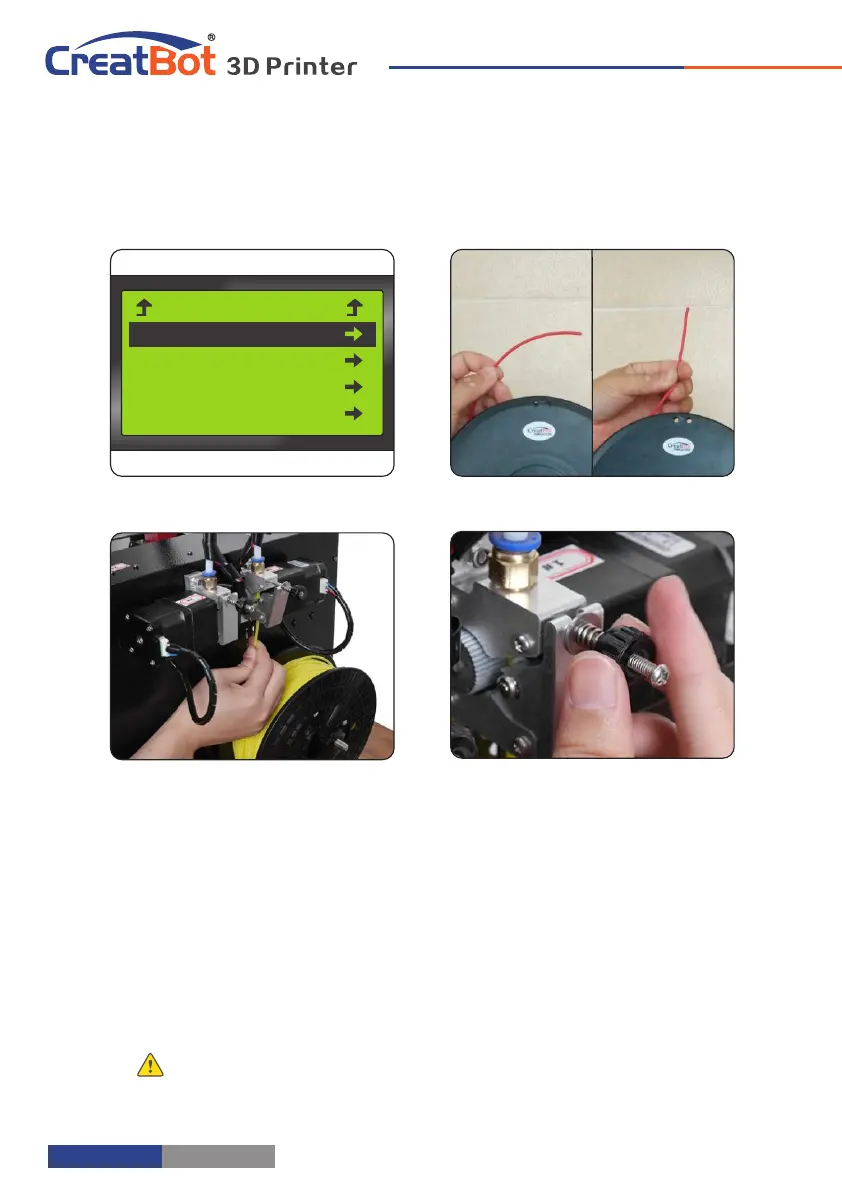
1. Preheat the head you want load filament.
2. Straightened filament and check the filament is not self-winding.
3. Insert the filament to the inlet and push it to the nozzle, until melted and
flowing naturally.
4. Tighten the compression nut, tightness is "back a circle after firmly" is
appropriate.
Notice: Pressed filament too tight or too loose will affect normal wire feeding.
1. Enter "Filament" menu ->"Unload filament", and select the head you want
unload.
2. Wait for the nozzle heated to a suitable temperature.
3. After reching temperature, feeder will send a certain number of filament,
and then automatically withdraw filament.
4. To manually unload filament, same as above mentioned.
Unload filament menu
Preheat head
Pull out filament
Unloading filament
Warning: It is strictly prohibited without heating nozzle.
Tip: If filament stuck in the guide tube, continue printing several lengths and retry.



 To Next Page