- 6 -
- 7 -
Hardware Installation
1. Ensure the packing is not broken.
2. Need two people at the same time.
3. Lift it out by grasping the frame, not the belt or rails.
4. Takeout the accessories, will see the bracket and the filament.
5. Turn on the printer, enter "Move axis" menu, select "Auto home", the bracket
will rise, now you can takeout filament.
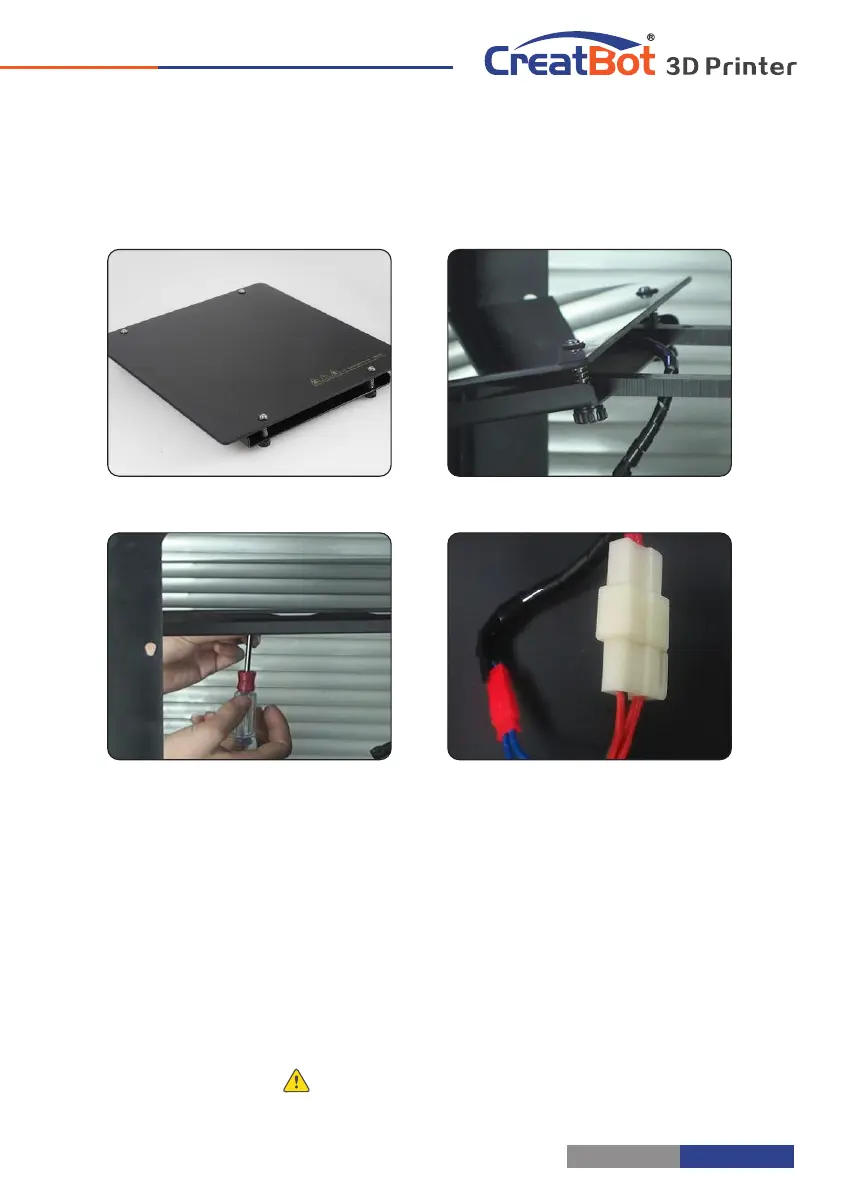
Unpacking Install Build Platform
1. Enter "Move axis" menu, move the platform a little down.
2. Fix the M5 screw to the hole of bracket, do not tighten.
3. Insert platform to the bracket, the bracket is between plate and tray.
4. Aim the tray fix hole to the M5 nut, then tighten the screws.
5. Connect the power plug and temperature sensor plug.
Notice: Ensure the plug is well contacted.
Hardware Installation
Unpacking
Takeout accessories
Takeout filament
Turn on printer
Takeout platform
Insertplatform
Connect the cables
Tighten the screws
same as "Auto home".Tips: Press



 To Next Page