- 26 -
- 27 -
Software Operation
Align Dual Head Horizontal Align Dual Head Vertical
Software Opertation
There are alignment problem while printing dual color model, this is
because the small difference in multi-nozzle assembly, CreatWare built
fine-tuning features.
Click menu "Machine">"Machine settings", default X offset is: 20.0,
default Y offset is: 0.0, adjustment method as shown below:
Offset X :
19.7
Offset Y :
-0.3
Extruder 2
Extr. 1
Extr. 2
Offset X :
20.3
Offset Y :
0.3
Extruder 2
Extr. 1
Extr. 2
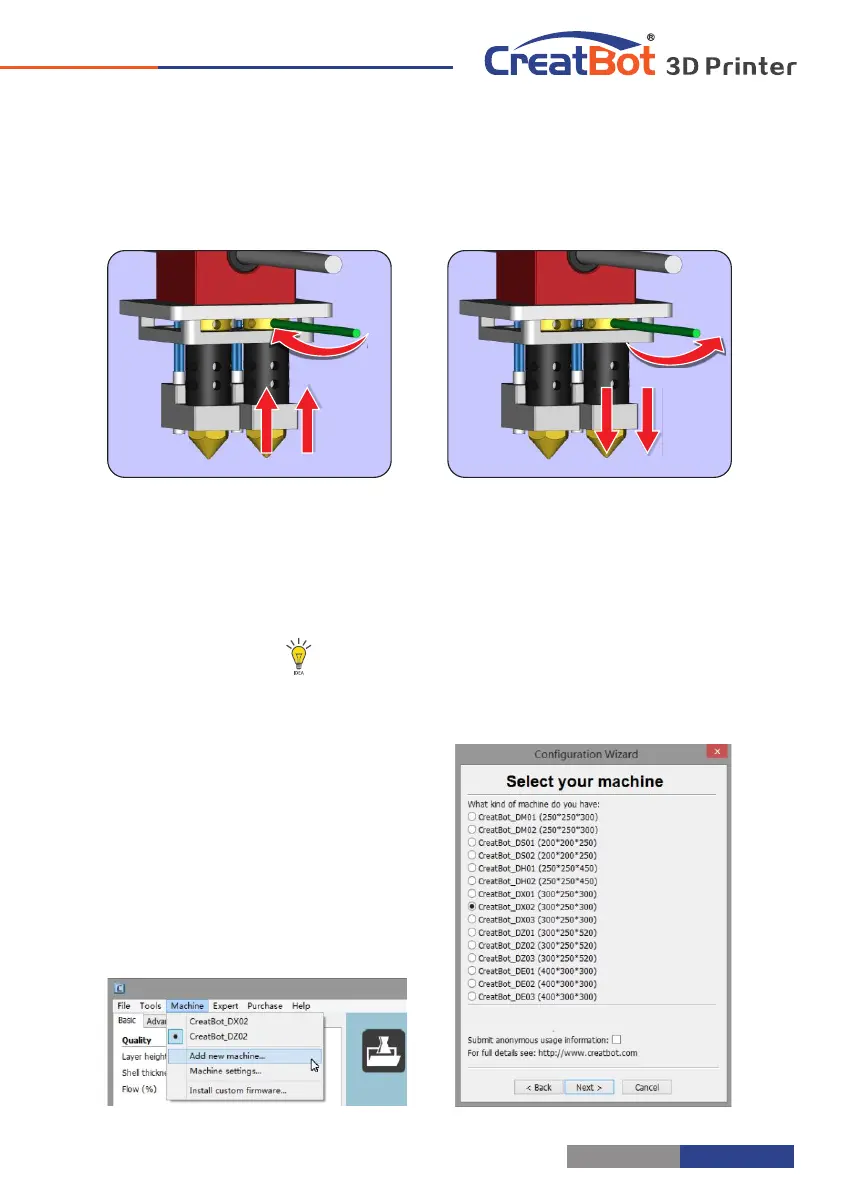
Step 1: Raised the right nozzle. Rotate left to raise the head, rotate right to
lower head, the full rotation adjustment range is 1mm per round.
Step 2: Leveling platform with the left nozzle. 。
Step 3: Lower right nozzle step by step align with the left nozzle.
Tip: You can rising right nozzle as long time not use.
Add Multi Type Printer
You can add more than one type of
CreatBot to the software, and easily
switch between them without re-config
all the different machine settings.



 To Next Page