EasyManua.ls Logo

CreatBot F430 - Practical Printing Techniques; Adding Multiple Printer Profiles; Filament Material Specific Settings

CreatBot F430
43 pages
Print Icon
To Next Page IconTo Next Page
To Previous Page IconTo Previous Page
Loading...
Routine Maintenance
- 35 -
Using skills
Change Fuse
Open fuse tray
Change new fuse
1. Frequent cleaning stains on the rail.
2. Lubricate the four guide rail.
3. Frequent cleaning feeder gear.
Notice: Don’t add too much lubricating
oil.
Print Setting Of Different Filament
* The data is only for reference, dierent environmental data will be dierent.F160 and F430 can print PEEK.
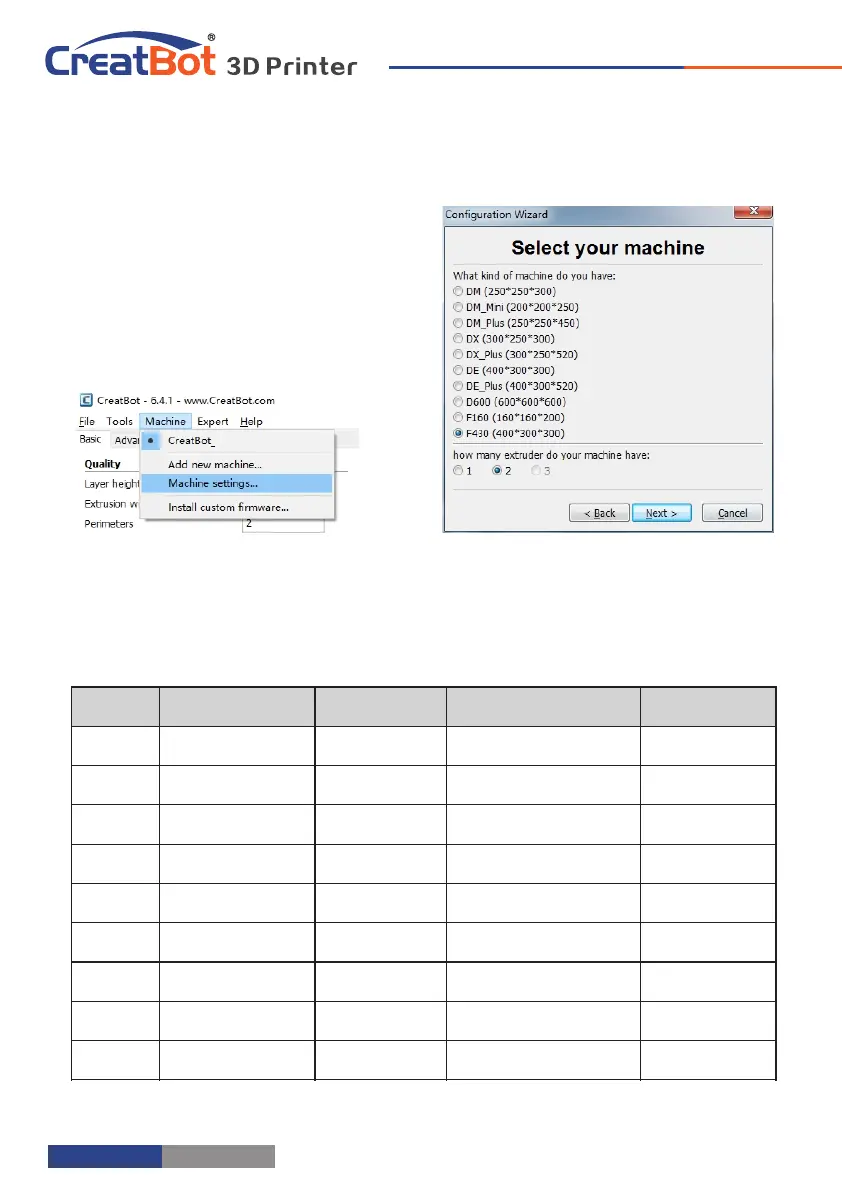
Add Multi Type Printer
You can add more than one type of
CreatBot to the software, and easily
switch between them without re-config
all the different machine settings.
- 34 -
F430
Nozzle temperature
Hot bed
Plantform adhesion type
Fully enclose or not
PLA
190~210
None/45℃
None/Raft
Can open
ABS
240~250
90
Brim/Raft
Enclosed
Nylon
240~270
100
Brim/Raft
Enclosed
HIPS
230~260
100
None/Brim
Enclosed
PETG
230~260
100
None/Brim
Enclosed
Flexible
210~230
None/45
None
Can open
Wood
190~220
None/45
None
Can open
PC
230~260
100
Brim
Enclosed
PEEK
380~430
Bed 120 /Air 70
Raft
Enclosed
Software Operation
Using skills

Related product manuals