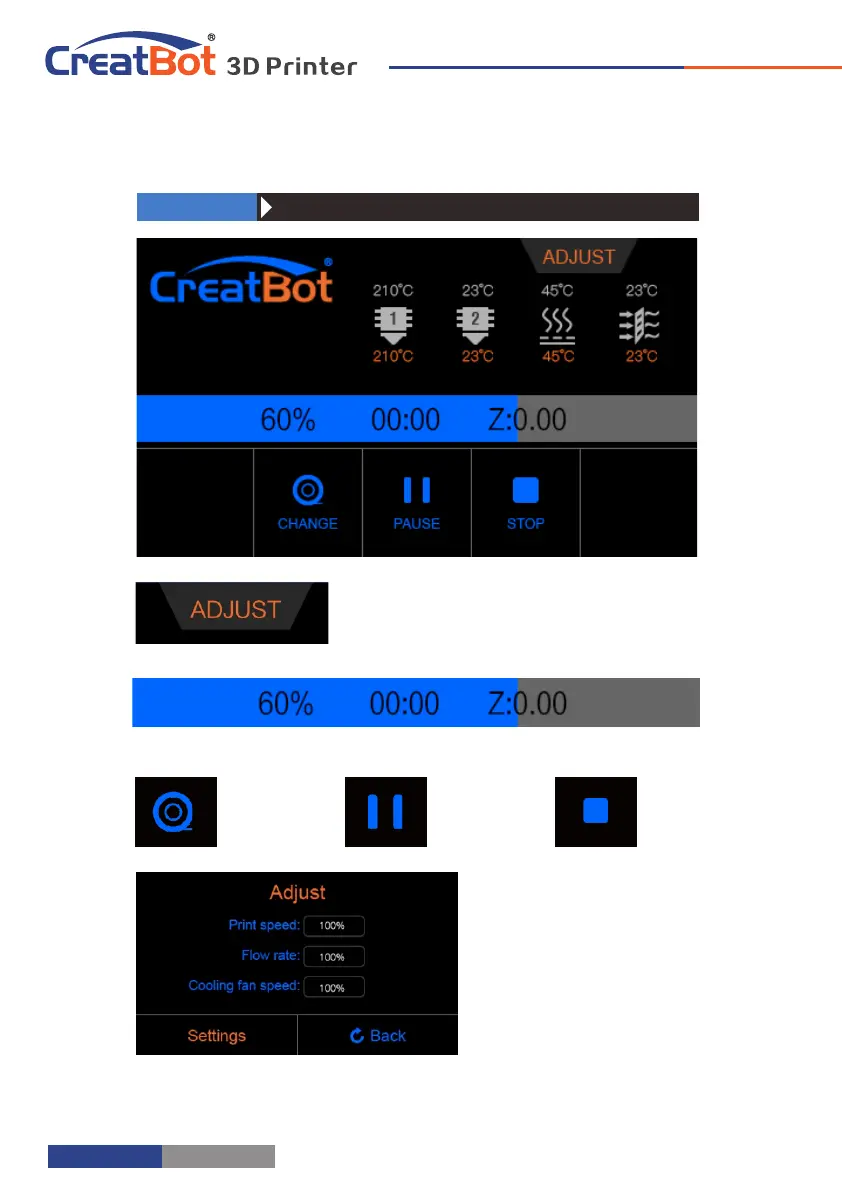
Printing page
- 13 -
Printer Operation
- 12 -
Detail page
Printer Operation
The display will get darken when no operation in ten seconds and
can be waken by clicking anywhere on the screen.
When the display shows the default print page, click anywhere except
the buttons to turn back to the print details page.
Current/ printing /progress
change
pause
stop
Adjust. During printing, you can click it
to adjust the print speed, fan speed and
the extrusion.
print speed:100%
flow rate:100%
colling fan speed:100%
Pause and Change
filament.
Pause print
Cancel print
Current printing progress
bed up
bed down
resume



 To Next Page