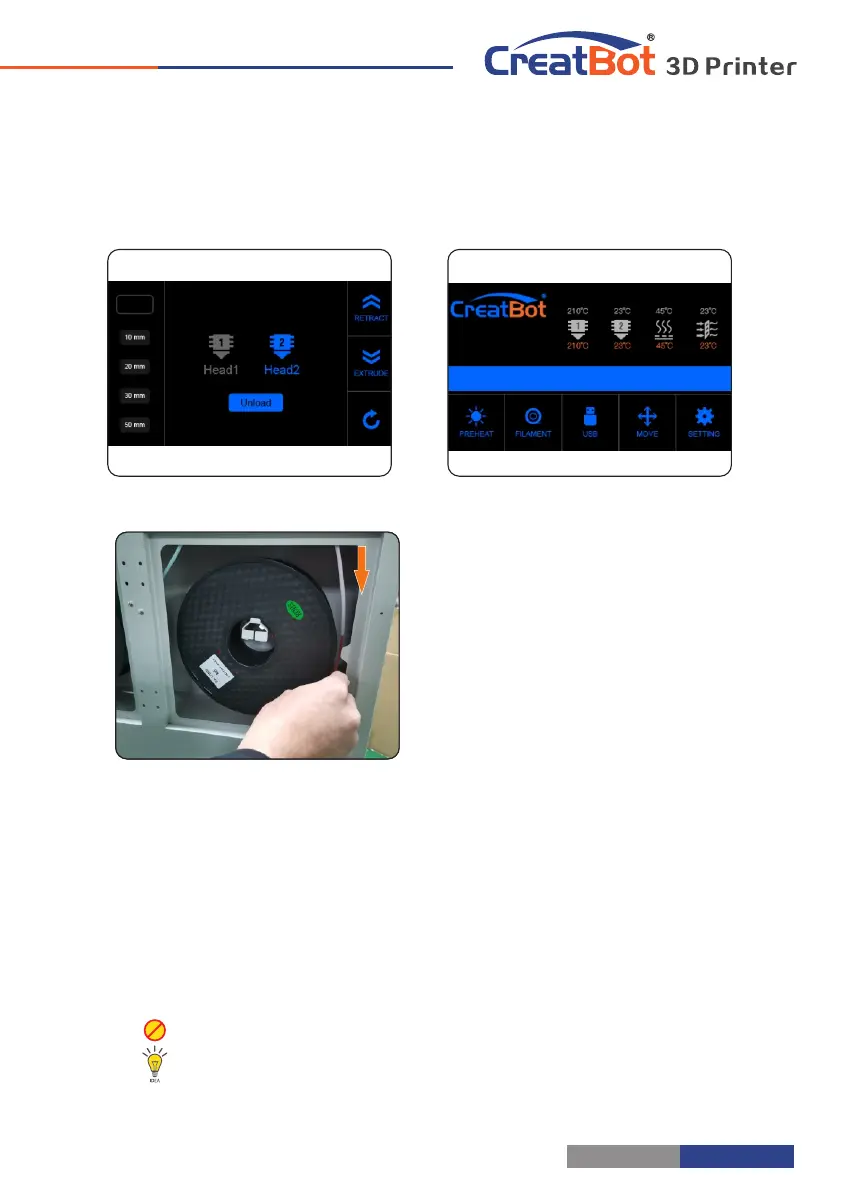
Unload Filament
Printer Operation
1. Enter "Filament" menu ->"Unload filament", and select the head you want
unload.
2. Wait for the nozzle heated to a suitable temperature.
3. After reching temperature, feeder will send a certain number of filament,
and then automatically withdraw filament.
4. To manually unload filament, same as above mentioned.
Unload filament menu
Preheat head
Pull out filament
Warning: It is strictly prohibited without heating nozzle.
Tip: If filament stuck in the guide tube, continue printing several lengths and retry.
- 9 -
Printer Operation
Load Filament
Preheat head
Load filament
Get filament through
Sharpen and straighten filament head
1.Preheat nozzle first.
2.Twist the printed parts,and load filament
roll. Get filament through guide tube until extruder.
Sharpen and straighten filament head,and check
filament if they wind themself.
3. Loosen pressure nut (no need to
remove),put filament into extruder hold and press
filament to nozzle,until filament are extruded well.
(Using skills see page 34)
4.Tighten pressure nut. (twist pressure nut
8~12 times after nut touch spring. Neither too
loose,nor too tight)
Notice: Pressed filament too tight or too loose will affect normal wire feeding.
- 8 -
Tighten pressure nut



 To Next Page