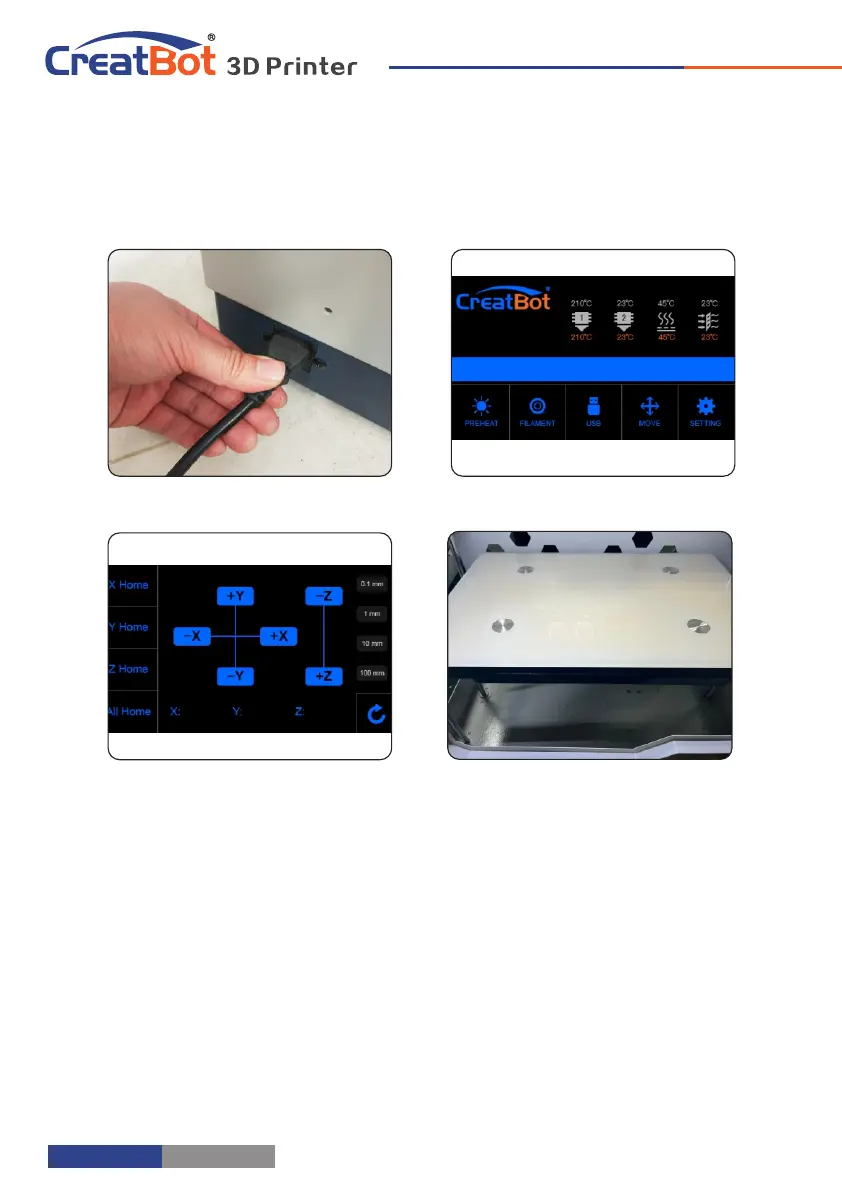
Leveling Platform
Printer Operation
Ⅰ Leveling platform manually
1. Turn on the printer.
2. On touch screen, press “Move axis” -> “All home”
3. Then “-Z” -> 100mm.
4. Move the extruder by hand to 4 corners of bed. Tighten or loosen 4
black nuts below the bed to make sure the distance between nozzle and bed
is 0.2mm around. (Approximately the thickness of one piece of name card)
5. All home secondly.
6. "-Z"-->100mm secondly. Focus on the distance between the nozzle and
bed. It needs to be 0.1mm around. If the distance too far, increase Servo Z
offset value (+0.1mm each time). If too close or touch the bed, decrease
Servo Z offset value. (-0.1mm each time).
Ⅱ Auto leveling
1: Enter "Setting"->"Auto leveling" ->"Probe". Machine will start to detect
25 points.
Note: Servo Z offset means vertical height between nozzle and detector
when probe needle outstretch. It is a fixed value if you don't change hotend
or detector.
Contact us for videos. Or Youtube enter keywords CreatBot F430 leveling
bed
- 7 -
Hardware Installation
1. Ensure the packing is not broken.
2. Need two people at the same time.
3. Lift it out by grasping the frame, not the belt or rails.
4. Turn on the printer, enter "Move axis" menu, select "All home", the bracket
will rise, now you can takeout filament.
Unpacking
Up platform
Turn on printer
Take out filament
Up platform
- 6 -
1
2
3
4



 To Next Page