2-2 Setting Up Your NOMAD Jukebox
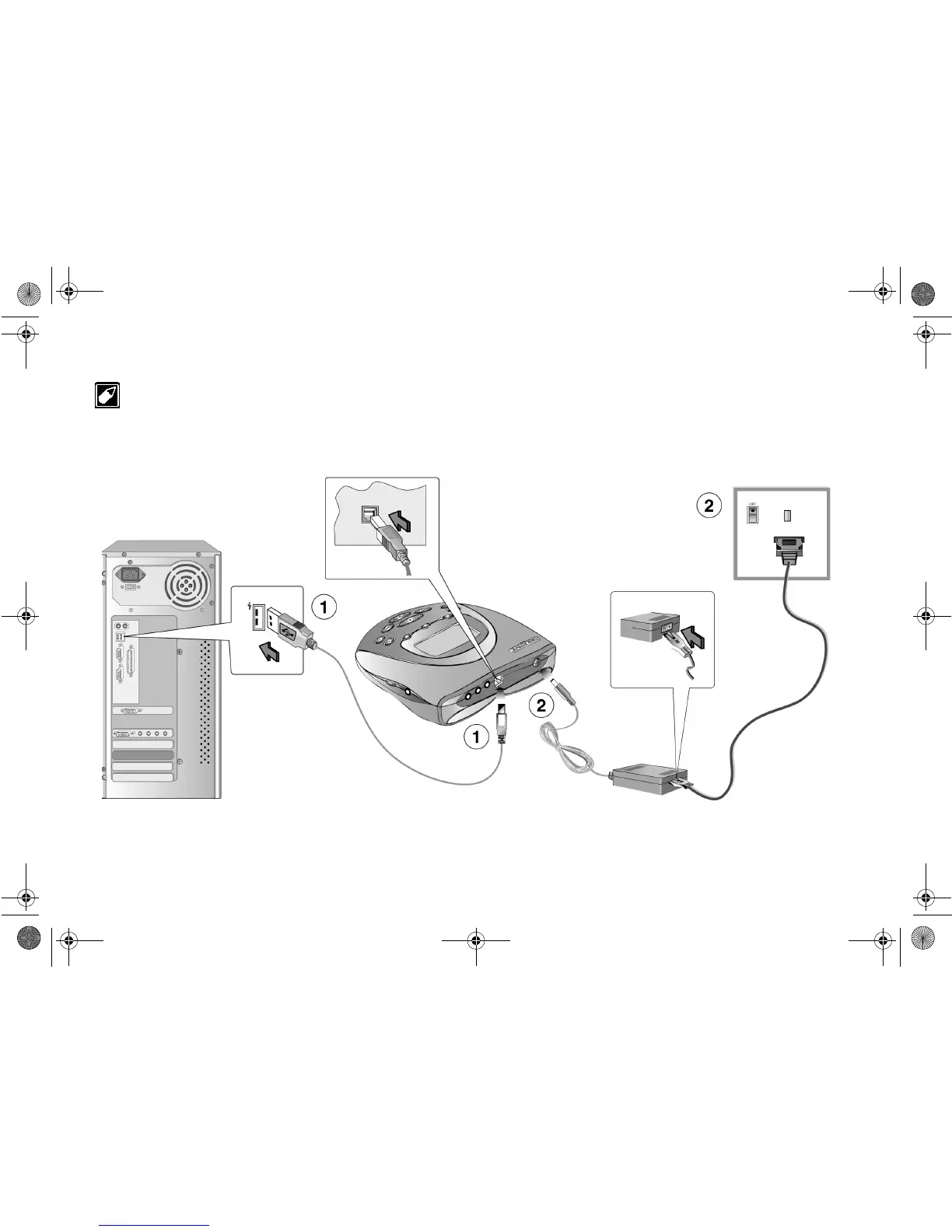
Step 2: Connect NOMAD Jukebox to your PC
You may leave your computer on when you connect your NOMAD Jukebox to the PC. A USB device like the Jukebox will be automatically
detected by Plug-and-Play.
Figure 2-2: Connecting NOMAD Jukebox to a PC.
1. If you want to use PlayCenter 2 to download MP3
songs to your NOMAD Jukebox:
2. If you want to:
a) Supply power to your NOMAD Jukebox using the power adapter
b) Recharge the rechargeable NiMH batteries in NOMAD Jukebox
NJb.book Page 2 Friday, August 11, 2000 10:08 AM













 To Next Page