Using Your NOMAD Jukebox 3-12
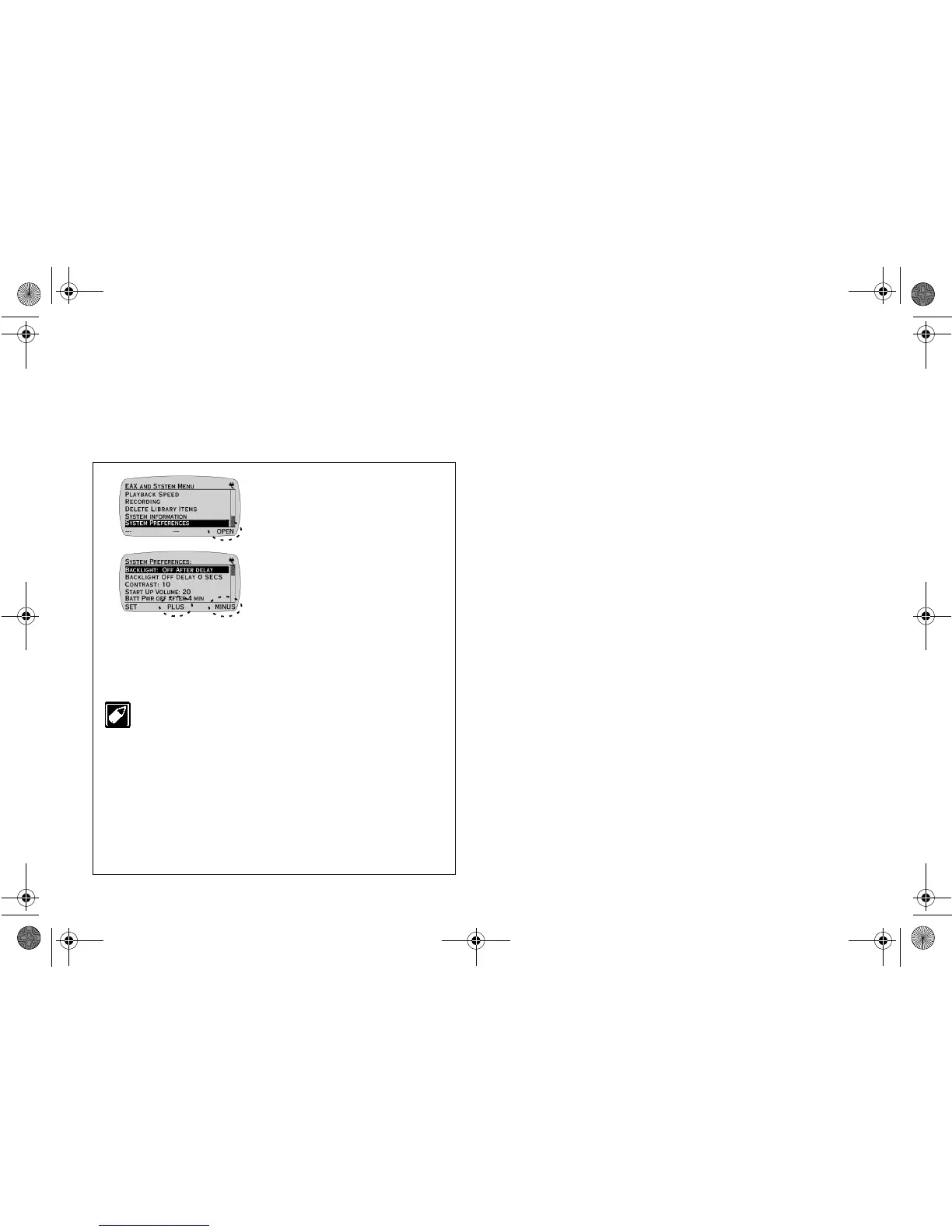
Adjusting System Preferences
The SYSTEM PREFERENCES screen allows you to adjust some of the
Jukebox's overall functions. You can adjust the Jukebox's LCD display
by adjusting Backlight or Contrast settings. A preferred startup volume
can also be set with the Startup Volume setting. If the Jukebox is not in
use, you can put it on standby with the Sleep mode function.
1. Press
SYSTEM
PREFERENCES
.
2. Press
OPEN
.
3. Press the
SCROLL
UP
/
DOWN
buttons to select a
setting for adjustment.
4. Press
PLUS
or
MINUS
to
adjust the setting.
5. Press
SET
to save the
adjustment(s).
You can set the LCD Backlight to be ALWAYS ON,
ALWAYS OFF and OFF AFTER DELAY. If OFF AFTER
DELAY is selected, the BACKLIGHT OFF DELAY setting
will appear; this setting allows you to configure the
backlight to turn off 10 to 300 seconds after you last pressed
a Jukebox button.
You can also set Novice Mode to be ON (set by factory
default) or OFF. In Novice Mode, a screen prompt will
appear indicating some instructions to help you in
navigation.
Adjustments to System Preferences are effective
immediately.
NJb.book Page 12 Friday, August 11, 2000 10:08 AM













 To Next Page