Using Your NOMAD Jukebox 3-5
Previewing a Track
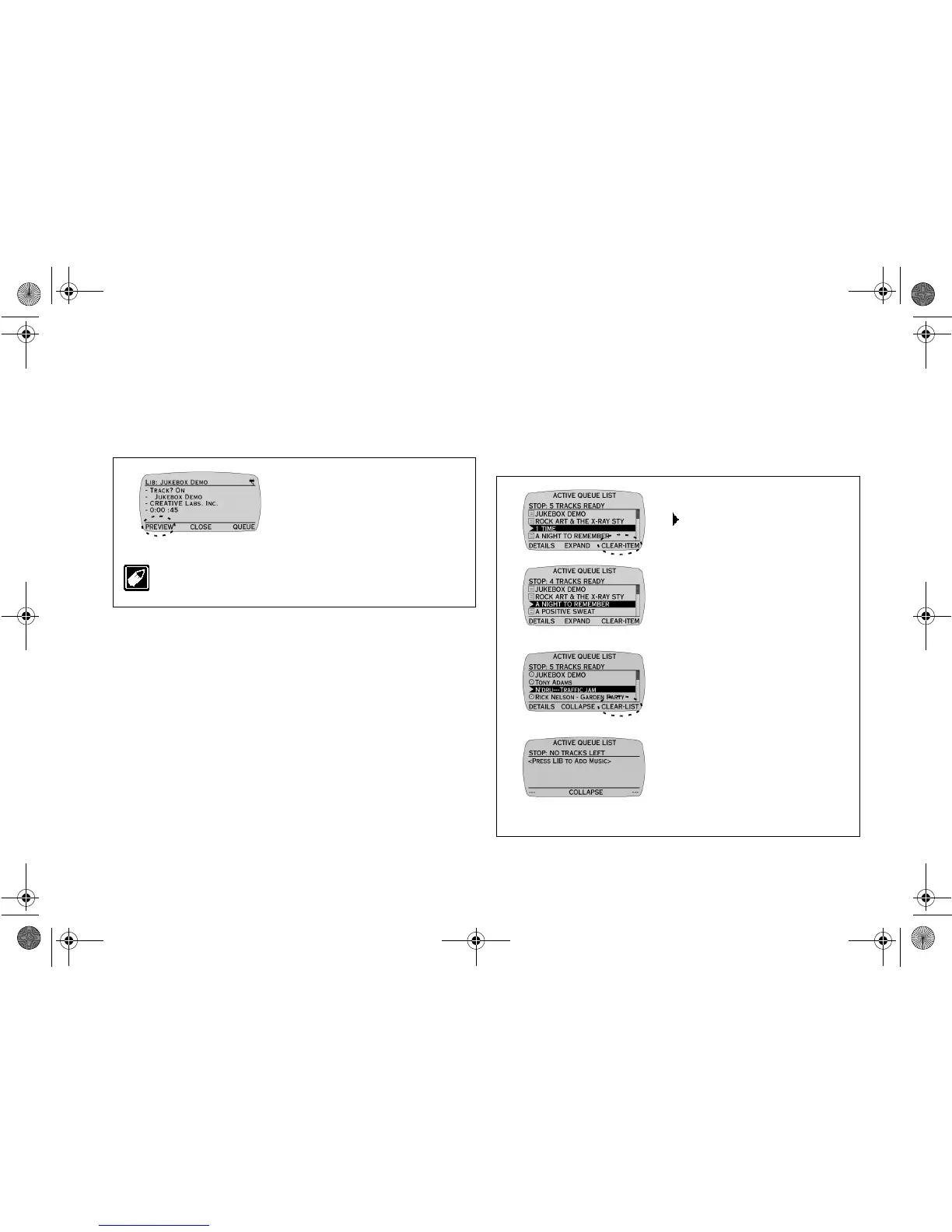
Previewing a track allows you to play a track without placing it in the
ACTIVE PLAY LIST screen. It is useful if you want to listen to the
track before deciding whether or not to queue the track.
Ensure that you are in the DETAILS screen accessed from the TRACKS
screen before proceeding.
Removing Albums, Tracks or Play Lists from
the ACTIVE QUEUE LIST screen
Removing selected Albums, Tracks or Play Lists only clears them from
the ACTIVE QUEUE LIST screen. The action
does not
erase actual
tracks from NOMAD Jukebox.
Ensure that you are in the ACTIVE QUEUE LIST screen and in
COLLAPSE view before proceeding.
1. Press
PREVIEW
.
The track plays for its entire
duration.
2. Press
STOP
to stop the Preview
playback.
Preview cannot be used if audio is already playing.
Removing Items
Press the
SCROLL
UP
/
DOWN
buttons to select
tracks to clear and then press
CLEAR-ITEM for each one.
The track is cleared from the
ACTIVE QUEUE LIST screen.
Removing the entire Play
List
1. Press EXPAND to go to the
EXPAND view so that you see
COLLAPSE above the middle
soft button.
2. Press CLEAR-LIST.
NJb.book Page 5 Friday, August 11, 2000 10:08 AM













 To Next Page