Using Your NOMAD Jukebox 3-6
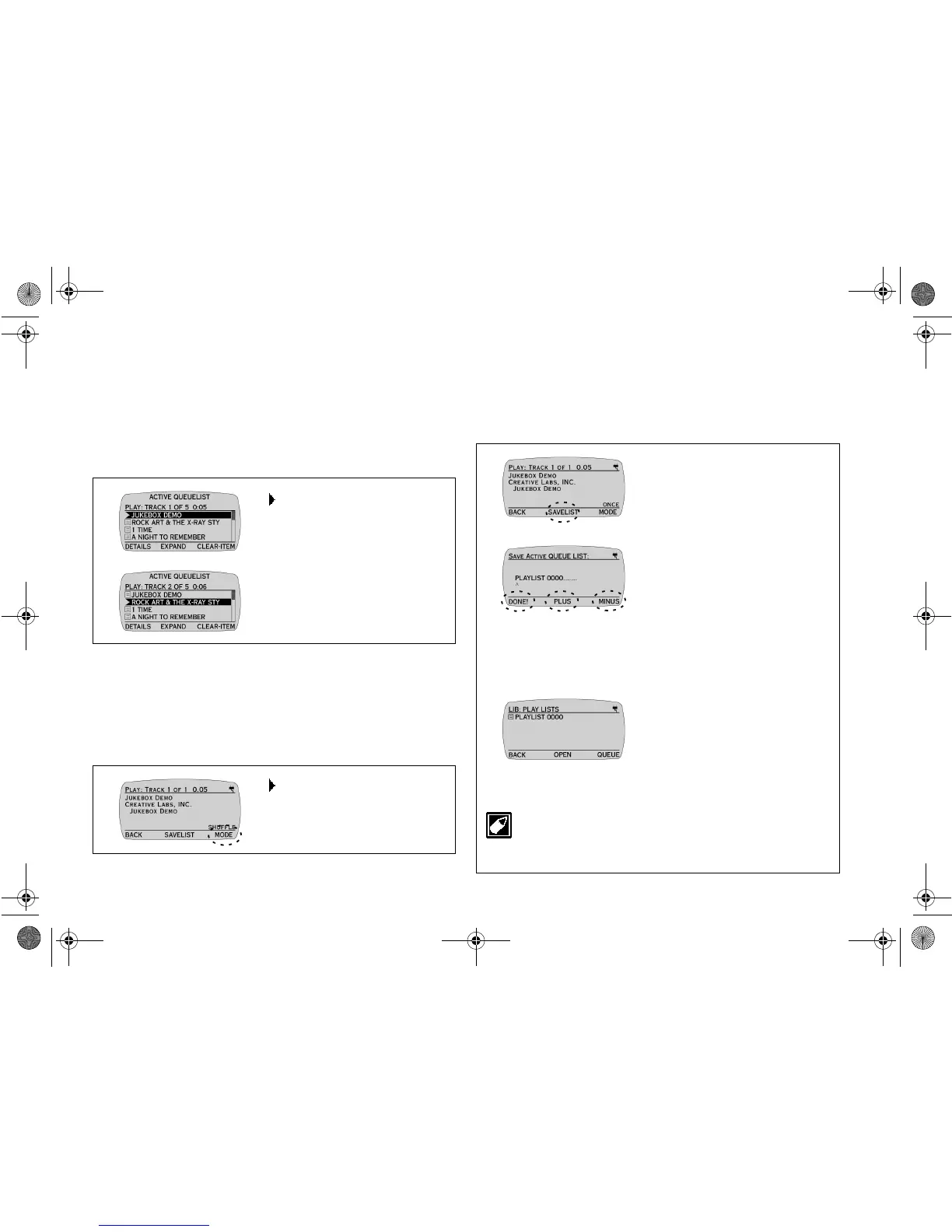
What You can Do while Playing
Tracks/Albums
Refer to the
Quick Start
leaflet for instructions to play a track.
Skipping Forward/Backward by Tracks
Setting Play Mode
Play Mode specifies how tracks or albums in the ACTIVE QUEUE
LIST screen are being played. There are four modes: ONCE,
SHUFFLE (play once in random order), RANDOM (continuous
random play) and REPEAT.
Ensure that you are in DETAILS screen before proceeding.
Saving a Play List in DETAILS screen
You can queue your favorite tracks to the ACTIVE QUEUE LIST
screen and then save the tracks as a Play List for easy retrieval.
Saving a Play List in DETAILS screen is a shortcut to the SAVE
ACTIVE QUEUE LIST function in the EAX and System Menu.
Press the
SKIP
FORWARD
/
BACKWARD
buttons to skip forward to the
next track or skip backward to
the previous track.
Press
MODE
(repeatedly, if
necessary) to change to the
desired Play Mode.
1. Press
SAVELIST
to save all the
currently queued tracks to a
play list.
2. Press
PLUS
or
MINUS
to
change the letter and then press
the
SCROLL UP
/
DOWN
buttons to move the letter entry
position indicated by a ^.
3. Press
DONE!
The ALBUMS screen returns.
4. Press
BACK
to return to
LIBRARY CATEGORIES
screen.
5. Press the
SCROLL
UP
/
DOWN
buttons to select
PLAY LISTS.
6. Press
OPEN
to check your
saved PLAY LIST.
To delete a PlayList, see “Deleting Library Items” on Page
3-10.
NJb.book Page 6 Friday, August 11, 2000 10:08 AM













 To Next Page