Using Your NOMAD Jukebox 3-3
What You Can Do in Music Library
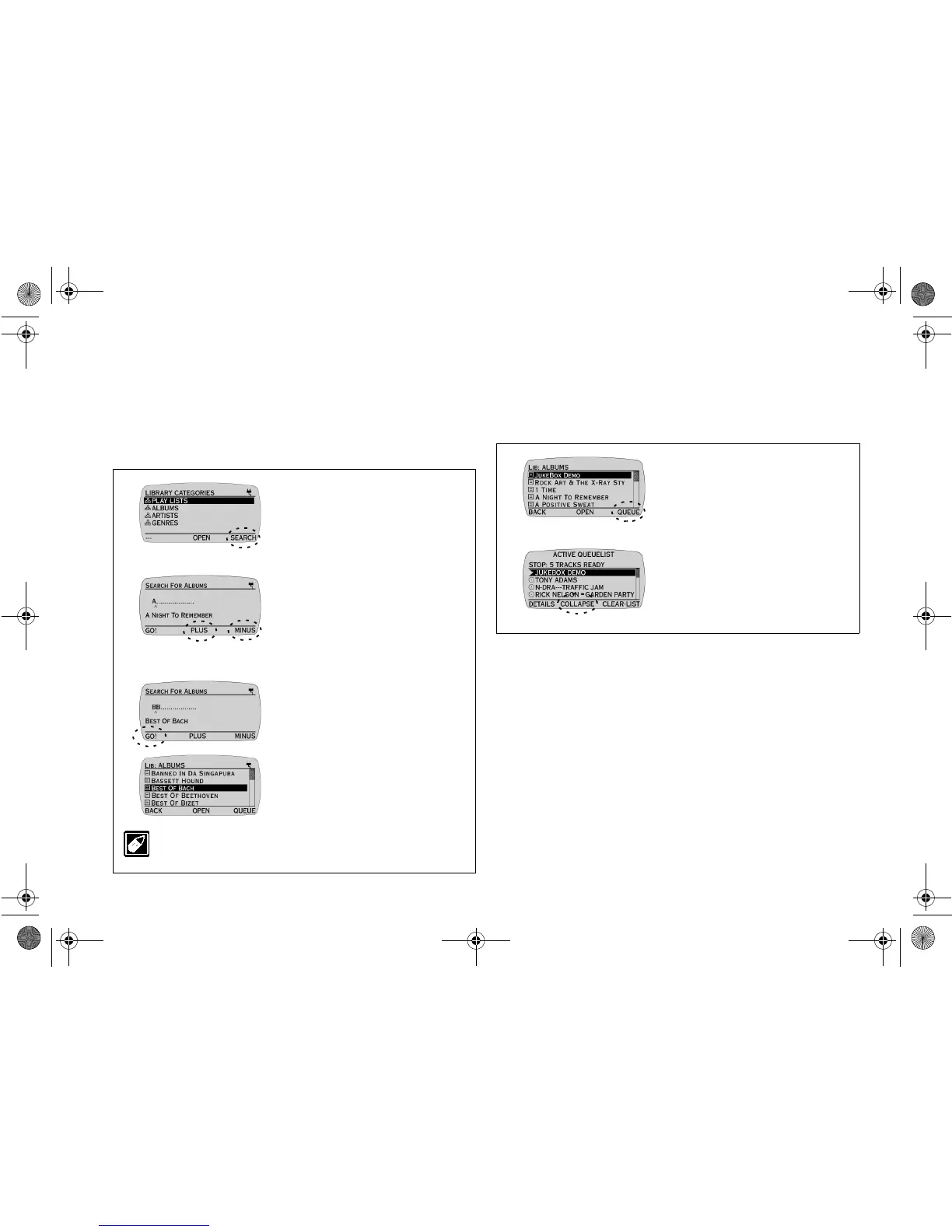
Searching for an ALBUM, ARTIST, GENRE or
PLAY LIST
Ensure that you are in the LIBRARY CATEGORIES screen before
proceeding.
Queueing an Album
Instead of playing albums immediately from the Music Library,
queueing an album allows you to append them to the last item of the
ACTIVE QUEUE LIST without interrupting the current playback.
Ensure that you are in the ALBUMS screen before proceeding.
1. Press
SCROLL UP
/
DOWN
buttons to select ALBUMS.
2. Press
SEARCH
to access the
SEARCH FOR ALBUMS
screen.
3. Press
PLUS
or
MINUS
to
change the letter and then press
the
SCROLL UP
/
DOWN
buttons to move the letter entry
position (indicated by
a
^).
Note:
As each letter is entered, the
letters are compared with the
ALBUMS list. The ALBUM with the
nearest match is
displayedautomatically.
4. Press
GO!
to jump to the
nearest match.
The album appears on the
screen.
To return to the LIBRARY CATEGORIES screen without
searching, press the
LIB
button.
1. Press the
SCROLL
UP
/
DOWN
buttons to select an
album and then press
QUEUE
.
Note:
To select more than one
album, repeat step 1 for each album.
2. Press the
LIB
button to access
the ACTIVE QUEUE LIST
screen to check your queue list.
Note:
By default, the ACTIVE
QUEUE LIST screen displays tracks.
Press COLLAPSE to view by albums.
NJb.book Page 3 Friday, August 11, 2000 10:08 AM













 To Next Page