Using Your NOMAD Jukebox 3-8
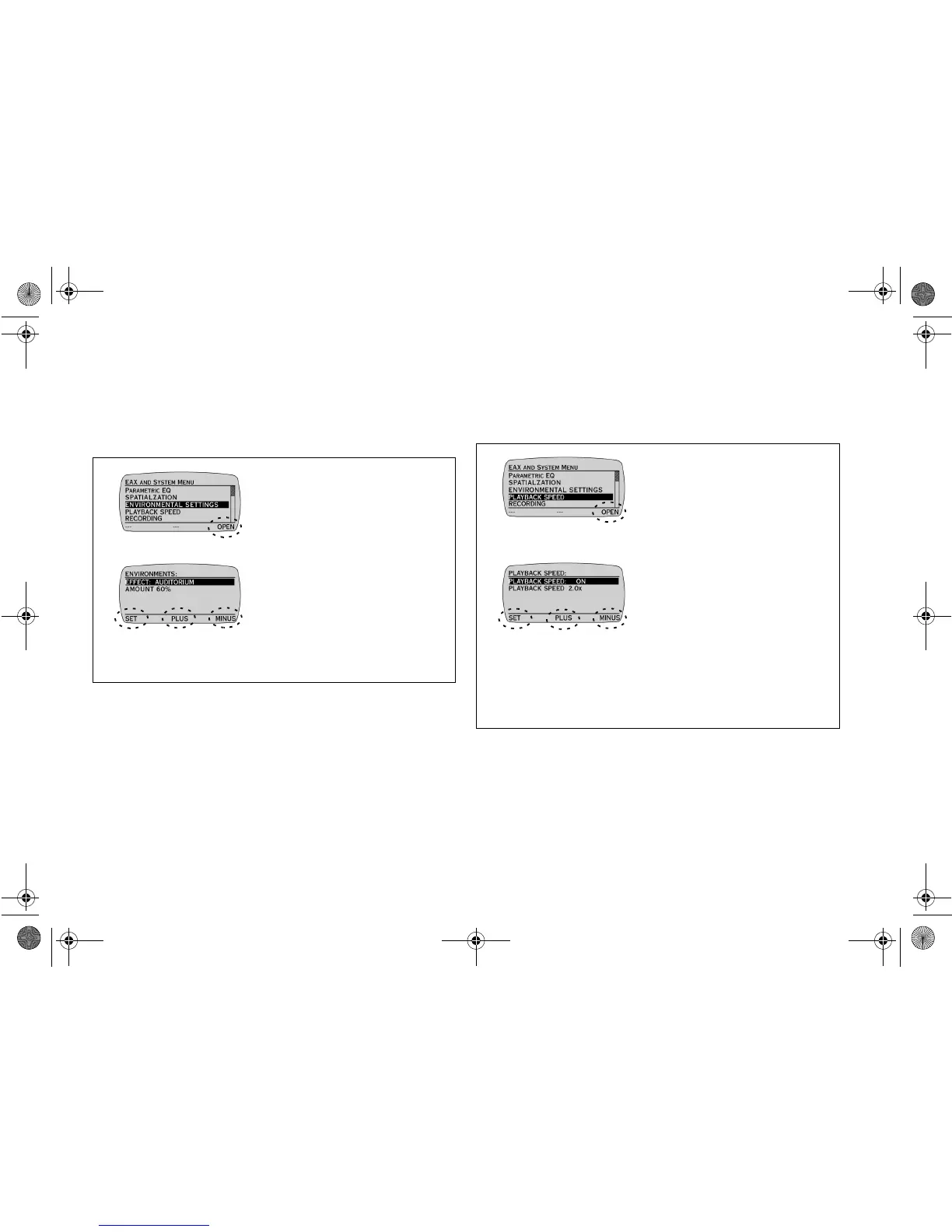
Adjusting Environmental Settings
You can select one of the following Environmental Settings: City,
Arena, Concert Hall, Auditorium, Club, Cave, Hallway, Stone Room,
Living Room, and Ball Room. You can also adjust the AMOUNT of the
selected Environmental Setting to customize its intensity.
Ensure that you are in EAX AND SYSTEM MENU before proceeding.
Using Playback Speed
Playback Speed allows you to slow down or speed up audio playback
without changing pitch. For voice recordings, the speed range is from
0.5x to 2.0x. For MP3 tracks, the speed range is from 0.5x to 1.4x.
Ensure that you are in EAX AND SYSTEM MENU before proceeding.
1. Press the
SCROLL
UP
/
DOWN
buttons to select
ENVIRONMENTAL
SETTINGS.
2. Press
OPEN
.
3. Press the
SCROLL
UP
/
DOWN
buttons to select a
setting for adjustment.
4. Press
PLUS
or
MINUS
to
adjust the setting.
5. Press
SET
to save the
adjustment(s).
1. Press the
SCROLL
UP
/
DOWN
buttons to select
PLAYBACK SPEED.
2. Press
OPEN
.
3. Press the
SCROLL
UP
/
DOWN
buttons to select a
setting for adjustment.
4. Press
PLUS
or
MINUS
to
adjust the setting.
To enable Playback Speed,
ensure that the setting is ON.
5. Press
SET
to save the
adjustment(s).
NJb.book Page 8 Friday, August 11, 2000 10:08 AM













 To Next Page