14
T4 battery icon contains a maximum of 3 segments and will indicate charging by sequentially
lling the battery segments and repeating this process. When fully charged all three segments
will be displayed.
When T4 is powered up and placed in a charger, the battery icon will indicate charging status but the
+ve Safety™ LED will indicate +ve Safety™ status, NOT charging status.
If T4 is switched on whilst charging, after approximately 30 minutes of being on charge T4 will
automatically power down and continue charging, showing the battery charging icon in the bottom
right of the screen.
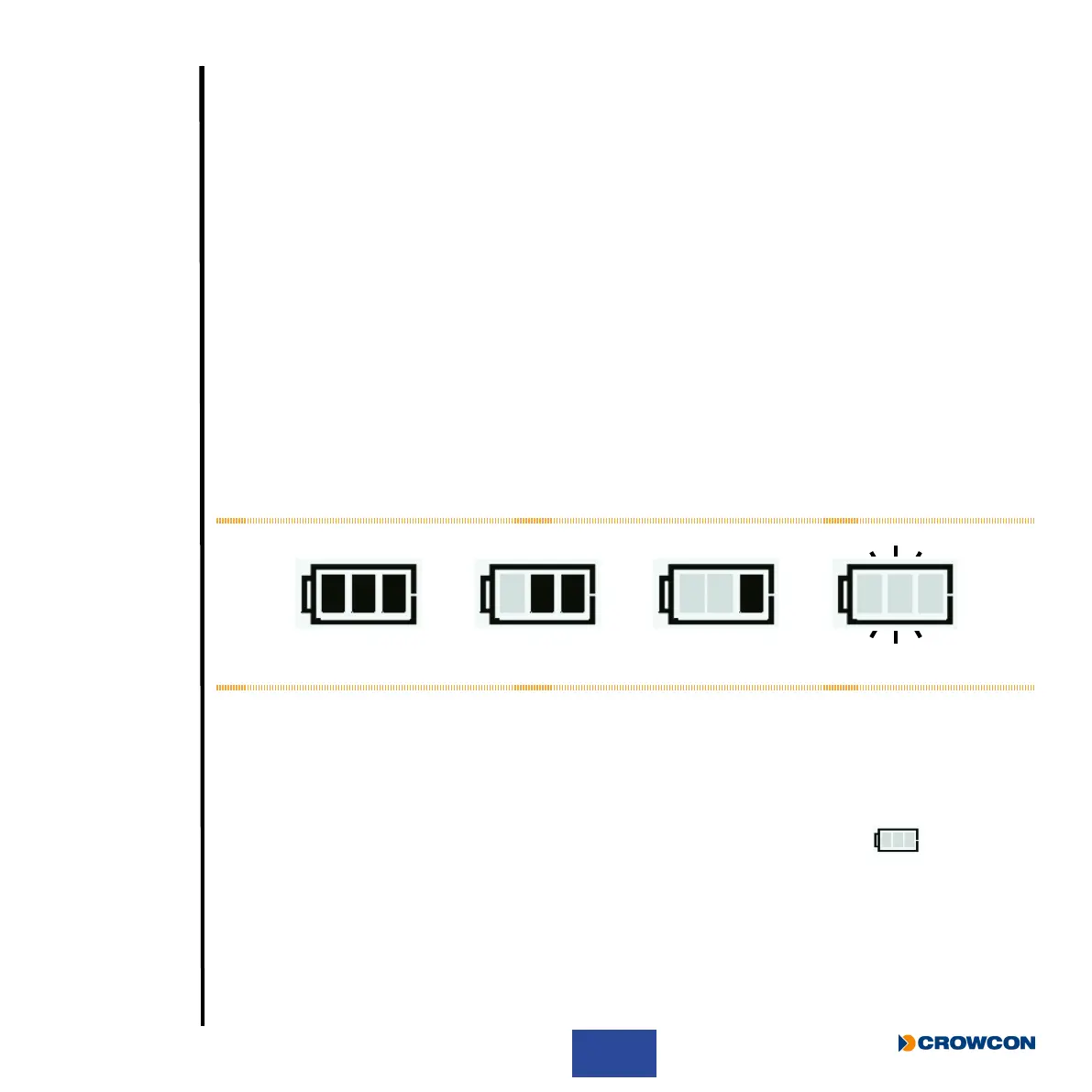
Whilst T4 is not charging the battery icon segments, indicate the battery’s state of charge. These are
only shown when T4 is not placed in a charger.
When fully charged and all three segments are shown
À, the battery typically has a maximum of 18
hours run time* (see Figure 4 below). When T4 changes from three to two segments Á the battery
typically has a maximum of 12 hours run time. When T4 changes from two segments to one, the
battery typically has a maximum of 8 hours run time Â. When the battery icon is ashing with no
segments à the battery typically has a maximum of 30 minutes run time before the battery will be
depleted.
Figure 4: Battery Charge Status
i
Should T4 be deep discharged, the charging indication will not be shown until T4 has
been charging for 1 hour and the operator button has been pressed.
Store the battery in a fully charged state and recharge at least once every 6 months.
* Note: A T4 with no ammable sensor tted typically has a maximum run time of 50hrs. The run time between segment
changes will be longer than described above but when the battery icon is ashing with no segments the battery
typically has a maximum of 30 minutes run time before the battery will be depleted.
À Á ÃÂ



 To Next Page